2-24
C2G41 User's Manual
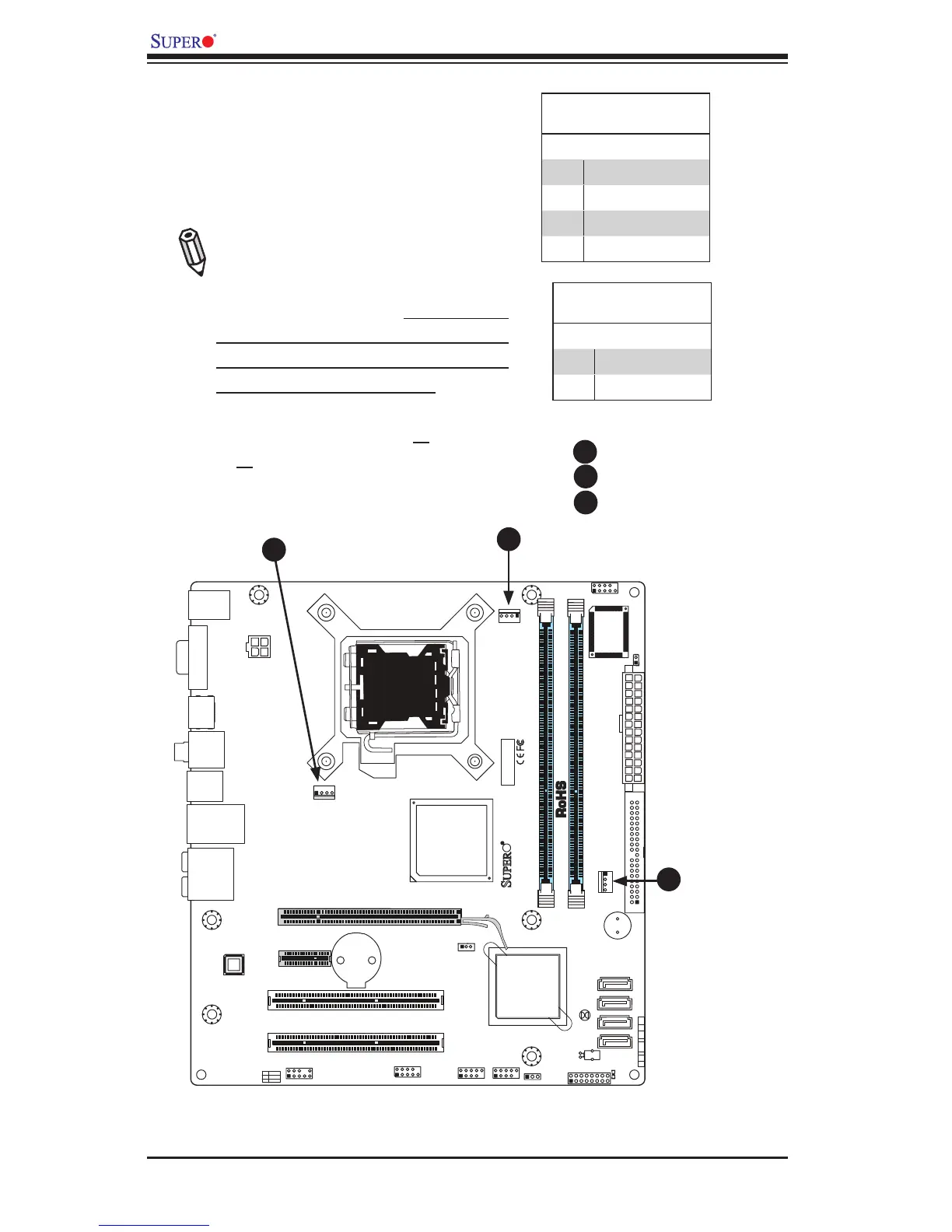
Fan Headers
The C2G41 has three chassis fan headers
(Fan 1 to Fan 3). Fan 1 is the CPU Fan. Fan
2 to Fan 3 are system/chassis fans.
Note: Pins 1-3 of a 4-pin fan headers
are backward compatible with the tradi-
tional 3-pin fans.) See the table on the
right for pin denitions. *The onboard
fan speeds are controlled by Thermal
Management via BIOS Hardware Moni-
toring in the Advanced Setting. (Default:
Disabled. When using Thermal Manage-
ment settings, please use all 3-pin fans
or all 4-pin fans on the motherboard.)
Fan Header
PinDenitions(Fan1-3)
Pin# Denition
1 Ground
2 +12V
3 Tachometer
4 PWR Modulation
A
B
C
A. Fan 1 (CPU Fan)
B. Fan 2
C. Fan 3
A
B
C
Overheat LED
PinDenitions
Pin# Denition
1 5vDC
2 OH Active



 To Next Page