Chapter 2: Installation
2-9
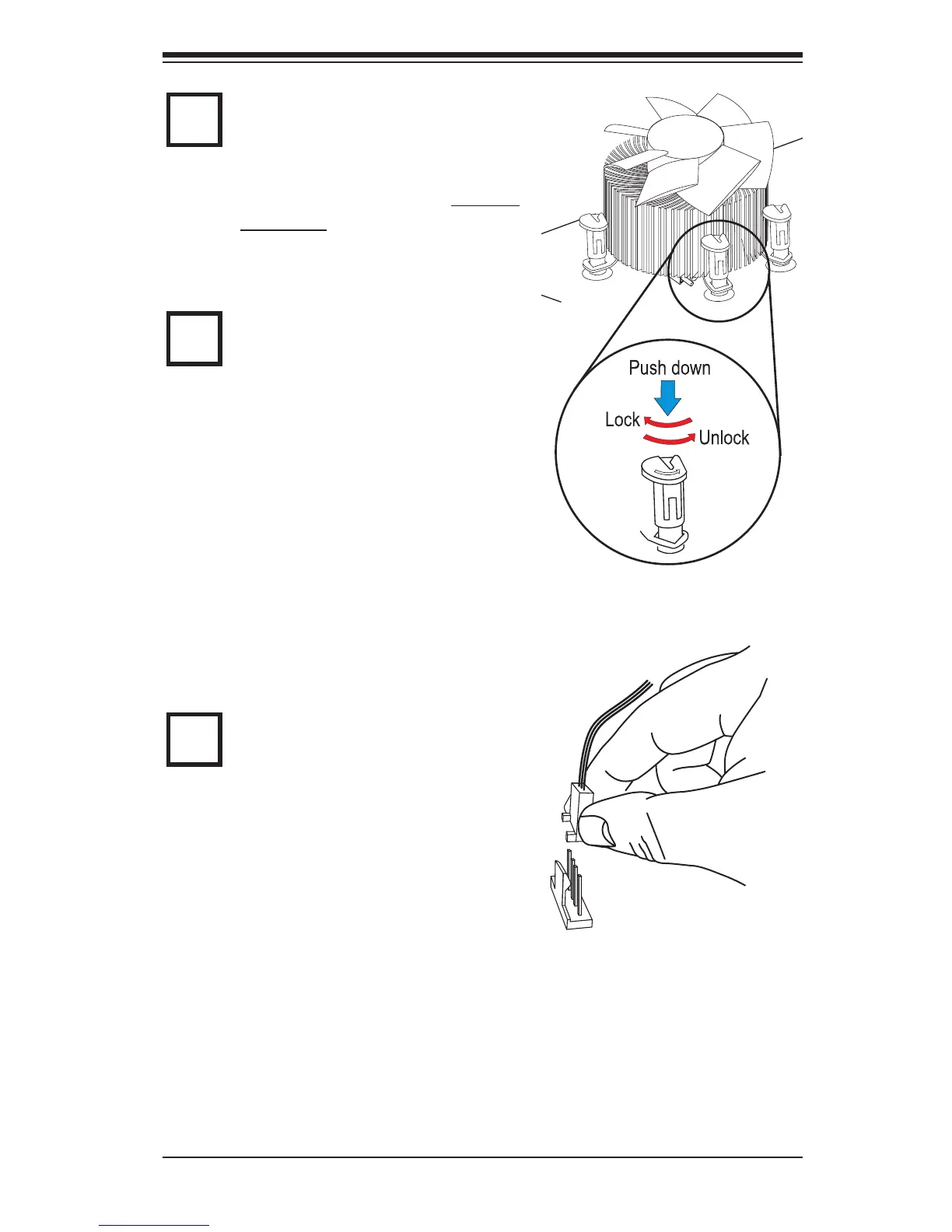
Align the four heatsink fasteners with
the mounting holes on the moth-
erboard. Gently push the pairs of
diagonal fasteners (#1 & #2, and #3 &
#4) into the mounting holes until you
hear a click. (Note: Make sure to orient
each fastener so that the narrow end
of the groove is pointing outward.)
Repeat Step 7 to insert all four heat-
sink fasteners into the mounting holes.
7
8
9
Once all four fasteners are se-
curely inserted into the mounting
holes and the heatsink is proper-
ly installed on the motherboard,
connect the heatsink fan wires to
the CPU Fan connector.



 To Next Page