22
line card, the line card will release the line as soon as it
sees the Caller ID.
Computer Message:
0RRLLL[#0000|ACPM BLOCKED CALL]
Printer Message:
RRLLL–0000--CPM BLOCKED CALL
Options [2E] Reserved
Options [2F] Online Time Out - Default [00]
The Online Time Out option hangs up after a predeter-
mined time delay. Time Out range can be programmed
from 01 to 255 seconds (Hex 01 - FF) or until the call is
completed by the panel (Hex 00). When time out occurs,
the DRL3 hangs up and generates a signal to the printer
and to the automation ( SIA identifier YB).
For Example:
Printer Message: "DRL Online Time-Out"
Automation: NYS0102 (shelf 01, slot 02).
5.3 Dynamic Options: [30] - [FF]
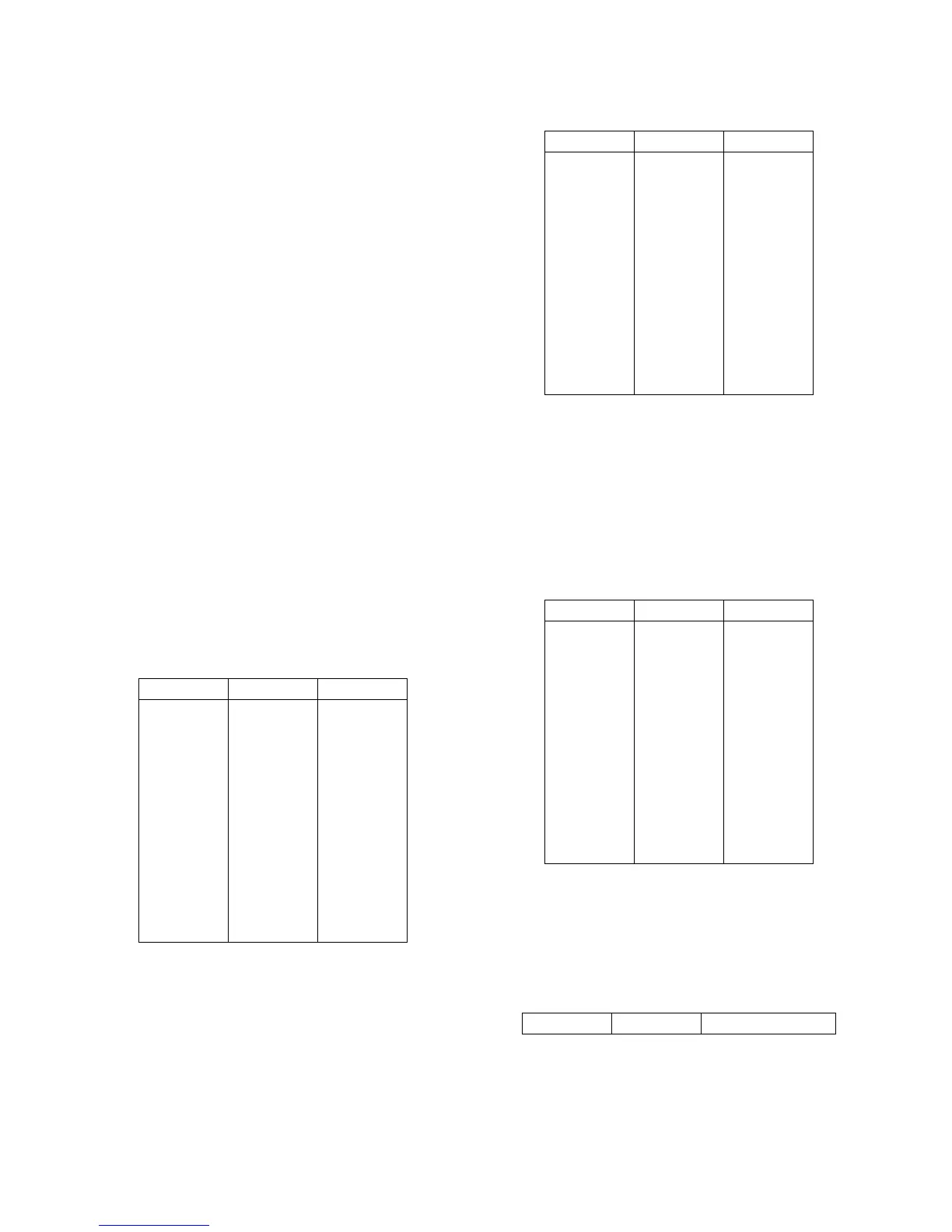
Options [30] - [3F]: 3/1 - 4/1 Digit 0-F
The DRL3 uses a unique Sur-Gard communication for-
mat to transmit data through the CPM3 to the central
station computer. Event codes corresponding to alarm
codes in 10 to 40 Baud formats and DTMF 4/1 to 4/3
formats are used in this unique format to enable the
computer software to determine alarm types.
The DRL3 will use the last digit of data received in 3/1
and 4/1 formats to determine the computer event code.
The event code will then be transmitted to the central
station computer. Refer to the DRL3 Decoding Library for
the complete set of event codes used by the DRL3. In
Sections [30] through [3F], program ASCII codes accord-
ing to the Decoding Library.
Do NOT use values other than 20-7F (ASCII). Defaults:
Options [40] - [4F]: 3/2 - 4/2 Digit 0-F
The DRL3 will use the first digit following the account
code in 4/2, 3/1 extended or 3/2 formats to determine
the computer event code. The event code will then be
transmitted to the central station computer. Refer to the
DRL3 Decoding Library for the complete set of event
codes used by the DRL3.
In Sections [40] through [4F], program ASCII codes
according to the Decoding Library. Do NOT use values
other than 20-7F (ASCII).
Defaults:
Options [50] - [5F]: 4/3 Digit 0-F
The DRL3 will use the fifth digit of data received in 4/3
formats to determine the message and event code. The
event code will then be transmitted to the central station
computer. Refer to the DRL3 Decoding Library for the
complete set of messages and event codes used by the
DRL3. In Sections [50] through [5F], program ASCII
codes according to the Decoding Library. Do NOT use
values other than 20-7F (ASCII).
NOTE: The old value programmed in each Option will
not be changed until a command with valid data is
received. Defaults:
Options [60] - [6F]: Printer Words
The English Printer Library is provided and can be
selected by programming the event codes to the corre-
sponding word.
For example, if the words 'exit alarm' are required when
the alarm code 1 is received in 3/1 (or 4/1 formats),
Option [61] must be programmed as '90'.
Refer to Appendix A for a list of available words.
Defaults:
Option Value Code
30
31
32
33
34
35
36
37
38
39
3A
3B
3C
3D
3E
3F
41
41
41
41
41
41
41
41
41
52
41
4F
43
5C
52
54
A
A
A
A
A
A
A
A
A
R
A
O
C
/
R
T
Option Value Code
40
41
42
43
44
45
46
47
48
49
4A
4B
4C
4D
4E
4F
41
41
41
41
41
41
41
41
41
52
41
4F
43
5C
52
54
A
A
A
A
A
A
A
A
A
R
A
O
C
/
R
T
Option Value Code
50
51
52
55
54
55
56
57
58
59
5A
5B
5C
5D
5E
5F
41
41
41
41
41
41
41
41
41
52
41
43
4F
42
54
5C
A
A
A
A
A
A
A
A
A
R
A
C
O
B
T
/
Option Value Word



 To Next Page