Function Settings Function Settings
5 .1
5.2
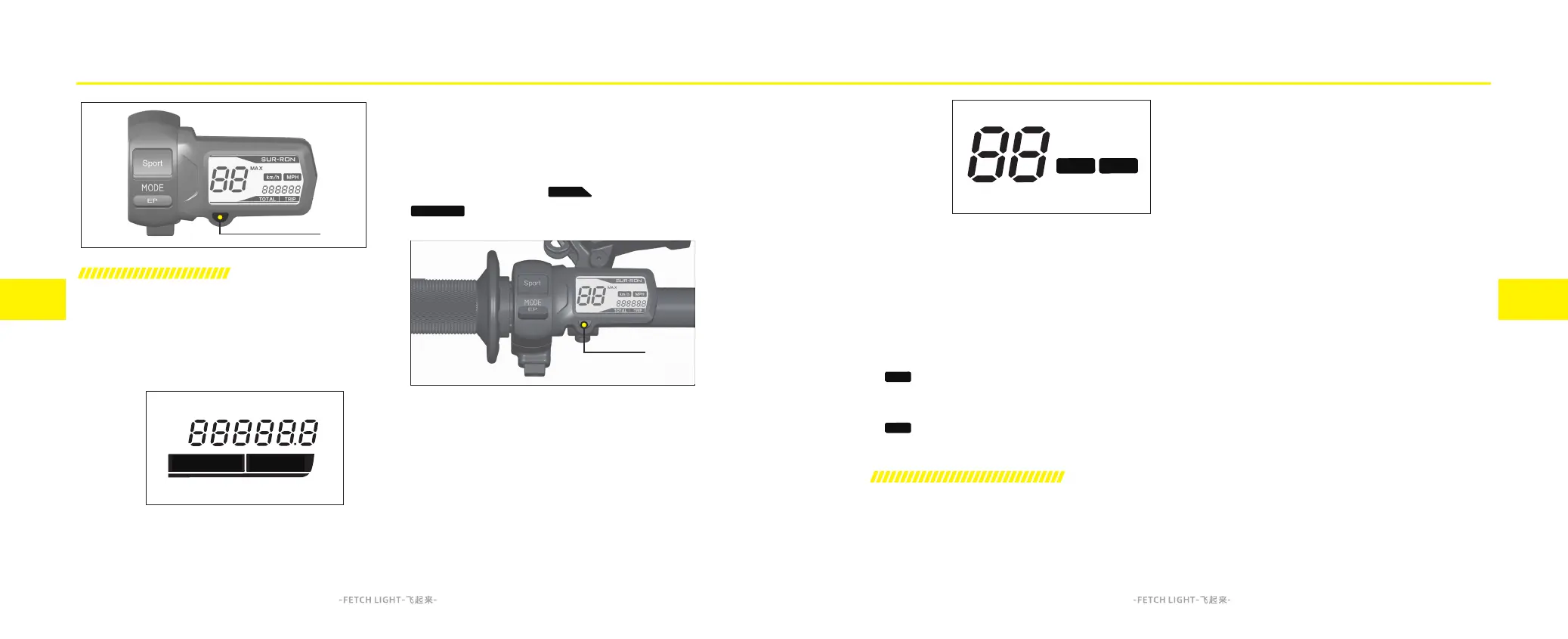
The information displayed on the dashboard can
be set by long press or short press A bottom.
Odometer
Display
Speed
Display Unit
Switching between total mileage and trip
mileage:
When the dashboard is powered on and the
speed is zero, short press the A bottom to switch
between total mileage and trip mileage
.
Switch between miles per hour (mph) and
kilometers per hour (km/h):
1. Press and hold the A bottom when the
dashboard is powered off, then power on the
dashboard and keep holding the A bottom for
more than 2 seconds to switch.
2. is displayed when selecting miles per
hour (MPH).
3. is displayed when selecting kilometers
per hour (km/h).
Reset maximum speed and trip mileage:
When the dashboard is powered on and the
speed is zero, switch to the trip mileage mode and
long press the A button for more than 2 seconds to
reset maximum speed and trip mileage.
Dashboard Setting
A
TRIP
km/h
MPH
TOTAL
TRIP
TOTAL
km/h
MPH
Setting the Mode of System Function
By factory default setting, the regenerative
braking is set at medium level and the brake
override is disabled.
After the motorcycle is powered on, when it is at
standby and the side stand is down, the system
function mode is ready to be set within 20
seconds.
When in the system function mode setting state,
different functions can be set by a combination of
short pulls (about 0.5 second) and long pulls
(about 2 seconds) on the front/rear brake lever;
After the setting is complete, the number of times
the indicator flashes indicates the newly set
function mode. For example, if the diagnostic
cable indicator flashes four times, it indicates the
regenerative braking is set at high level.
After the time limit is exceeded, it will automati-
cally exit the system function mode setting state,
and the motorcycle can be set again after being
re-powered on.
System Function Setting
System Function Indicator
The indicator on the diagnostic cable (see page
11.1 for instructions) indicates that the system
function has been successfully set.
A



 To Next Page