Sutron Corporation Satlink Operations & Maintenance Manual, Rev 8.04.2 11/3/2016 pg. 55
5.12.1. Firmware Versions and Diagnostics
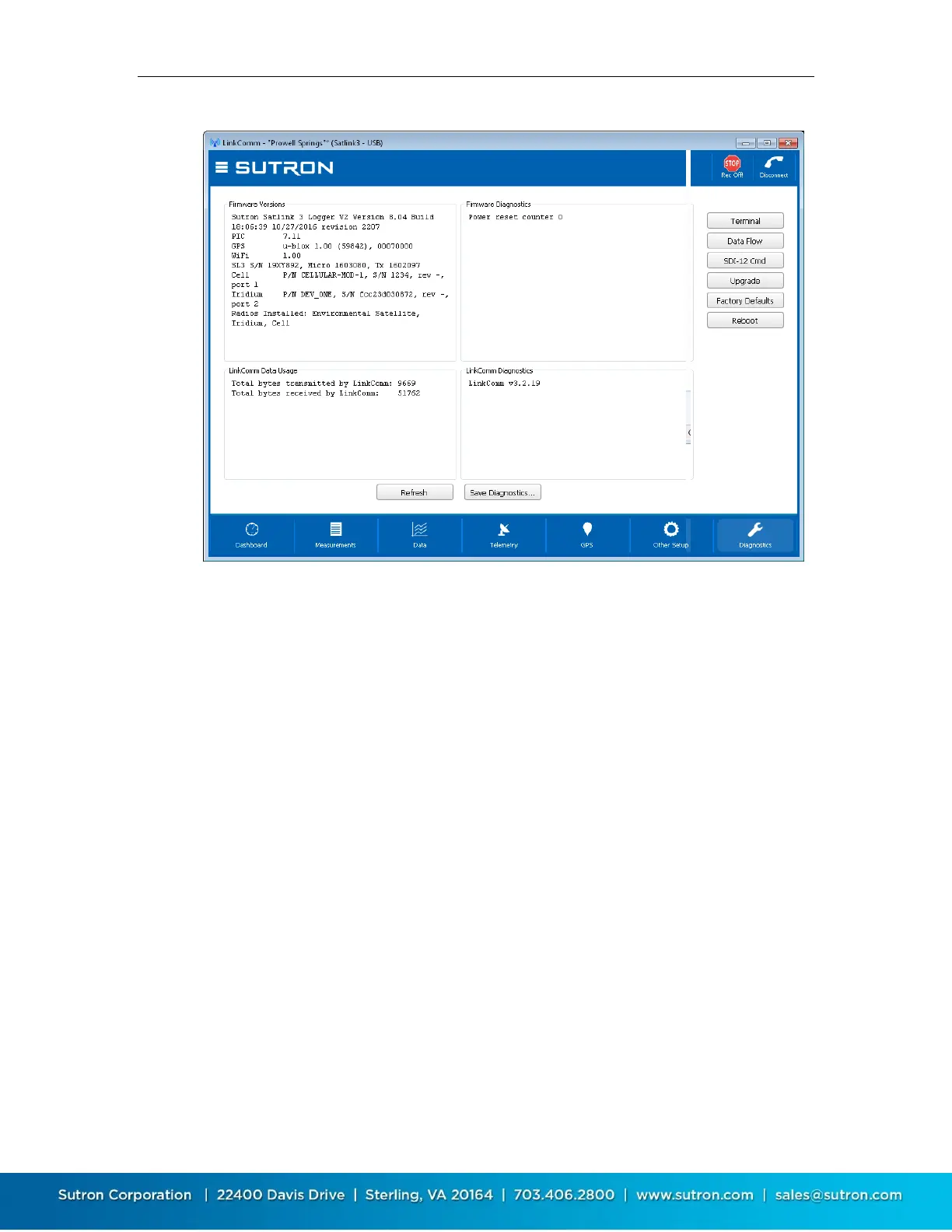
The top two text areas on the Diagnostics tab display information about the firmware installed in
the connected Satlink.
The Firmware Versions section displays the current versions of firmware installed in Satlink. If
LinkComm detects a newer version of firmware is available, this text area contains a message
saying such. The Firmware Diagnostics area displays recent diagnostics information reported by
Satlink.
Press the Refresh… button to update this data to the latest. Press the Save to file… button to
save all diagnostic text data to an external file.
5.12.2. LinkComm Versions and Diagnostics
The bottom two text areas on the Diagnostics tab display information about LinkComm.
The LinkComm Data Usage section displays the total byte counts between LinkComm and Satlink
for the current session. The LinkComm Diagnostics section displays LinkComm’s version
information.
Press the Refresh… button to update this data to the latest. Press the Save to file… button to
save all diagnostic text data to an external file.
5.12.3. Terminal
LinkComm features a built in terminal monitor program. All communications between LinkComm
and Satlink uses the command line interface. The Terminal window can be used to view a history
of command traffic, and can be used to access the command line interface directly.



 To Next Page