45
Click for contents
System: Date and Time
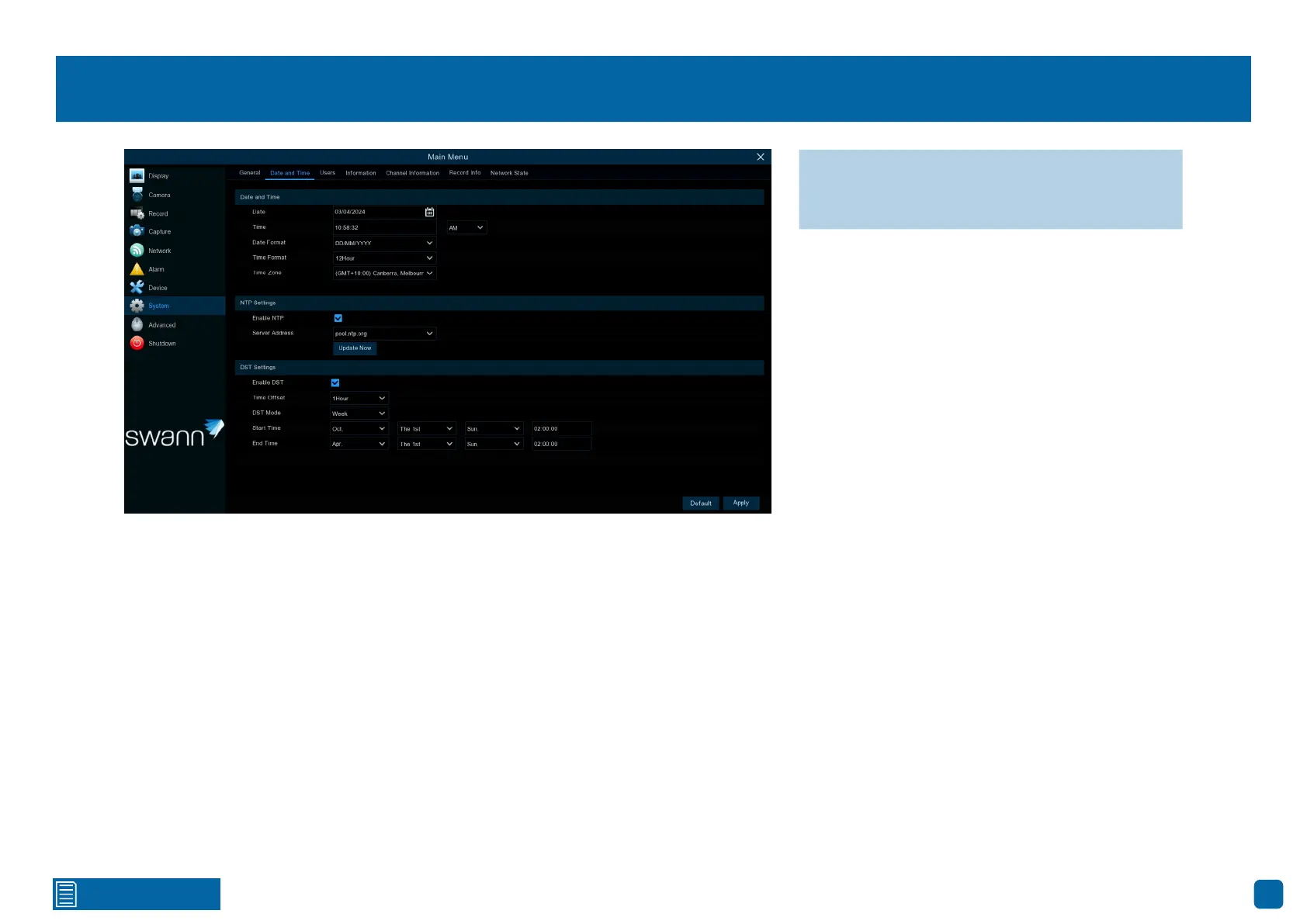
Date and Time
If the date, time and, time zone are incorrect, click the relevant dialogue box-
es and drop-down menus to change.
NTP Settings
The NTP (Network Time Protocol) function gives your Power Hub the ability
to automatically sync its clock with a time server. This ensures that the date
and time are accurate and ensures correct time stamping when events occur.
1. Click the “Update Now” button to automatically synchronize your Power
Hub’s internal clock with the time server instantly.
2. A message will appear on-screen stating that the time has been success-
fully updated. Click “OK” to continue.
DST Settings
Enable DST: If Daylight Saving applies to your time zone or region, click the
drop-down menu to enable it.
Time Offset: Select the amount of time that Daylight Saving has increased by
in your time zone. This refers to the difference in minutes, between Coordi-
nated Universal Time (UTC) and the local time.
DST Mode: You can select how Daylight Saving starts and ends:
Week: Select the month, a particular day, and time when Daylight Saving
starts and ends. For example, 2 a.m. on the first Sunday of a particular month.
Date: Select the start date (click the calendar icon), end date, and time when
Daylight Saving starts and ends.
→ Click “Default” to revert to default settings.
→ Click “Apply” to save settings.



 To Next Page