[] External Device Connection
[HDMI Connection]
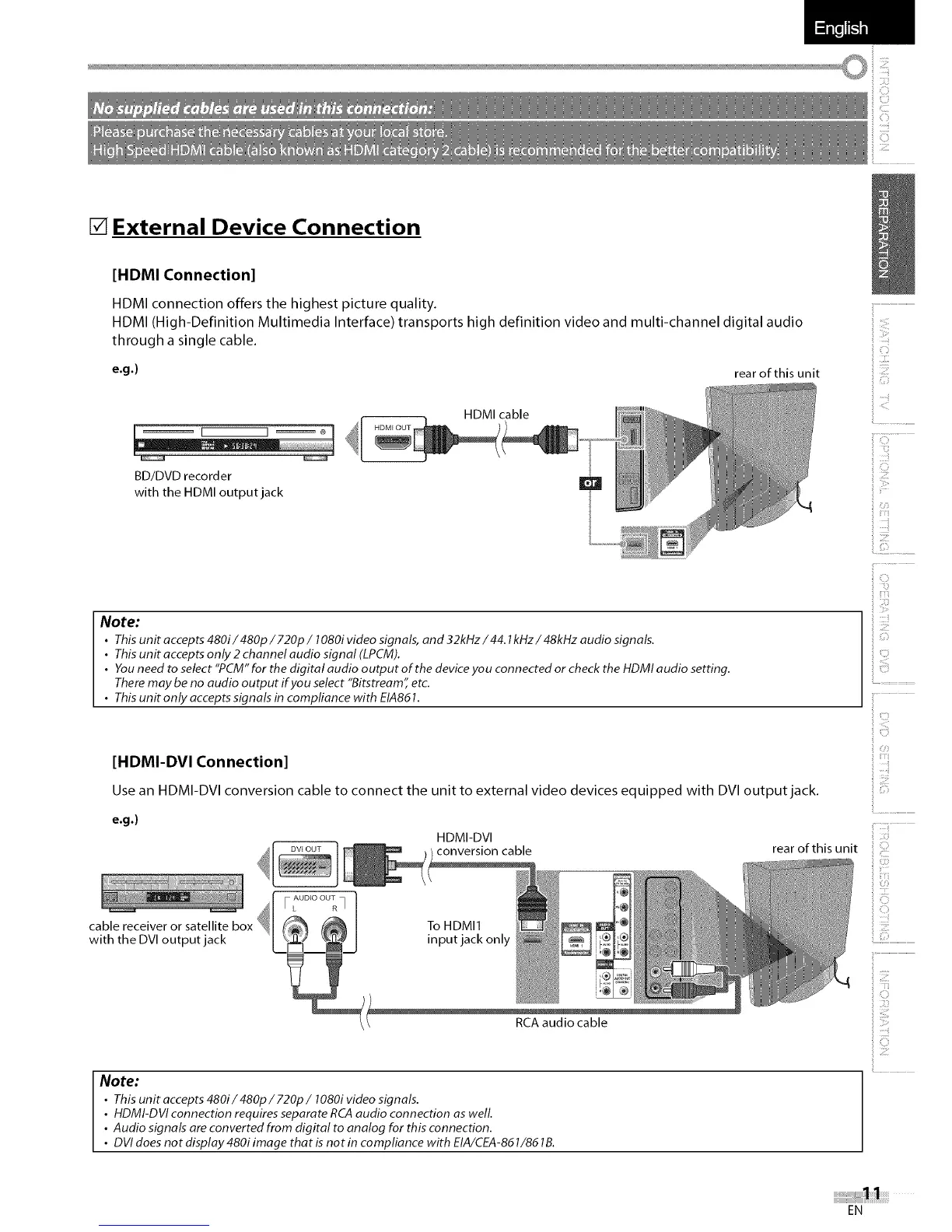
HDMI connection offers the highest picture quality.
HDMI (High-Definition Multimedia Interface) transports high definition video and multi-channel digital audio
through a single cable.
e.g.) rear of this unit
BD/DVD recorder
with the HDMI output jack
HDMI cable
Note:
• This unit accepts 480i/480p/720p/1080i video signals, and 32kHz/44.1kHz/48kHz audio signals.
• This unit accepts only 2 channel audio signal (LPCM).
• You need to select "PCM" for the digital audio output of the device you connected or check the HDMI audio setting.
There may be no audio output if you select "Bitstream" etc.
• This unit only accepts signals in compliance with EIA861.
[HDMI-DVI Connection]
Use an HDMI-DVI conversion cable to connect the unit to external video devices equipped with DVI output jack.
e.g.)
HDIVll DVl
conversion cable rear of this unit
cable receiver or satellite
with the DVI output jack
To HDMI1
input jack only
RCA audio cable
Note:
• This unit accepts 480i/480p/720p/1080i video signals.
• HDMI-DVI connection requires separate RCA audio connection as welL
• Audio signals are converted from digital to analog for this connection,
• DVI does not display 480i image that is not in compliance with EIA/CEA-861/86 lB.
i................................................
iii!!!i
i C_
ili!iliiiii!
iiiiiiii_
iiii!_ii
ij ::::ii
ilii!!!!
ii!!iiiii
ii Ziil
iiii!!il;il
ii Cil
ii ii!Z
i C::¸_
EN















 To Next Page