[] Initial Setup
Thissectionwill guideyouthroughtheunit'sinitialsettingwhichincludes
selectingalanguageforyouron-screenmenuandautoscan,which
automaticallyscansandmemorizesviewablechannels.
Beforeyoubegin:
Makesureiftheunitisconnectedtoantennaorcables.
1 After making all the necessary connections,
press [POWER] to turn on the unit.
POWER
• This operation may take a few moments.
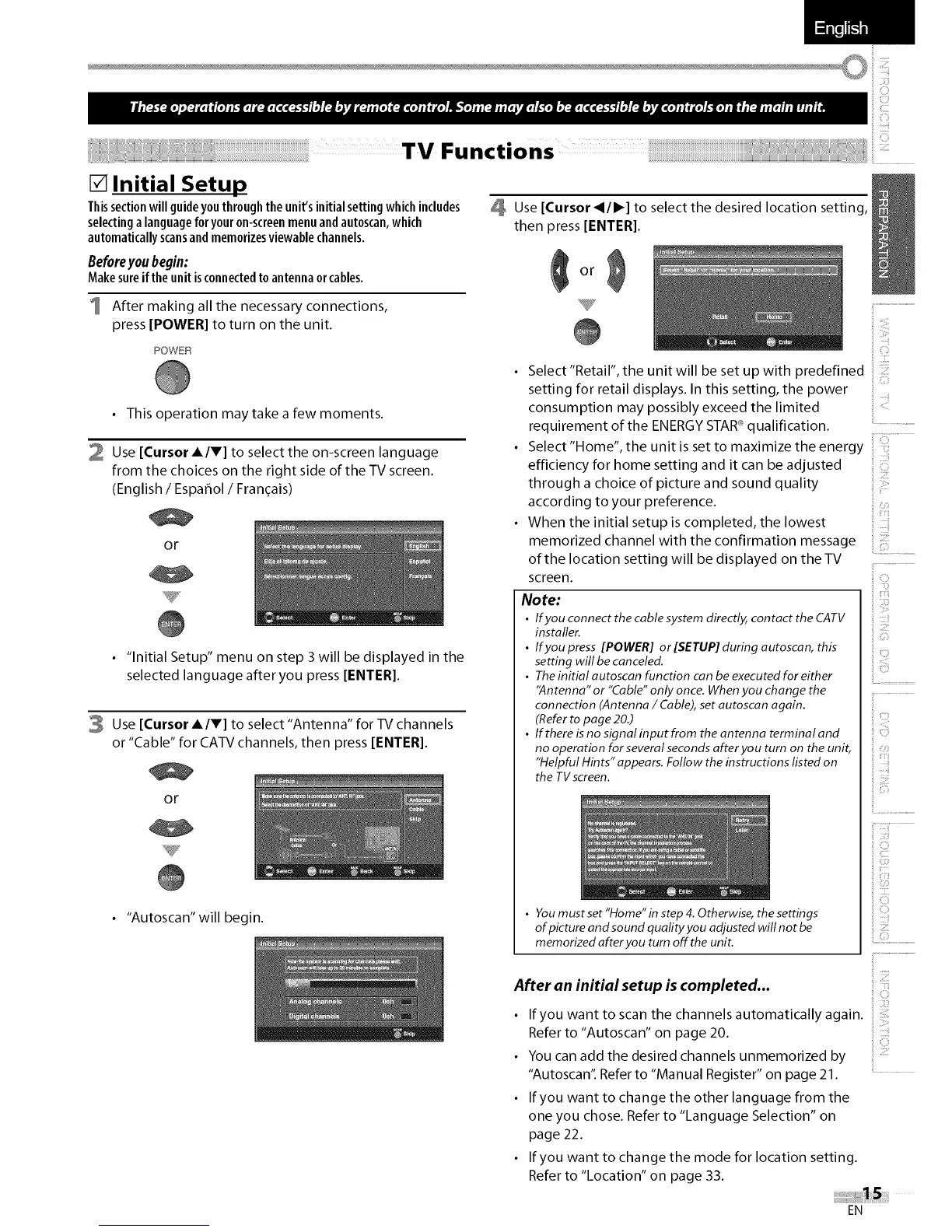
2 Use [Cursor A/T] to select the on-screen language
from the choices on the right side of the TV screen.
(English / Espafiol / Fran(_ais)
or
• "Initial Setup" menu on step 3 will be displayed in the
selected language after you press [ENTER[.
3 Use [Cursor A/T] to select "Antenna" for TV channels
or "Cable" for CATV channels, then press [ENTER[.
or
• "Autoscan"will begin.
Use [Cursor _11_] to select the desired location setting,
then press [ENTER[.
efficiency for home setting and it can be adjusted
through a choice of picture and sound quality
according to your preference.
When the initial setup is completed, the lowest
memorized channel with the confirmation message
of the location setting will be displayed on the TV
screen.
iii£i
ii !i:?
Select "Retail", the unit will be set up with predefined
setting for retail displays. In this setting, the power
consumption may possibly exceed the limited
requirement of the ENERGY STAR®qualification.
Select "Home", the unit is set to maximize the energy
i
_ii!!i
Note:
• If you connect the cable system directly, contact the CATV
installer.
• If you press [POWER] or [SETUP] during autoscan, this
setting will be canceled.
• Theinitial autoscan function can be executed for either
"Antenna" or "Cable"only once. Whenyou change the
connection (Antenna / Cable),set autoscan again.
(Referto page 20.)
• Ifthereisnosignalinputfrom theantenna terminaland
no operation for several secondsafter you turn on the unit,
"Helpful Hints" appears. Follow the instructions listed on
the TVscreen.
• You must set "Home"in step 4. Otherwise, the settings
of picture and sound quality you adjusted will not be
memorized after you turn off the unit.
i
ii ilii!:¸
!i!!iii!i
After an initial setup is completed...
If you want to scan the channels automatically again. :
Refer to "Autoscan" on page 20.
You can add the desired channels unmemorized by
"Autoscan't Refer to "Manual Register" on page 21.
• If you want to change the other language from the
one you chose. Refer to "Language Selection" on
page 22.
If you want to change the mode for location setting.
Refer to "Location" on page 33.
EN















 To Next Page