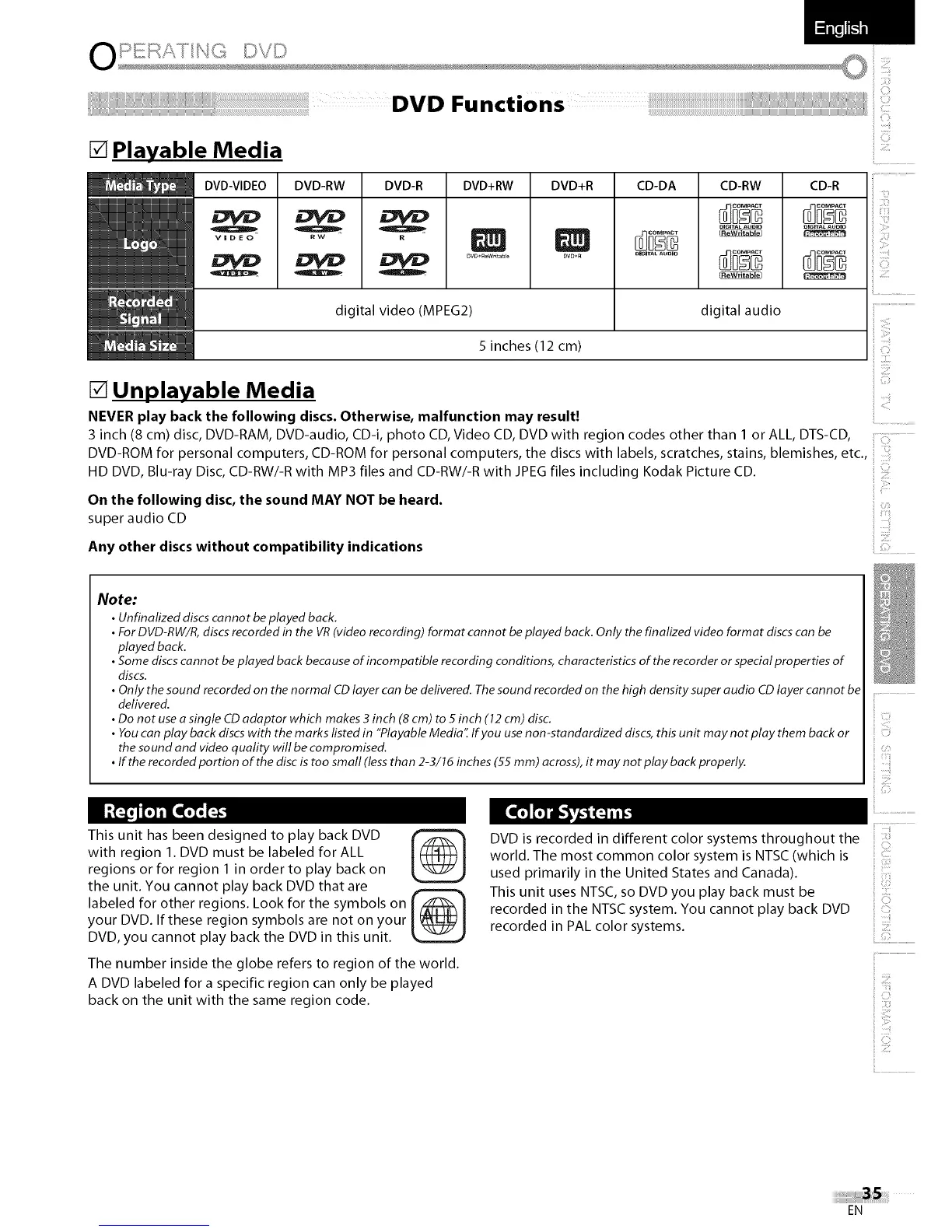
[] Playable Media
DVD-VIDEO
V_DEO
DVD-RW DVD-R DVD+RW DVD+R CD-DA CD-RW CD-R
digital video (MPfG2) digital audio
5 inches (12 cm)
[] Unplayable Media
NEVER play back the following discs• Otherwise, malfunction may result!
3 inch (8 cm) disc, DVD-RAM, DVD-audio, CD-i, photo CD, Video CD, DVD with region codes other than 1 or ALL, DTS-CD,
DVD-ROM for personal computers, CD-ROM for personal computers, the discs with labels, scratches, stains, blemishes, etc.,
HD DVD, Blu-ray Disc, CD-RW/-R with MP3 files and CD-RW/-R with JPEG files including Kodak Picture CD.
On the following disc, the sound MAY NOT be heard•
super audio CD
Any other discs without compatibility indications
i C)
i ]iii!!]
CI)
Note:
• Unfinalized discscannot be played back.
• For DVD-RW/R,discsrecorded in the VR(video recording) format cannot be played back. Only the finalized video format discscan be
played back.
• Some discscannot be played back because of incompatible recording conditions, characteristics of the recorder or special properties of
discs.
• Only the sound recorded on the normal CDlayer can bedelivered. Thesound recorded on the high density super audio CDlayer cannot be
delivered.
• Do not useasingle CDadaptor which makes 3 inch (8 cm) to 5inch (12cm) disc.
• Youcan play back discs with the marks listed in "Playable Medid[ Ifyou use non-standardized discs, this unit may not play them back or
the sound and video quality will be compromised.
• If the recorded portion of the disc is too small (lessthan 2-3/16 inches (55 mm) across),it may not play back properly.
This unit has been designed to play back DVD
with region 1. DVD must be labeled for ALL
regions or for region 1 in order to play back on
the unit. You cannot play back DVD that are
labeled for other regions. Look for the symbols on I_l
your DVD. If these region symbols are not on your
DVD, you cannot play back the DVD in this unit.
The number inside the globe refers to region of the world.
A DVD labeled for a specific region can only be played
back on the unit with the same region code.
ill)
00 . ii................................
ili
DVD is recorded in different color systems throughout the
world. The most common color system is NTSC (which is
used primarily in the United States and Canada).
i
This unit uses NTSC, so DVD you play back must be
recorded in the NTSC system. You cannot play back DVD
recorded in PAL color systems.
i
i
EN















 To Next Page