o •_ ii
[] Fast Forward / Fast Reverse
Press [FWD IH_] or [REV _1_1]repeatedly
during playback to select the desired
forward or reverse speed.
To continue playback, press [PLAY I_].
Note:
• Set "STILL MODE" to "FIELD"in the "OTHERS" menu if
pictures in the fast playback mode are blurred. (Refer to
page 47.)
• Fast forward/fast reverse speed varies with disc.
Approximate speed is 1(2x), 2(8x), 3(20x), 4(50x) and 5(100x)
on DVD and 1(2x), 2(8x) and 3(30x) on audio CD.
• For DVD, sound will be muted during this function.
• For audio CD, sound will be intermittent during the search.
[] Slow Forward / Slow Reverse
Press [FWD IH_] or [REV _1_1] repeatedly _ i
during the paused mode to select the _2D
I
desired forward or reverse speed.
To continue playback, press [PLAY I_].
Note:
• Set "STILL MODE" to "FIELD"in the "OTHERS" menu if
pictures in the slow playback mode are blurred. (Refer to
page 47.)
• Slow forward/slow reverse speed varies with disc.
Approximate speed is 1(1/16x), 2(1/8x) and 3(1/2x).
• The sound will be muted during this function.
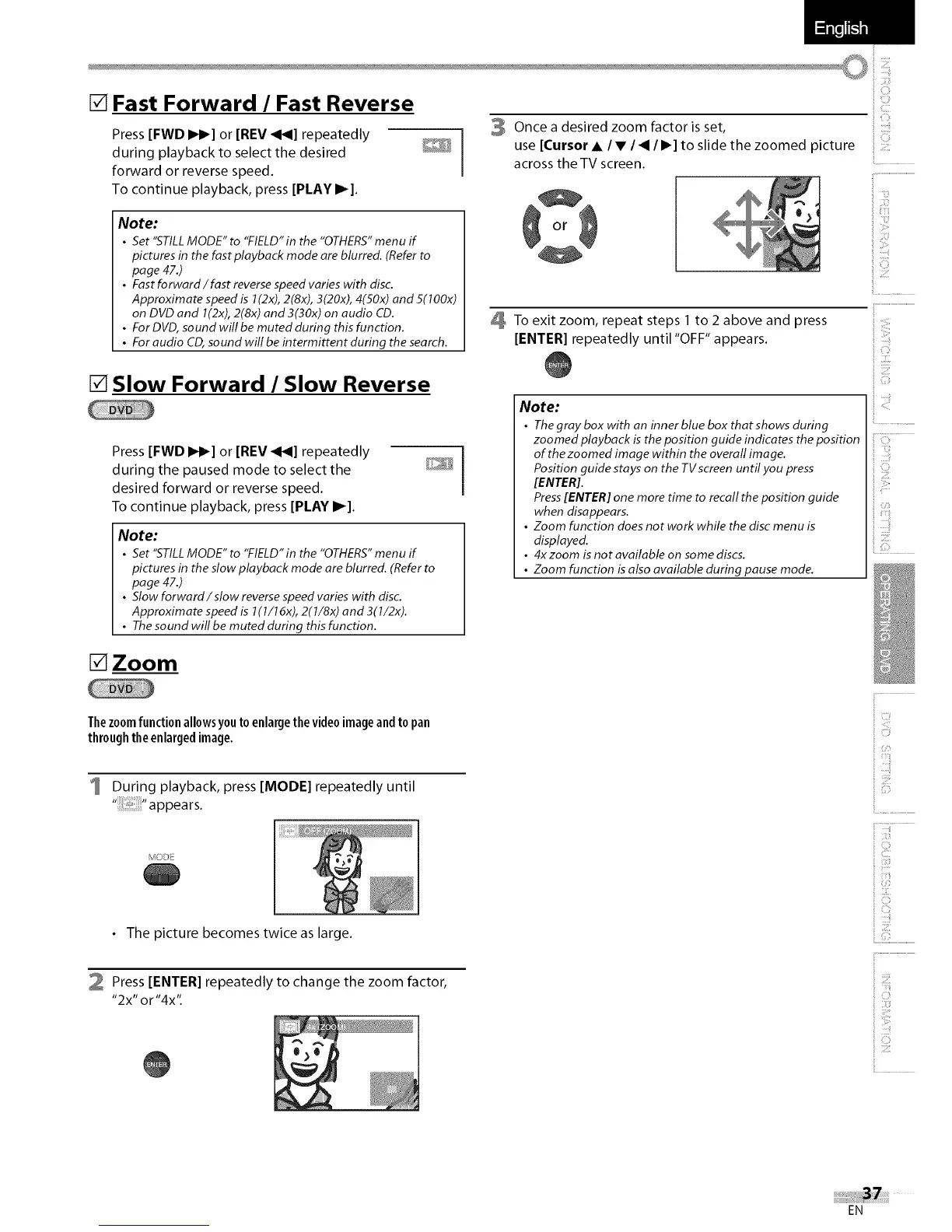
3 Once a desired zoom factor is set,
use [Cursor • / • / < / I_] to slide the zoomed picture
across the TV screen.
To exit zoom, repeat steps 1 to 2 above and press
[ENTER[ repeatedly until "OFF" appears.
0
i;;ii_i_i,
ii....................................................
i i;_:¸¸
_ii_i!ii'!!il
_ iil,i,i,i
Note:
• The gray box with an inner blue box that shows during
zoomed playback is the position guide indicates the position
of the zoomed image within the overall image.
Position guide stays on the TV screen until you press
[ENTER].
Press [ENTER] one more time to recall the position guide
when disappears.
• Zoom function does not work while the disc menu is
displayed.
• 4x zoom is not available on some discs.
• Zoom function is also available during pause mode.
[]Zoom
Thezoomfunctionallowsyouto enlargethevideoimageandto pan
throughtheenlargedimage.
During playback, press [MODE[ repeatedly until
,!
iii!iiiiii!
(S:r
ii!i!i i!i
• The picture becomes twice as large.
2 Press[ENTER]repeatedly to change the zoom factor,
"2x" or "4x".
0
i!::tii{!
iiii:i:i
ii iiiiiiii_i_!_!i!
i 0
!iiii!!
EN















 To Next Page