[] TV Screen Information
Youcandisplaythecurrentlyselectedchannelorotherinformationsuchas
the audiomodeonthe TVscreen.
In theanalogmode,the currentchannelnumberandthe audiomodeare
displayed.
Inthe digitalmode,thedetailedbroadcastinginformationfor the current
channelsuchasprogramtitle, programguidesaredisplayed.
Press [INFO].
Press [INFO] to display the details of the currently
selected program.
_,FC:
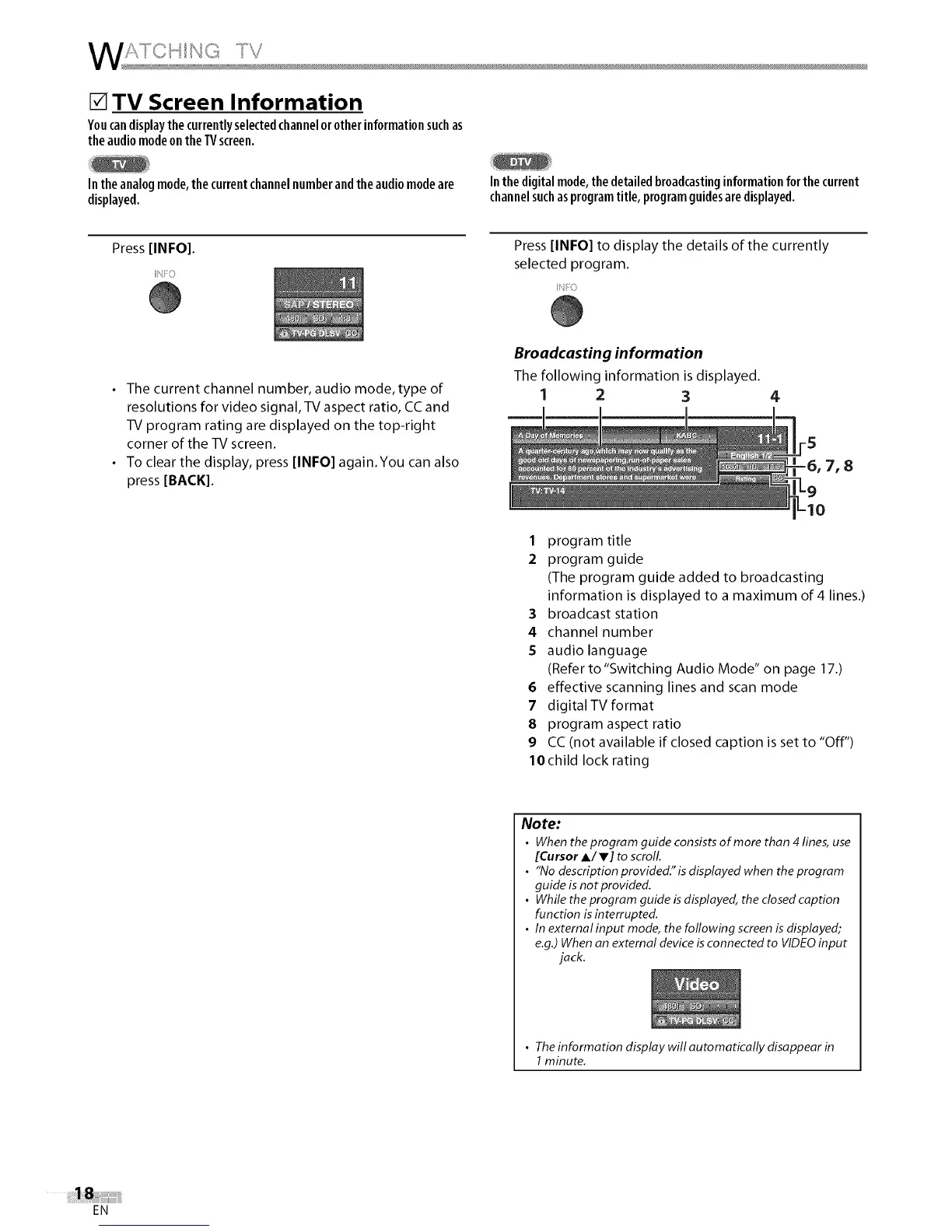
• The current channel number, audio mode, type of
resolutions for video signal, TV aspect ratio, CC and
TV program rating are displayed on the top-right
corner of the TV screen.
• To clear the display, press [INFO] again.You can also
press [BACK].
Broadcasting information
The following information is displayed.
1 2 3
7, 8
1 program title
2 program guide
(The program guide added to broadcasting
information is displayed to a maximum of 4 lines.)
3 broadcast station
4 channel number
5 audio language
(Refer to "Switching Audio Mode" on page 17.)
6 effective scanning lines and scan mode
7 digitaITV format
8 program aspect ratio
9 CC (not available if closed caption is set to "Off")
lOchild lock rating
Note:
• When the program guide consists of more than 4 lines, use
[Cursor A/V] to scroll
• "No descriptionprovided.'isdisplayedwhen theprogram
guide is not provided.
• While theprogram guide isdisplayed, the closed caption
function is interrupted.
• In external input mode, the following screenis displayed;
e.g.)When an external device isconnected to VIDEOinput
jack.
• The information display will automatically disappear in
1minute.
EN















 To Next Page