o !!
iCi
[] Closed Caption
Youcanviewclosedcaptioning(CC)forTVprograms,moviesandnews.
Closedcaptionrefersto textof dialogueordescriptionsdisplayedon-
screen.
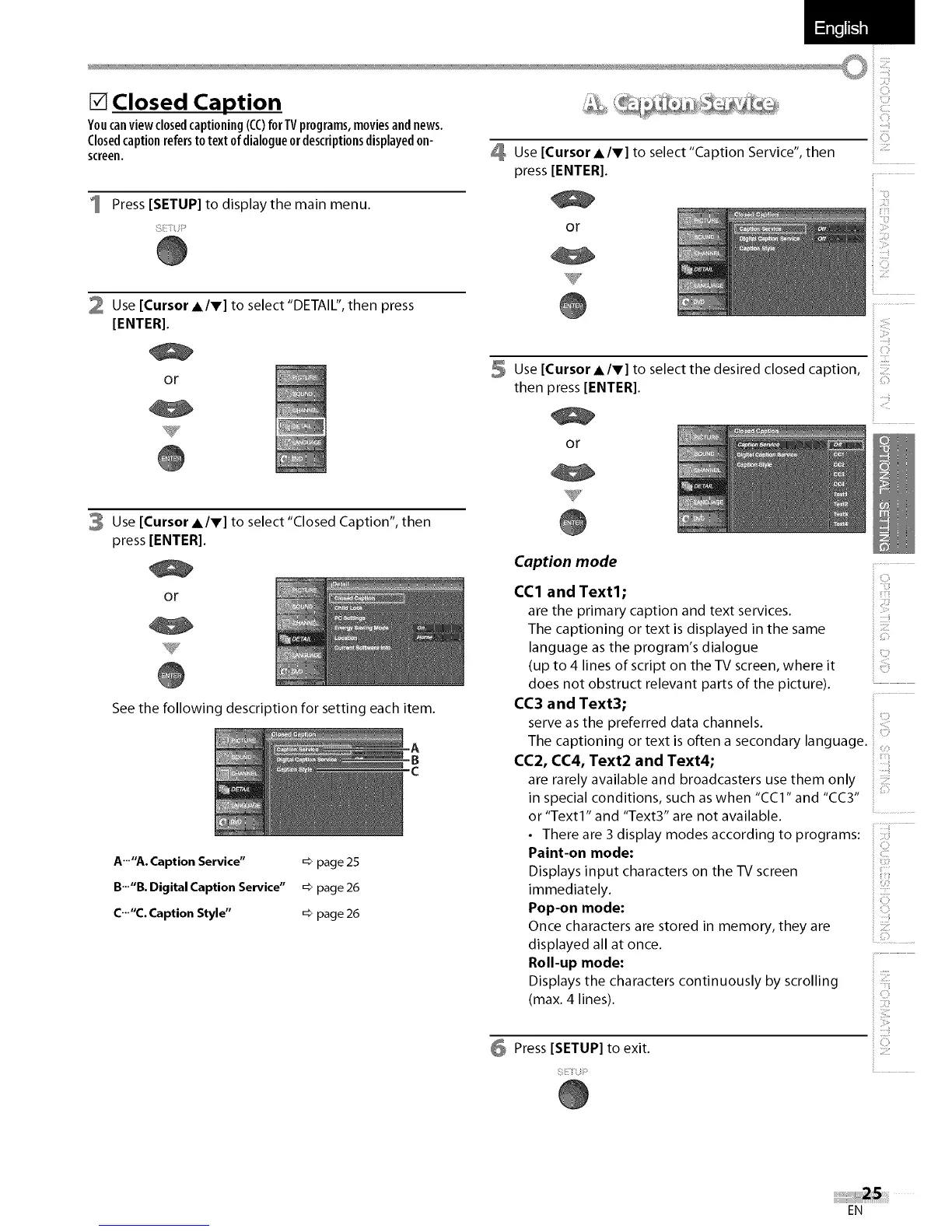
1 Press [SETUP] to displaythe main menu.
2 Use [Cursor A/V] to select "DETAIL", then press
[ENTER].
_ ...........
Use [Cursor A/V] to select "Caption Service", then
press [ENTER[.
or
i
or
3 Use [Cursor A/v] to select "Closed Caption", then
press [ENTER[.
or
See the following description for setting each item.
.A
B
c
A'""A. Caption Service" _ page 25
B..."B. Digital Caption Service" _ page 26
C..."C. Caption Style" => page 26
s UseECu,so,.,.,toseectthedesiredcosedcaptioni!!ii
then press [ENTER[.
or
Caption mode
CC1 and Text1;
are the primary caption and text services.
The captioning or text is displayed in the same
language as the program's dialogue
(up to 4 lines of script on the TV screen, where it
does not obstruct relevant parts of the picture).
CC3 and Text3;
serve as the preferred data channels.
The captioning or text is often a secondary language.
CC2, CC4, Text2 and Text4;
are rarely available and broadcasters use them only
in special conditions, such as when "CC1" and "CC3"
or "Text1" and "Text3" are not available.
_i,iiii
ii,C!i_
i ":"il
• There are 3 display modes according to programs:
Paint-on mode:
Displays input characters on the TV screen
immediately.
Pop-on mode:
Once characters are stored in memory, they are
displayed all at once. ...........
i
Roll-up mode:
Displays the characters continuously by scrolling
(max. 4 lines).
Press [SETUP] to exit.
EN















 To Next Page