Youcanselectthedesiredtimewhichthe discisplayedbackfrom.
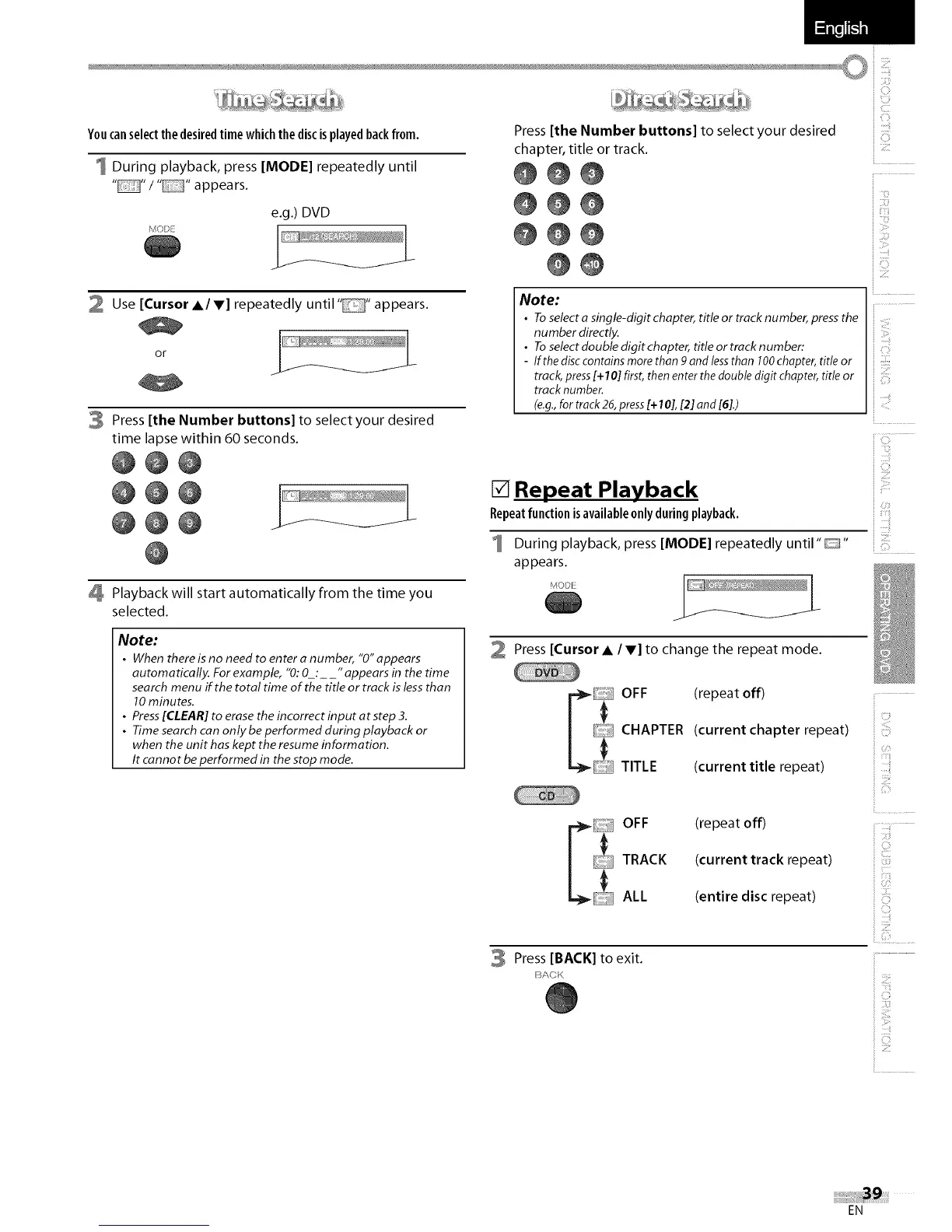
1 During playback, press [MODE] repeatedly until
" "/ .... appears.
e.g.) DVD
M(}DE
2 Use [Cursor A/V] repeatedly until .... appears.
Or /
3 Press [the Number buttons] to select your desired
time lapse within 60 seconds.
@@@
@@@
@@@
Playback will start automatically from the time you
selected.
Note:
• When there is no need to enter a number, "0" appears
automatically. For example, "0: 0 : " appears in the time
search menu if the total time of the title or track is less than
10 minutes.
• Press [CLEAR] to erase the incorrect input at step 3.
• Time search can only be performed during playback or
when the unit has kept the resume information.
It cannot be performed in the stop mode.
{
3
{£
Press [the Number buttonsl to select your desired }}
chapter, title or track.
@@@
@@@
)
@ @ @
@ @
Note:
• To select a single-digit chapter, title or track number, press the
number directly.
• Toselectdoubledigitchapter, tifleortracknumber:
- If the disc contains more than 9and less than 100chapter, title or
track, press [+I0] first, then enter the double digit chapter, title or
track number.
(e.g., for track 26, press [+ I 0], [2] and [6].)
[] Repeat Playback
Repeat function is available only during playback.
During playback, press [MODE[ repeatedly until""
appears.
MOD_-
J
Press [Cursor • /V] to change the repeat mode.
i •
i}3
!i]}
Ei OFF (repeat off)
CHAPTER (current chapter repeat)
r
TITLE (current title repeat)
OFF (repeat off)
L_ TRACK (current track repeat)
ALL (entire disc repeat) :
Press [BACK] to exit.
i
i i!?i!;
i i•i
EN















 To Next Page