[] Main Menu
Thissectiondescribestheoverviewofthe mainmenudisplayedwhenyou
press[SETUP].Formoredetails,seethereferencepageforeachitem.
Themainmenuconsistsof thefunctionsettingitemsbelow.
Press [SETUP].
[] Autoscan
Ifyouswitchwires(e.g.,betweenantennaandCATV)orifyoumovethe
unitto adifferentareaafterthe initialsetting,or ifyourestorethe DTV
channelyoudeleted,youwillneedto performautoscan.
Beforeyou begin: Makesureifthe unit isconnectedtoantennaorcables.
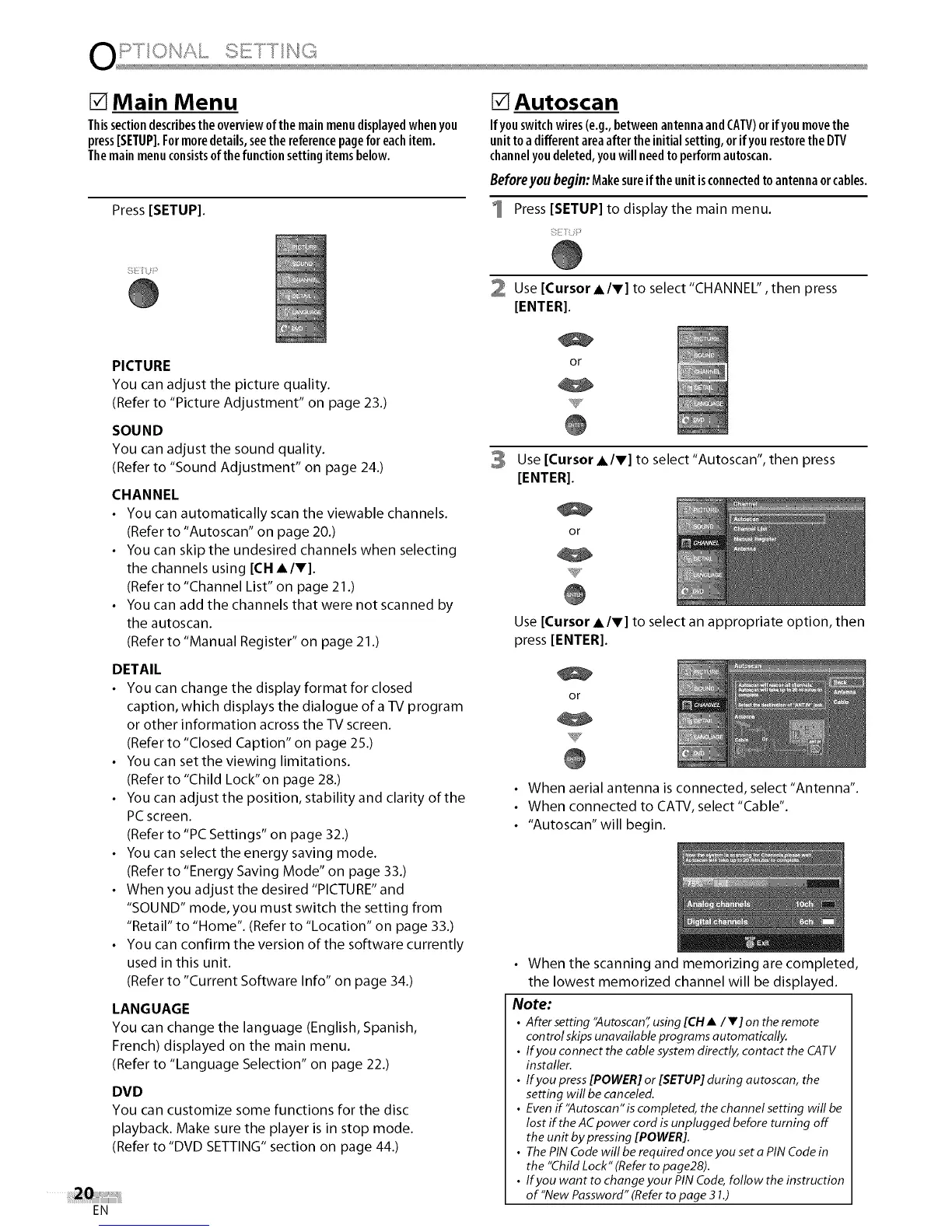
1 Press [SETUP] to display the main menu.
EN
PICTURE
You can adjust the picture quality.
(Refer to "Picture Adjustment" on page 23.)
SOUND
You can adjust the sound quality.
(Refer to "Sound Adjustment" on page 24.)
CHANNEL
• You can automatically scan the viewable channels.
(Refer to "Autoscan" on page 20.)
• You can skip the undesired channels when selecting
the channels using [CH A/V].
(Refer to "Channel List" on page 21.)
• You can add the channels that were not scanned by
the autoscan.
(Refer to "Manual Register" on page 21 .)
DETAIL
• You can change the display format for closed
caption, which displays the dialogue of a TV program
or other information across the TV screen.
(Refer to "Closed Caption" on page 25.)
• You can setthe viewing limitations.
(Refer to "Child Lock" on page 28.)
• You can adjust the position, stability and clarity of the
PC screen.
(Refer to "PC Settings" on page 32.)
• You can select the energy saving mode.
(Refer to "Energy Saving Mode" on page 33.)
• When you adjust the desired "PICTURE" and
"SOUND" mode, you must switch the setting from
"Retail" to "Home". (Refer to "Location" on page 33.)
• You can confirm the version of the software currently
used in this unit.
(Refer to "Current Software Info" on page 34.)
LANGUAGE
You can change the language (English, Spanish,
French) displayed on the main menu.
(Refer to "Language Selection" on page 22.)
DVD
You can customize some functions for the disc
playback. Make sure the player isin stop mode.
(Refer to "DVD SETTING" section on page 44.)
2 Use [Cursor AIr] to select "CHANNEL", then press
[ENTER].
or
3 Use [Cursor AIr] to select "Autoscan", then press
[ENTER].
or
Use [Cursor AIr] to select an appropriate option, then
press [ENTER].
or
• When aerial antenna is connected, select"Antenna".
• When connected to CATV, select"Cable".
• "Autoscan"will begin.
• When the scanning and memorizing are completed,
the lowest memorized channel will be displayed.
Note:
• After setting "Autoscan" using [CH •/V] on the remote
con trol skips unavailable programs automatically.
• If you connect the cable system directly, contact the CATV
installer.
• If you press [POWER] or [SETUP] during autoscan, the
setting will be canceled.
• Even if'Autoscan" is completed, the channel setting will be
lost if the AC power cord is unplugged before turning off
the unit by pressing [POWER].
• The PIN Code will be required once you set a PIN Code in
the "Child Lock" (Refer to page28).
• If you want to change your PIN Code, follow the instruction
of "New Password" (Refer to page 31.)















 To Next Page