[] Search Functions
Youcanselectchapters,titlesortracksonthedisc.
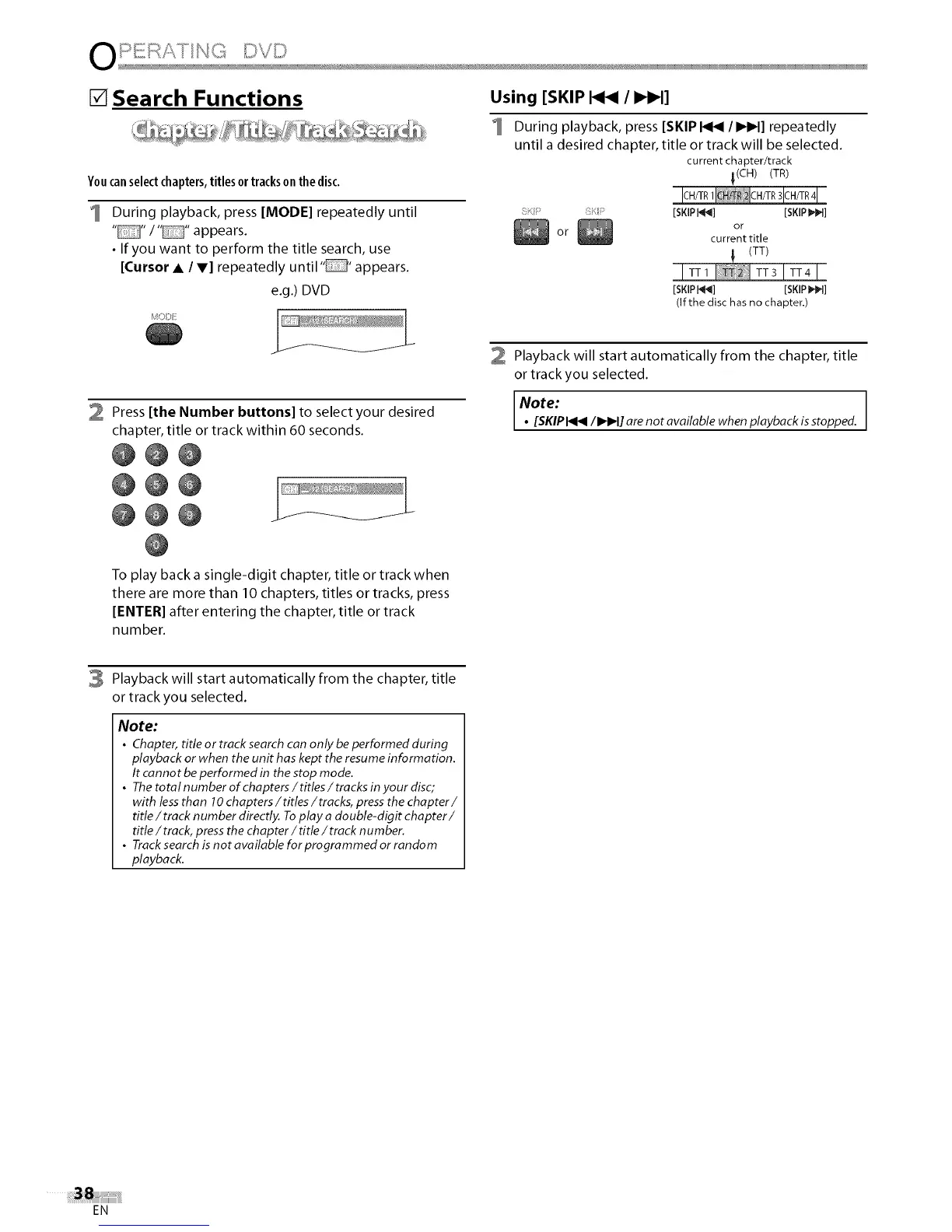
During playback, press [MODE] repeatedly until
.... / .... appears.
• If you want to perform the title search, use
[Cursor • / V] repeatedly until" appears.
e.g.) DVD
2 Press [the Number buttons] to select your desired
chapter, title or track within 60 seconds.
@@@
@@@
@@0
Using [SKIP _ / I_IH]
During playback, press [SKIP _/IHH] repeatedly
until a desired chapter, title or track will be selected.
current chapter/track
_(CH) (TR)
_;_',_' [SKIP F_] [SKIP _]
°ror current title
(TT)
[SKIP t_] [SKIP 1_I]
(If the disc has no chapter.)
Playback will start automatically from the chapter, title
or track you selected.
lNote:
• [SKIPI<I<I/IHH] are not available when playback isstopped.
To play back a single-digit chapter, title or track when
there are more than 10 chapters, titles or tracks, press
[ENTER[ after entering the chapter, title or track
number.
3 Playback will start automatically from the chapter, title
or track you selected.
Note:
• Chapter, title or track searchcan only be performed during
playback or when the unit has kept the resumeinformation.
It cannot be performed in the stop mode.
• The total number of chapters /titles / tracks in your disc;
with lessthan 10chapters / titles / tracks, pressthe chapter /
title / track n umber directly. Toplay a double-digit chapter /
title / track, press the chapter / title / track number.
• Tracksearch is not available for programmed or random
playback.
EN















 To Next Page