To this chapter contents
10. Brake System
10-8
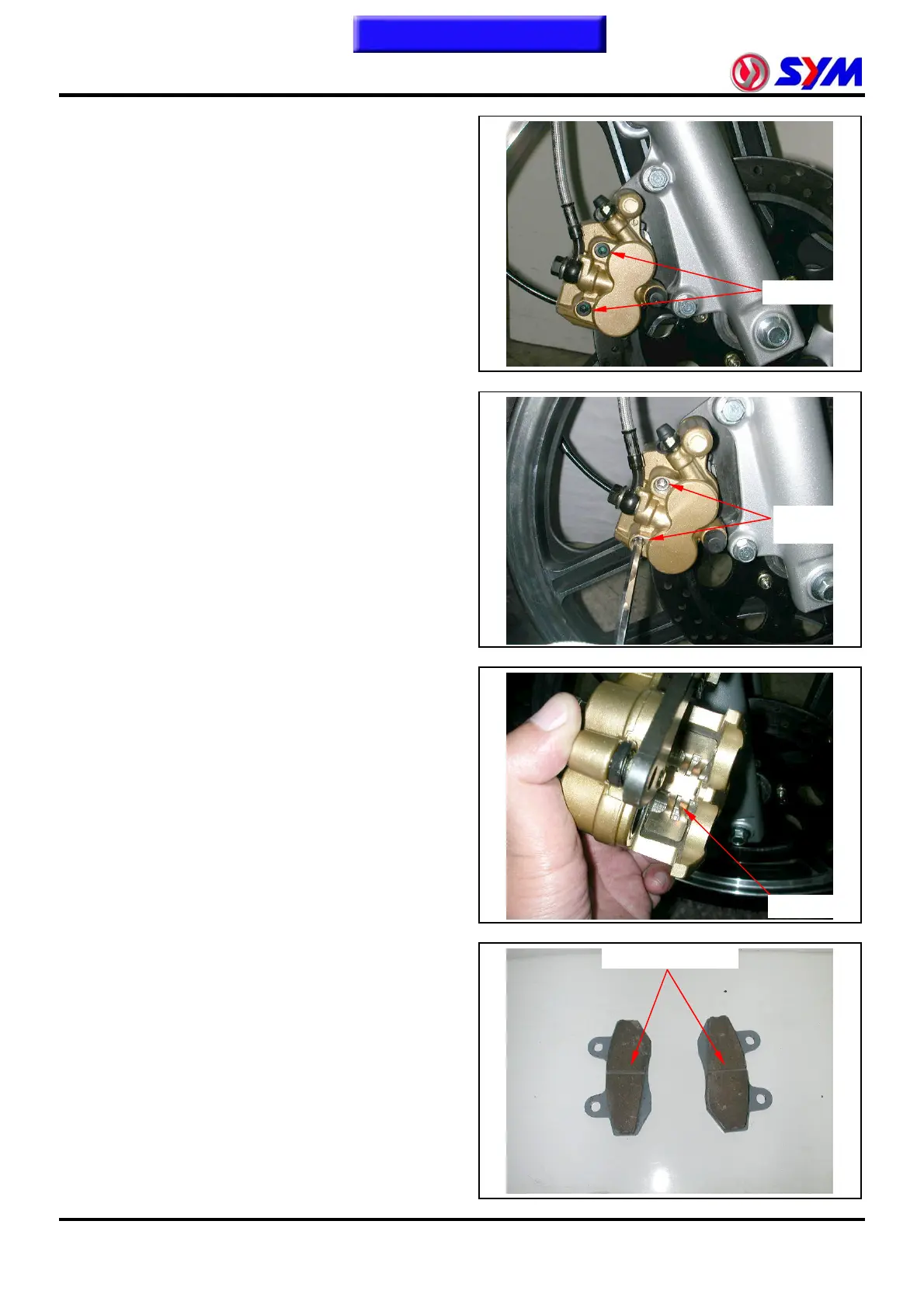
Brake pad replacement
Remove the brake pad guide bolt cap.
Cap ×2
Loosen the brake pad guide bolts first.
Remove the front brake caliper.
Pull out the brake pad guide bolts.
Remove the brake pads and position reed.
Install the position reed.
Install the new brake pads and guide bolts.
Install the front brake caliper and tighten the
lock bolts.
Tighten the brake pad guide bolts and bolt
caps.
Torque value:1.5~2.0kgf-m
Lock reed
Bolt x 2
Wear limit groove


 To Next Page
 Loading...