Network Configuration
3-7
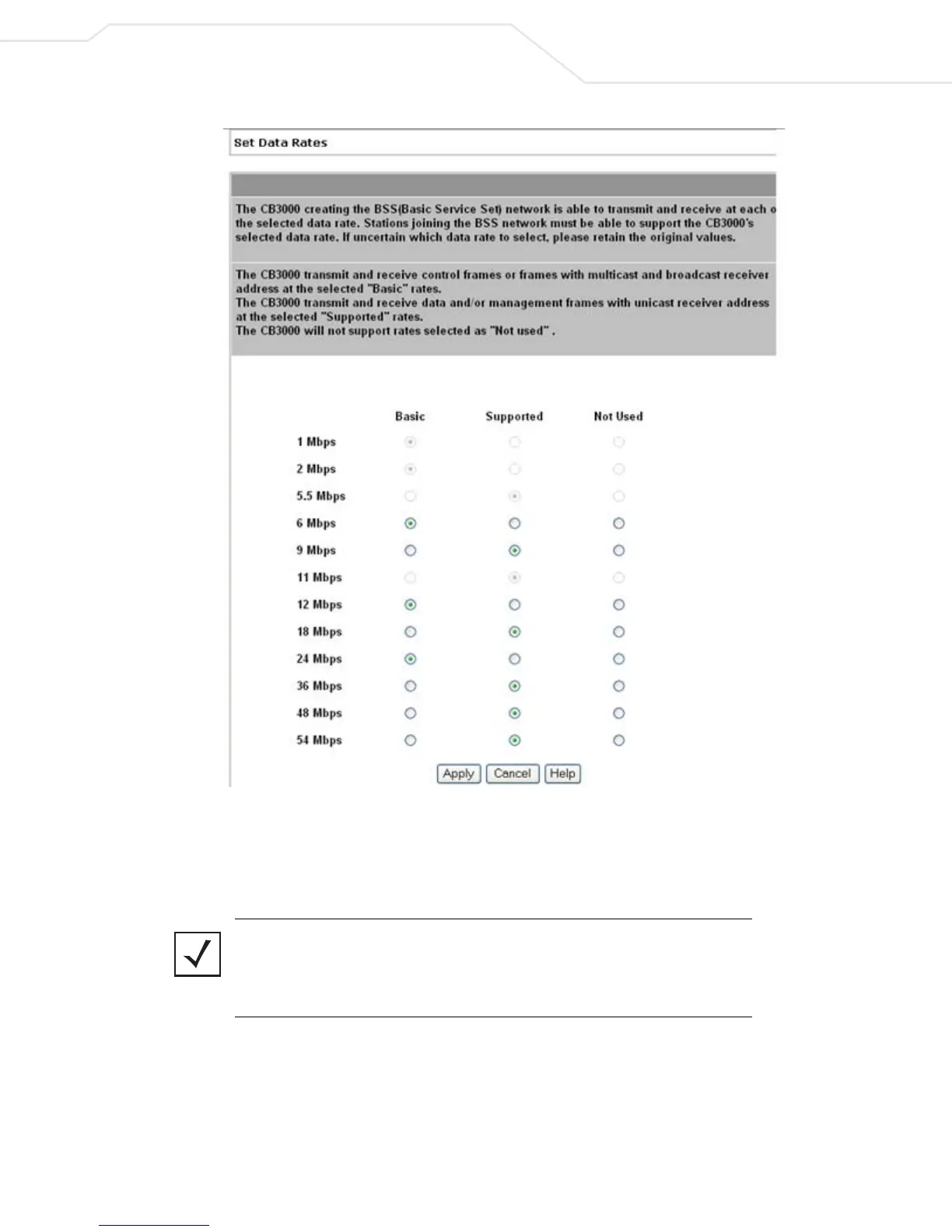
Figure 3.3 Set Data Rates (for Ad Hoc Configured Devices Only)
Select at least one Basic Rate as a minimum transmit rate value for the CB3000 radio. Within the
Supported Rates, select the data rate the CB3000 radio defaults to if a higher selected data rate
cannot be maintained.
Note Select supported rates in respect to the data rates supported by the peer
devices within the ad hoc network. For example, if several of the peers within the
network are 802.11b clients, supported data rates should include 11 Mbps,
5.5 Mbps, 2 Mbps and 1 Mbps.
5. Click Apply to apply and save the settings, or Cancel to exit the screen without saving your changes.
To configure the CB3000 into an Infrastructure network instead, see Configuring Infrastructure Settings.



 To Next Page