10 - 2 Symbol DS6708 Digital Scanner Product Reference Guide
Connecting a Keyboard Wedge Interface
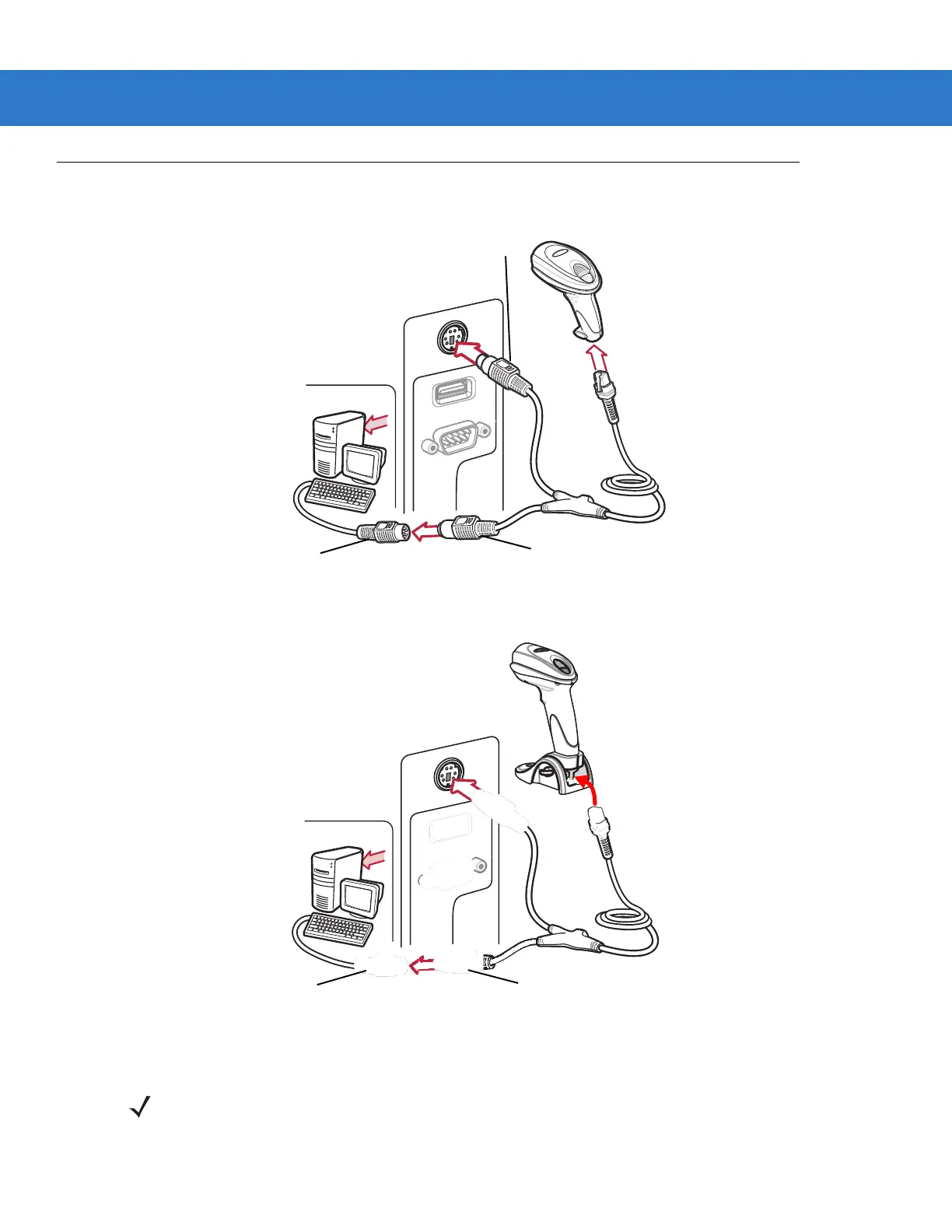
Figure 10-1
Keyboard Wedge Connection with Y-cable
Figure 10-2
Keyboard Wedge Connection with Y-cable for Scanner with Base
To connect the Keyboard Wedge interface Y-cable:
Male DIN Connector
Female DIN Connector
Keyboard Connector
Female DIN Connector
Keyboard Connector
NOTE Interface cables vary depending on configuration. The connectors illustrated in Figure 10-1 and Figure
10-2 are examples only. The connectors may be different than those illustrated, but the steps to connect
the scanner are the same



 To Next Page