Scanning 2 - 7
Scanning with the Digital Scanner with Base
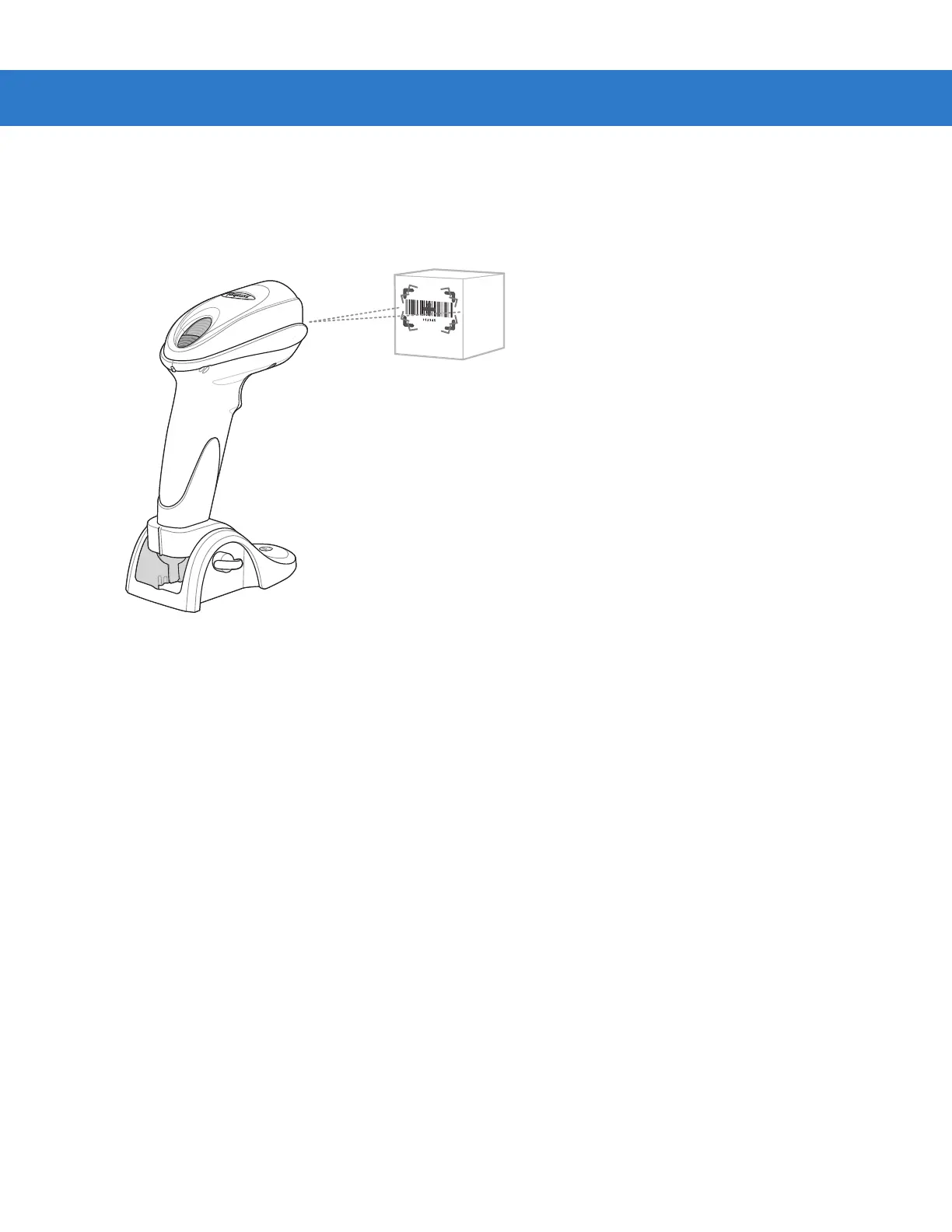
The DS6707 digital scanner with base (DS670X-SR2000XNSR) offers the flexibility of switching between
presentation (hands-free) mode and hand-held mode. The default mode is presentation mode.
Figure 2-15
Scanning in Presentation Mode
Scanning with the Digital Scanner
1. Ensure all connections are secure (see the appropriate host chapter).
2. Use the base adjustment knobs to adjust the angle of the digital scanner.
3. Center the symbol in the aiming pattern. The entire symbol must be within the brackets.
4. Upon successful decode, the digital scanner beeps and the LED turns green. For more information on beeper
and LED definitions, see Table 2-1 and Table 2-2.
Switching to Hand-Held Mode
1. Lift the scanner for hand-held use.
2. Center the symbol in the aiming pattern. The entire symbol must be within the brackets.
3. Pull the trigger. Upon successful decode, the digital scanner beeps and the LED turns green. For more
information on beeper and LED definitions, see Table 2-1 and Table 2-2.
4. The digital scanner automatically reverts back to presentation mode after a predetermined time delay. The
default is 3 seconds. (To change the time delay settings, see Presentation Mode on page 4-11.)



 To Next Page