EVERY CALL COUNTS 5
ATTACHING THE STAND
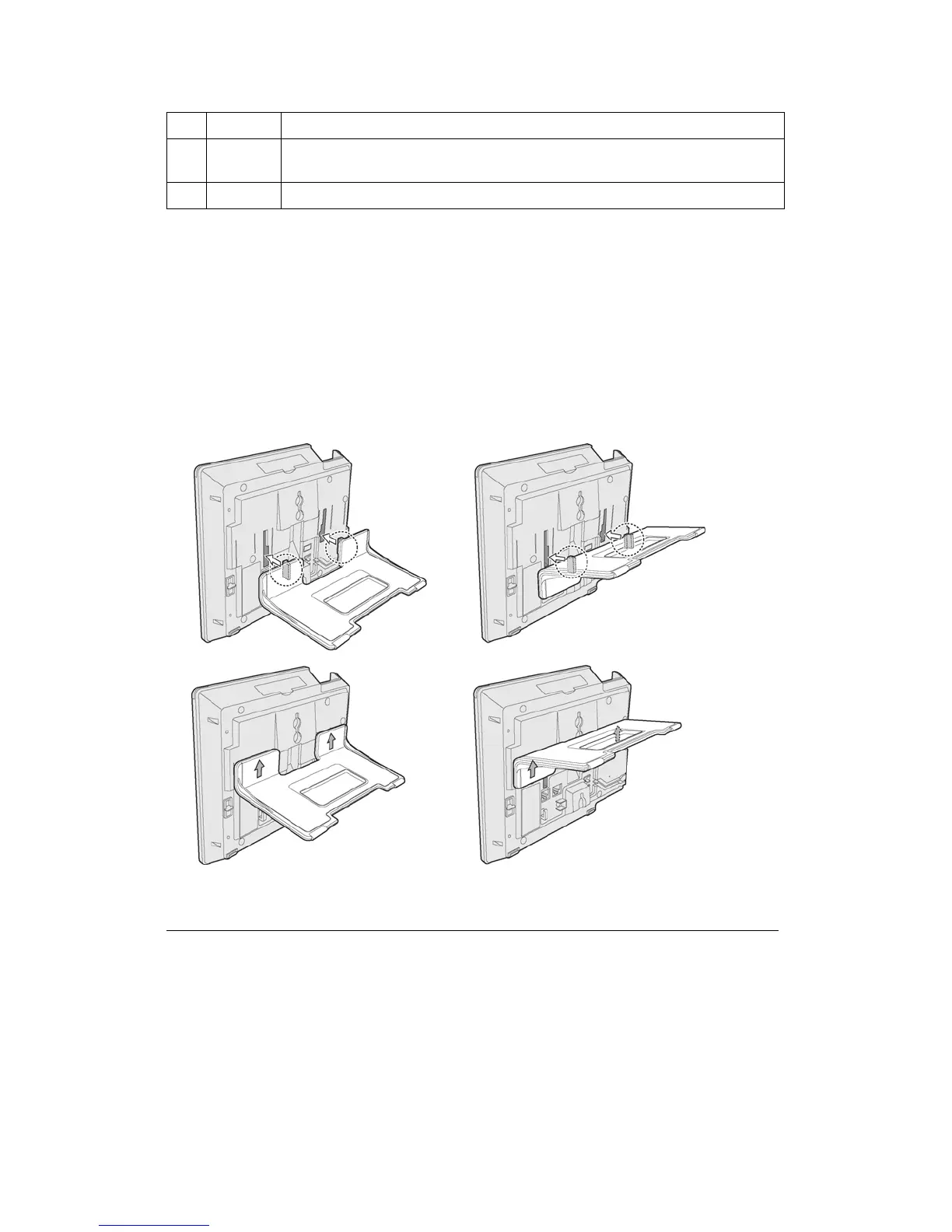
The angle of the phone is set by the attachment of the provided stand in one of two positions
(30° or 55°).
To attach the stand,
1. Choose the desired angle for the phone.
2. Align the tabs on the stand with the notches in the base of the phone.
3. Push the stand upward in the slot as far as it can go until properly attached.
55° angle 30° angle
Figure 3: Installing the Foot Stand
4 Headset Optionally connect a headset to the RJ22 headset jack on the phone.
We strongly recommend the use of an amplified headset.
5 Handset Connect the handset cord to the handset and the handset jack on the phone.
Wiring Chart


 To Next Page