EVERY CALL COUNTS 23
Line Ring Setting
To adjust the Ring Type for a line:
• Press the button, then select 3. Phone Settings then 2. Ring Settings.
• Dial the line number plus one (2 for Line 1 or 3 for Line 2), or move the cursor to Line n
Configuration using the Down softkey and press the Select softkey. The value of n is the line button
number.
• Press the digit, or move the cursor to 1. Ring Type using the Down softkey and press the Select
softkey.
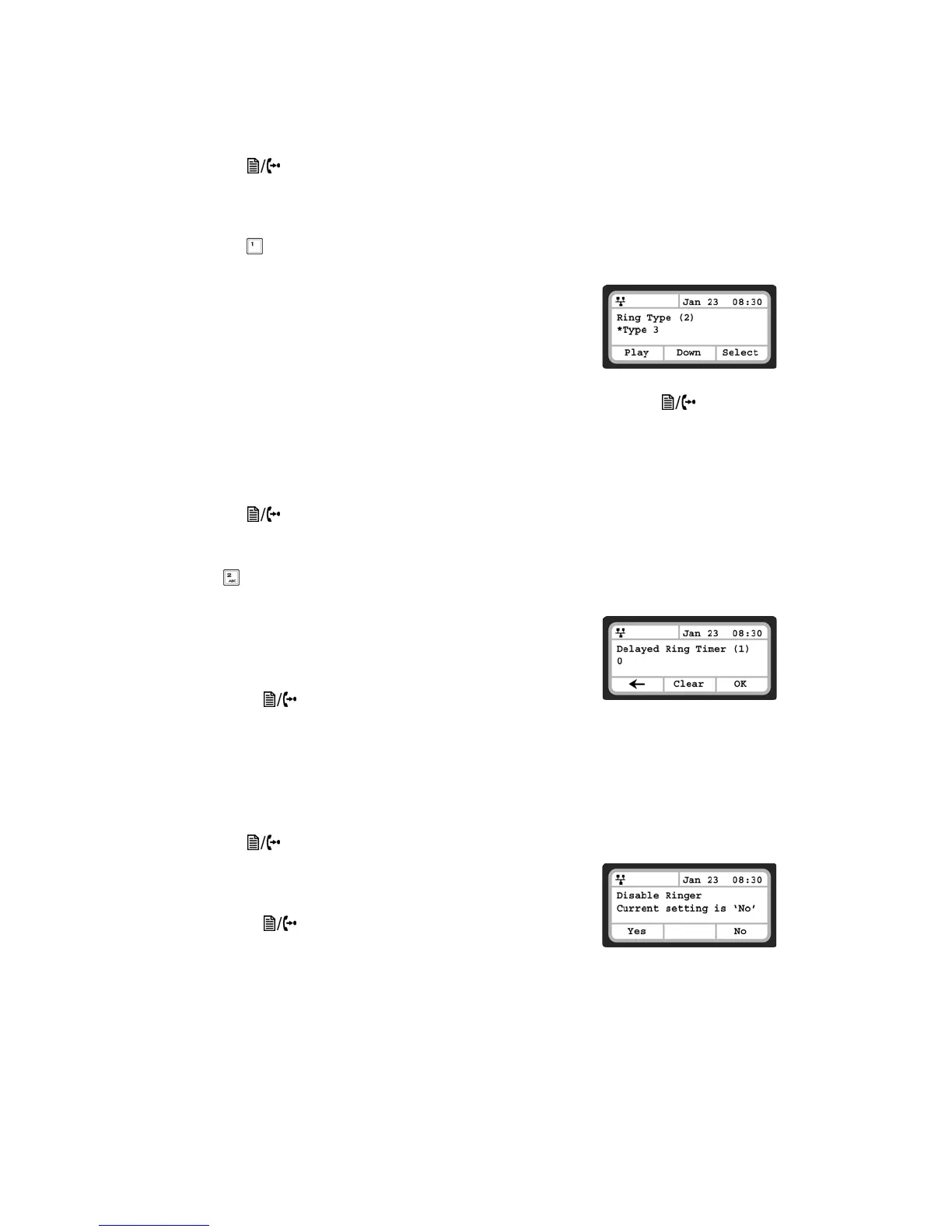
• Select the Ring Type using the Down softkey. Press the Play softkey
to hear the selected tone. The Disable Ringer selection turns the
ringer off for incoming calls on the line. The Set as Default uses the
Default Ring Type for incoming calls on the line as specified in the
previous Default Ring Type section.
• Press the Select softkey to save the selection.
• To configure another parameter, press the Back softkey to continue or press the button to exit
the configuration menu.
Delayed Ring
The phone can delay when the audible ring tone is played for incoming calls by up to 10 seconds. To
configure the Delayed Ring option:
• Press the button, then select 3. Phone Settings then 2. Ring Settings.
•Move the cursor to Line 1 Settings using the Down softkey and press the Select softkey. Repeat for
Line 2.
• Press or move the cursor to 2. Delayed Ring Timer using the Down softkey and press the Select
softkey.
• Enter the delay time as 0 to 10 seconds in 1-second increments.
0 provides no delay; the ring signal is immediate.
• Press the OK softkey to save the delayed ring setting.
• To configure another parameter, press the Back softkey to continue
or press the button to exit the configuration menu.
Disable Ringer
The TS-350i can be programmed not to ring when an incoming call is received. It will still light up the LCD,
light up the Incoming Call Indicator and show the Caller ID.
To disable the ringer:
• Press the button, then select 3. Phone Settings, then 3. Disable Ringer
• Press the Yes softkey to turn the ringer off, or press the No softkey
to leave the ringer enabled.
• To configure another parameter, press the Back softkey to continue
or press the button to exit the configuration menu.


 To Next Page