16 TS-350i USER GUIDE
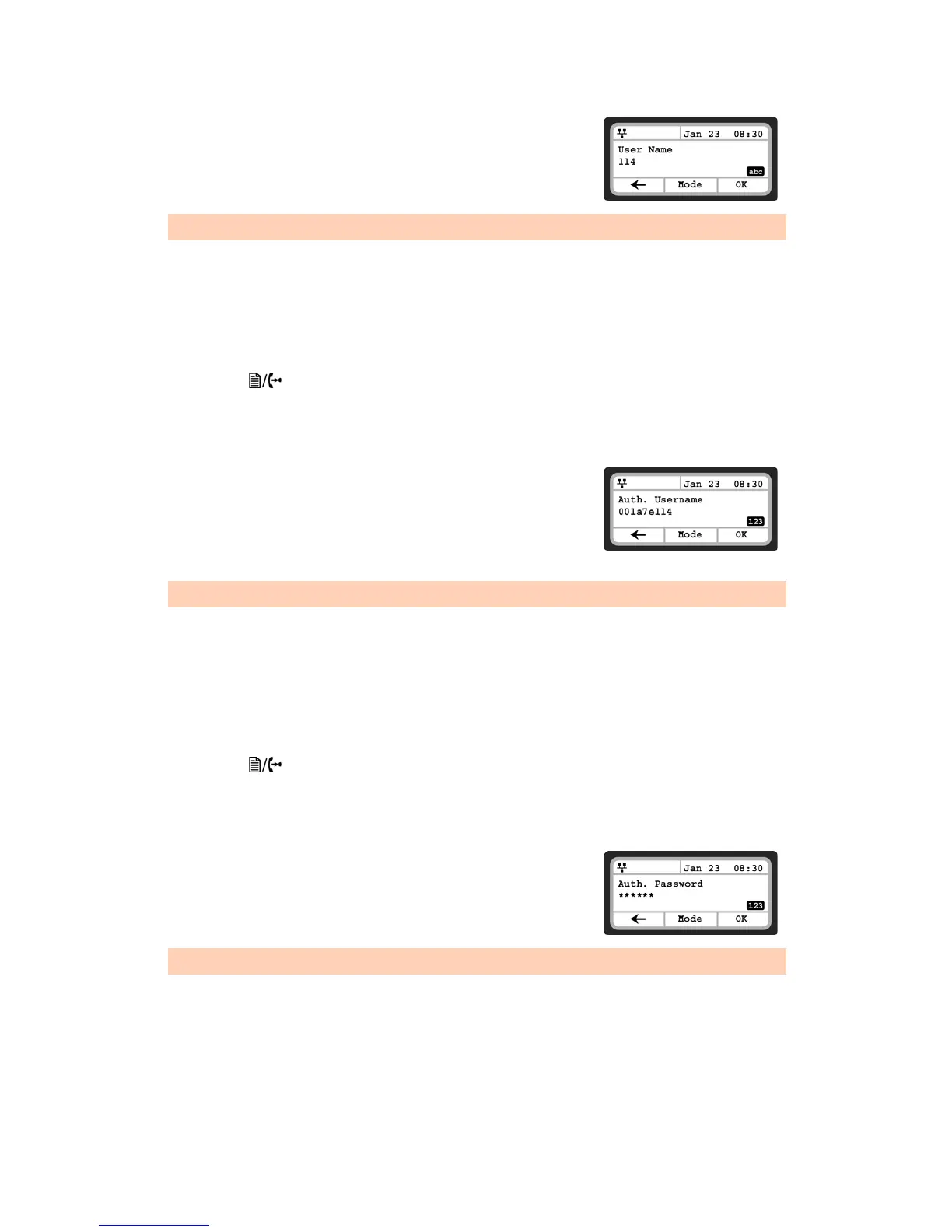
• Input the Name using the dial pad and press the OK softkey to save
your entry.
Authentication User Name
Authentication of the line with the SIP call server requires an Authentication User Name.
To assign the Authentication User Name:
• Press the button, then 2. SIP Configuration, then 1. Line Configuration.
• Enter the line button number or move the cursor using the Down softkey and press the Select softkey
to select a line.
•Select 5. Auth. Username.
• Input the Authentication User Name, as is specifed in the SIP
server, using the dial pad and press the OK softkey to save your
entry.
Authentication Password
Authentication of the line with the SIP call server requires an Authentication Password in conjunction
with the User Name.
To assign the Authentication Password:
• Press the button, then 2. SIP Configuration, then 1. Line Configuration.
• Enter the line button number or move the cursor using the Down softkey and press the Select softkey
to select a line.
•Select 6. Auth. Password.
• Input the Authentication Password using the dial pad and press the
OK softkey to save your entry.
To enter alphanumeric characters, select the Mode softkey.
To enter alphanumeric characters, select the Mode softkey.
To enter alphanumeric characters, select the Mode softkey.


 To Next Page