EVERY CALL COUNTS 27
Message Waiting Tone
When the notification of a new message is received, the Message LED flashes. As an option, a brief “stutter”
dial tone will provide an audible indication for a message waiting when going off hook to place calls.
To enable/disable stutter dial tone for a message wait indication:
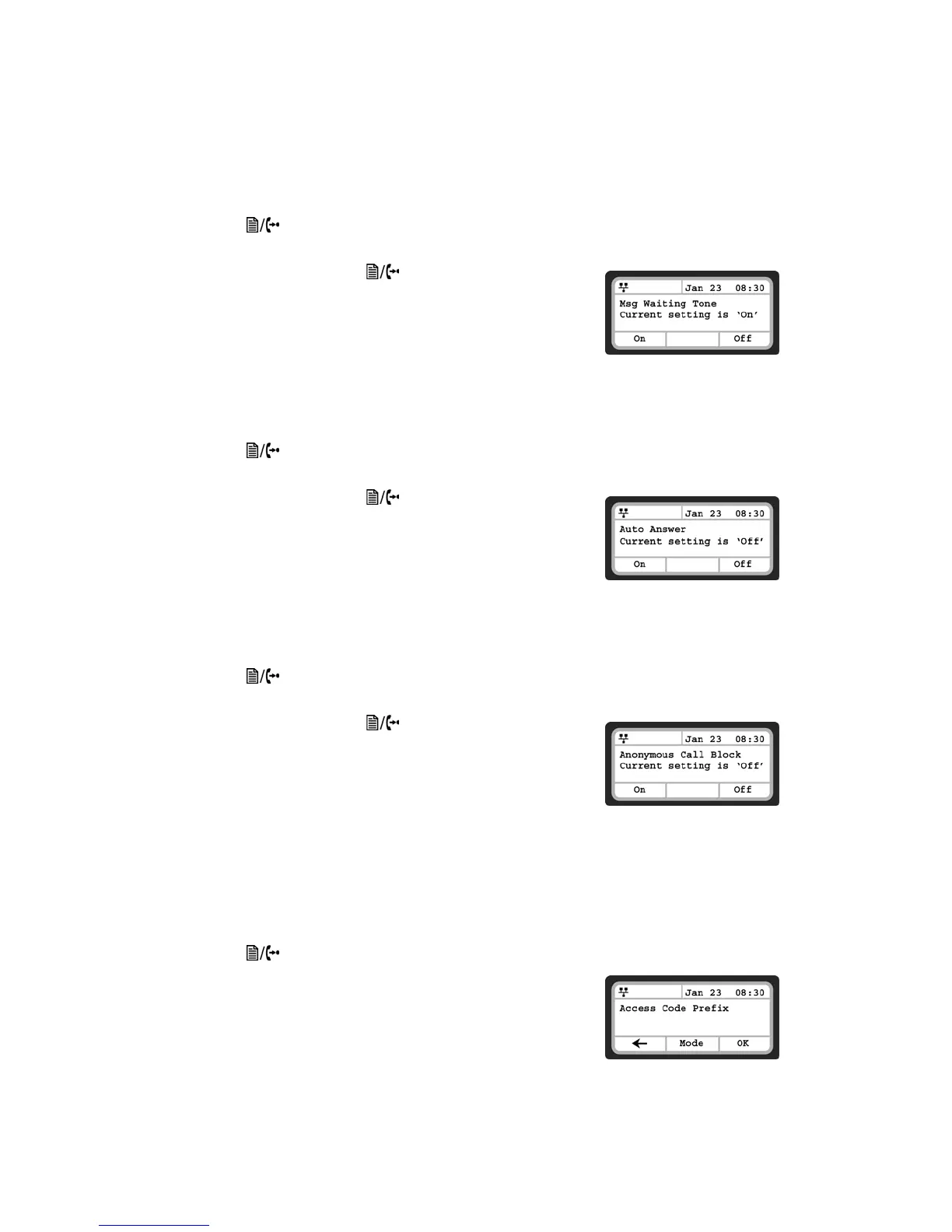
• Press the button, then select 4. Call Preferences, then 5. Msg Waiting Tone.
• Press the On softkey to enable stutter dial tone, or press the Off softkey to disable stutter dial tone.
• Press the Back softkey or the button to exit the menu.
Auto Answer
For incoming calls, the phone can automatically engage the speakerphone or headset.
To enable/disable Auto Answer:
• Press the button, then select 4. Call Preferences, then 6. Auto Answer.
• Press the On softkey to enable Auto Answer, or press the Off softkey to disable Auto Answer.
• Press the Back softkey or the button to exit the menu.
Anonymous Call Block
The TS-350i phone can block incoming calls with an anonymous caller ID.
To enable/disable Anonymous Call Blocking:
• Press the button, then select 4. Call Preferences, then 7. Anonymous Call Block.
• Press the On softkey to enable or press the Off softkey to disable Anonymous Call Blocking.
• Press the Back softkey or the button to exit the menu.
Access Code Prefix
The TS-350i phone can automatically prepend digits* to a phone number dialed from the Missed Calls log,
Received Calls log or Phone Book. For example, you should program a Hunt Group (ie. 9) if you normally
dial 9 to reach an outside line. This will ensure that calls placed from the Call Logs or Phone Book are
properly dialed out of the system.
To program an Access Code:
• Press the button, then select 4. Call Preferences, then 8. Access Code Prefix.
• Enter the digits that need to be prepended to all numbers dialed
from the Call Logs or Phone Book.
• Press the OK softkey when complete.
Note: If you use Direct Line Access (No Hunt Group required to place
calls), then nothing needs to be programmed.


 To Next Page