34 TS-350i USER GUIDE
INFORMATION
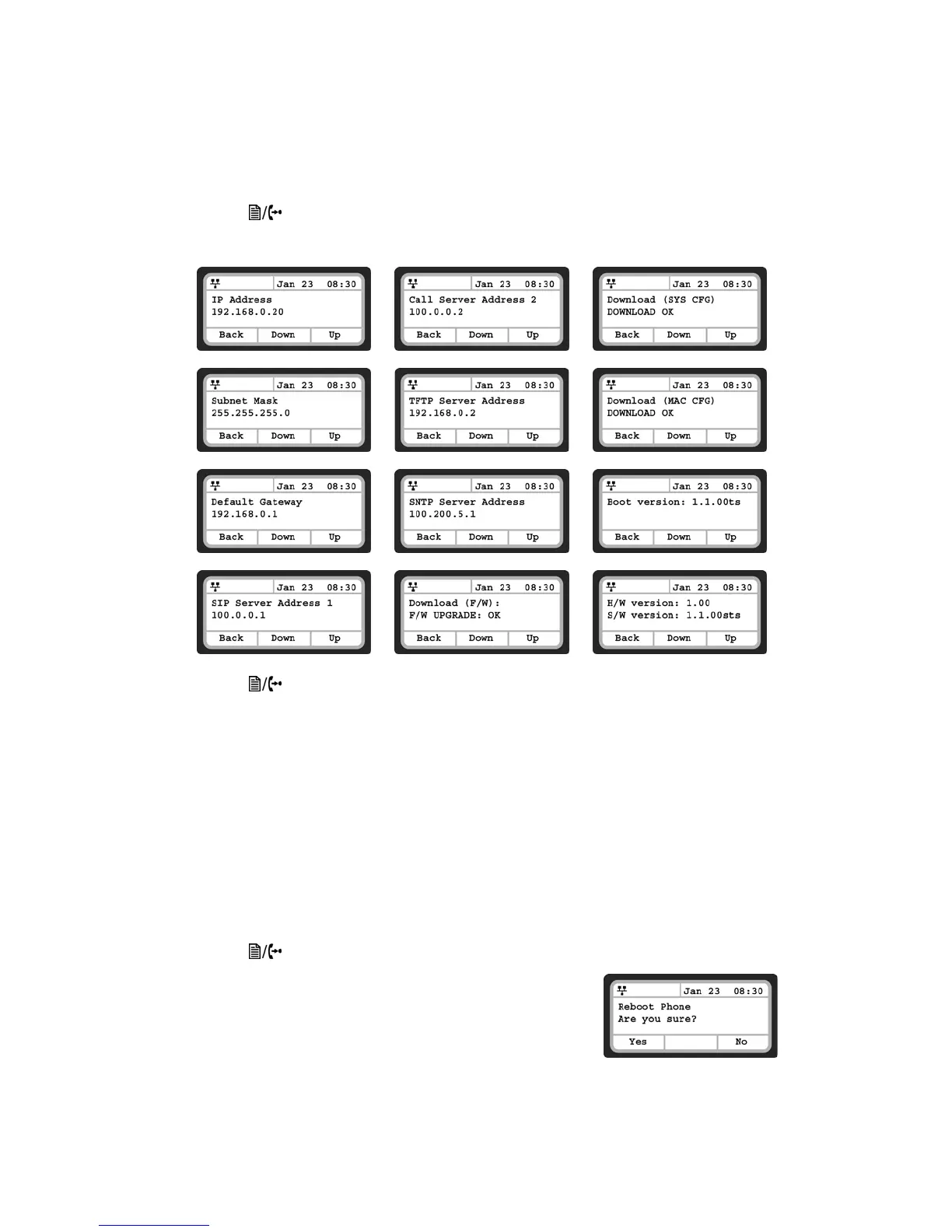
The TS-350i phone provides the means to quickly view the network parameters (IP address, default
gateway address, and subnet-mask), server IP addresses (SIP serveres, TFTP server, and SNTP server),
results of the last file download attempt, boot version, hardware and firmware version.
• Press the button, then select 8. Information.
• Press the Up or Down softkeys to scroll through the parameters.
• Press the button to exit the menu.
REBOOT
After changing certain parameters, the phone will require a reboot to utilize the settings. These settings
include the following:
— Network Configuration settings
— TFTP Server Address settings
— Software Update settings
— Default settings
— After a TalkSwitch phone system firmware update, new features might be enabled so a reboot is a
good idea to ensure consistent behavior.
To reboot the phone:
• Press the button, then select 9. Reboot.
• Press the Yes softkey to reboot the phone, or press No to cancel this
menu.
• If you press No, any parameter changes will only update after the
next reboot.



 To Next Page