30 TS-350i USER GUIDE
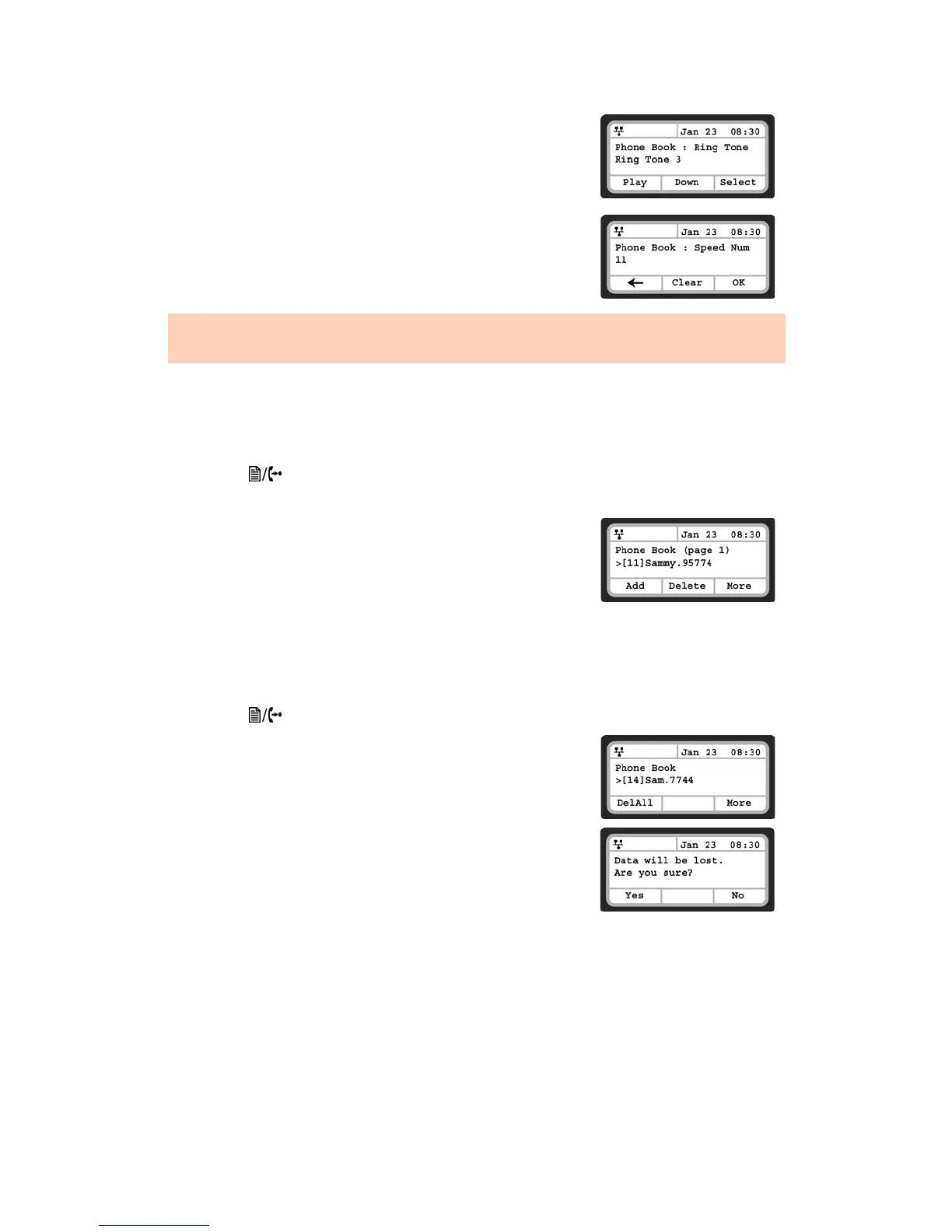
• Select the Ring Tone to use when receiving a call from this contact
and press the OK softkey.
• If required, enter a new Speed Dial Number for the contact and
press the OK softkey.
Deleting a Phone Book Record
To delete a Phone Book record:
• Press the button, then select 5. Directory then 1. Phone Book.
• Select a contact to delete using the Down softkey.
• Press the More softkey twice to scroll to the additional softkey
options.
• Press the Delete softkey.
• Confirm by selecting the Yes softkey. Caution: this action deletes
the record from the Phone Book.
Deleting All Records
To delete all Phone Book records:
• Press the button, then select 5. Directory then 1. Phone Book.
• Press the More softkey 4 times to scroll to the additional softkey
option DelAll.
• Press the DelAll softkey.
• Press the Yes softkey to confirm deletion of all contacts or No to
retain the contacts and return to the Phone Book.
To enter alphanumeric characters, select the Mode softkey.
If no ring tone is defined for a Phone Book entry, the default ring tone is used.


 To Next Page