4. Gas Control Module (Enhanced)
60 IFU for Infinite 200 PRO No. 30052730 Rev. No. 1.6 2016-04
4.3.4 Manual Mode
In Manual Mode, it is possible to manually regulate CO
2
or O
2
gas concentration
(the flow of CO
2
or N
2
gas is controlled by opening or closing the valve manually
while monitoring both concentrations (vol. %) inside the instrument).
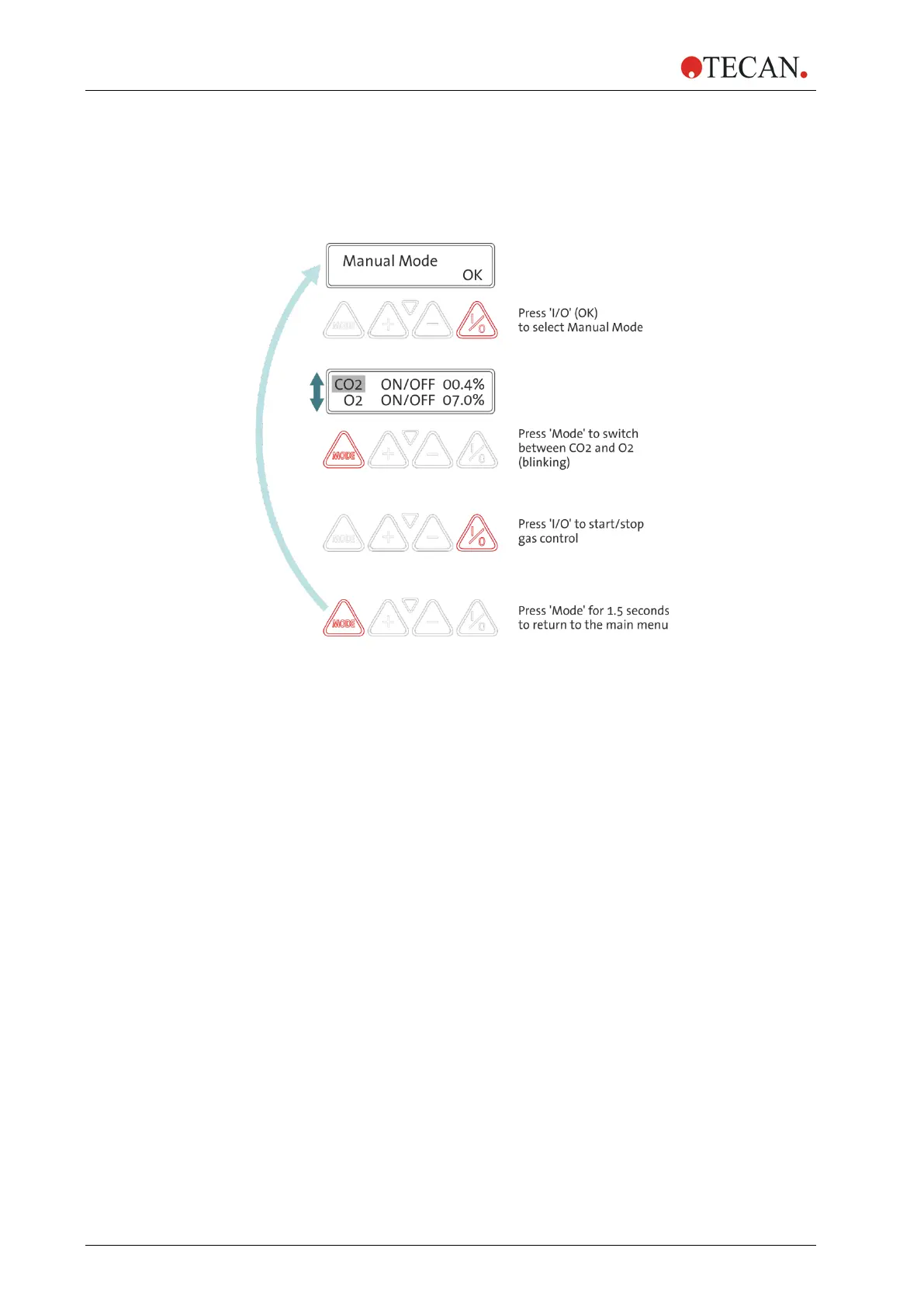
1. Select the mode by pressing the ‘I/O’ key,
the following display appears:
2. Press the ‘Mode’ key to switch between ‘CO2’ and ‘O2’.
The selected gas will blink (highlighted in gray above).
For instruments with ‘CO2’ configuration,
‘O2 NO SENSOR’ will appear:
3. Press the ‘I/O’ key to switch ON/OFF the gas control for the selected gas
(‘CO2’ for CO
2
gas supply, ‘O2’ for N
2
gas supply)
After one gas has been selected, press ‘Mode’ again to select the other
gas and ‘I/O’ to switch ON/OFF the gas control for that gas.
(LED blinks when gas valve is open - LED is stable when gas valve is
closed).
4. Press the ‘Mode’ key for 1.5 seconds to return to the ‘Manual Mode’
display (main menu).



 To Next Page