5. Operating the Instrument
2016-04 IFU for Infinite 200 PRO No. 30052730 Rev. No. 1.6 83
5.4.4 Defining the Filters
CAUTION
Any changes to the filters in the filter slide are to be carried out by trained
personnel! The instrument is able to recognize predefined filter slides and
you should not attempt to change the filter values.
However, if the filters in the filter slide have been changed (by a service
engineer) or if a new undefined customized filter slide is to be used, the
filter slides need to be defined.*
*Depending on the frequency of use and environmental conditions,
optical filters may deteriorate over time and therefore
have a limited lifetime.
Define a filter (pair) as follows:
Select Filter Definitions from the Settings menu.
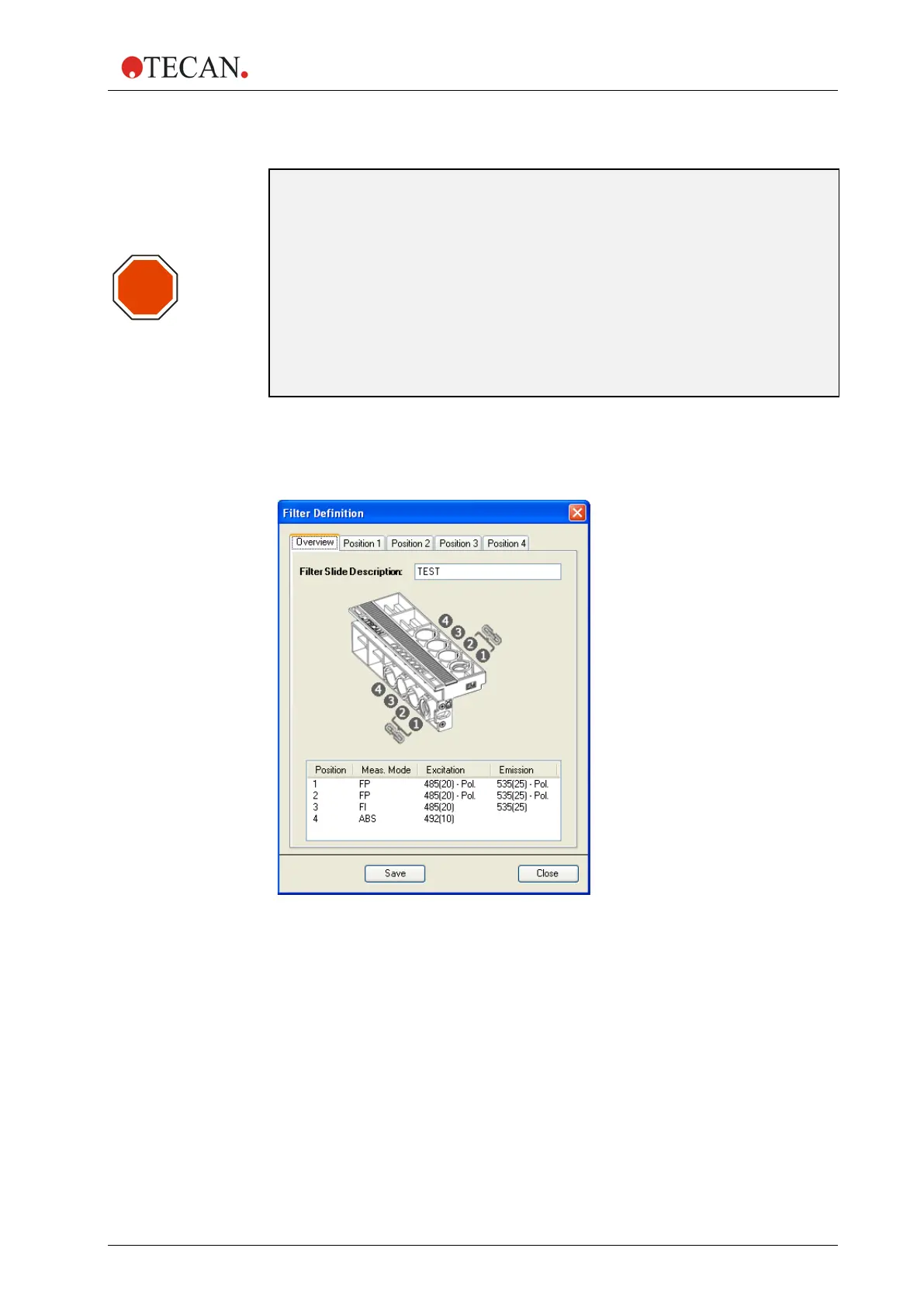
The following dialog box is displayed showing an overview tab and four filter
definition tabs:
Overview: The overview provides the user with the current filter slide definition.
Filter Slide Description: Enter the filter slide description or the filter slide
description will be generated automatically.
STOP



 To Next Page