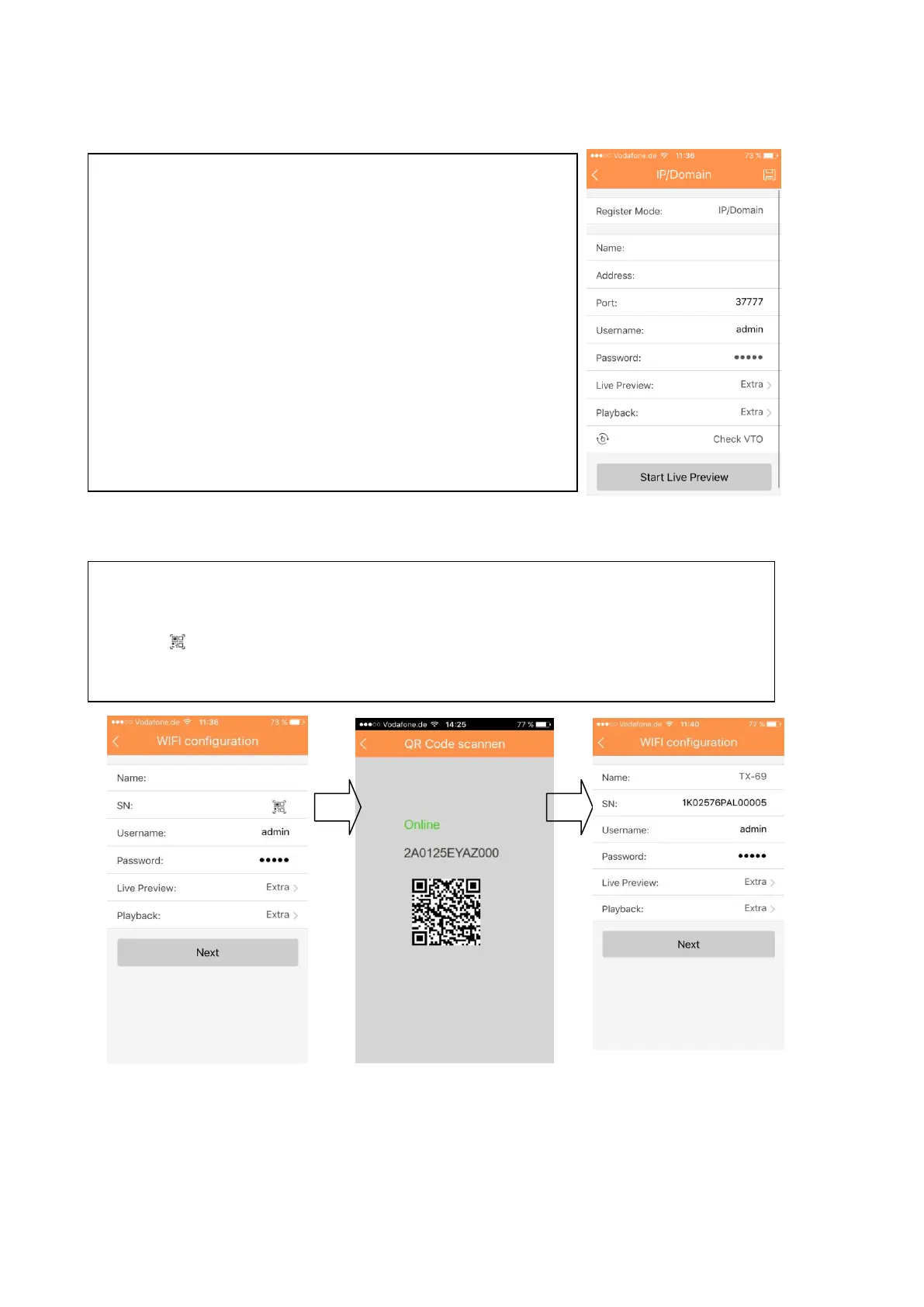
11.4.1.3 IP/Domain configuration
11.4.1.4 WIFI configuration
Figure 11- 6 Figure 11- 7
To configure IP/Domain:
1. Set the Device Name under Name
2. Set the IP Address of the device
(Use the Config Tool to find the IP-Address of your WIFI
camera, see 5 Quick configuration tool).
3. Save and press “Start Live Preview”
Note: The access to the WIFI camera will be available
only under intra network.
1. Interface display: name, SN (QR code), username, password, live preview,
and playback. See Figure 11- .
2. Click , scan QR code and the picture will be similar to figure below.
3. Press “Next” button in figure 11-7.


 To Next Page