EasyManua.ls Logo

Technics SC-S2350 - Page 26

Technics SC-S2350
60 pages
Print Icon
To Next Page IconTo Next Page
To Previous Page IconTo Previous Page
Loading...
ES
=
$
a
26
ROTS333
a
—___—
¡—
L
LI
ose
if
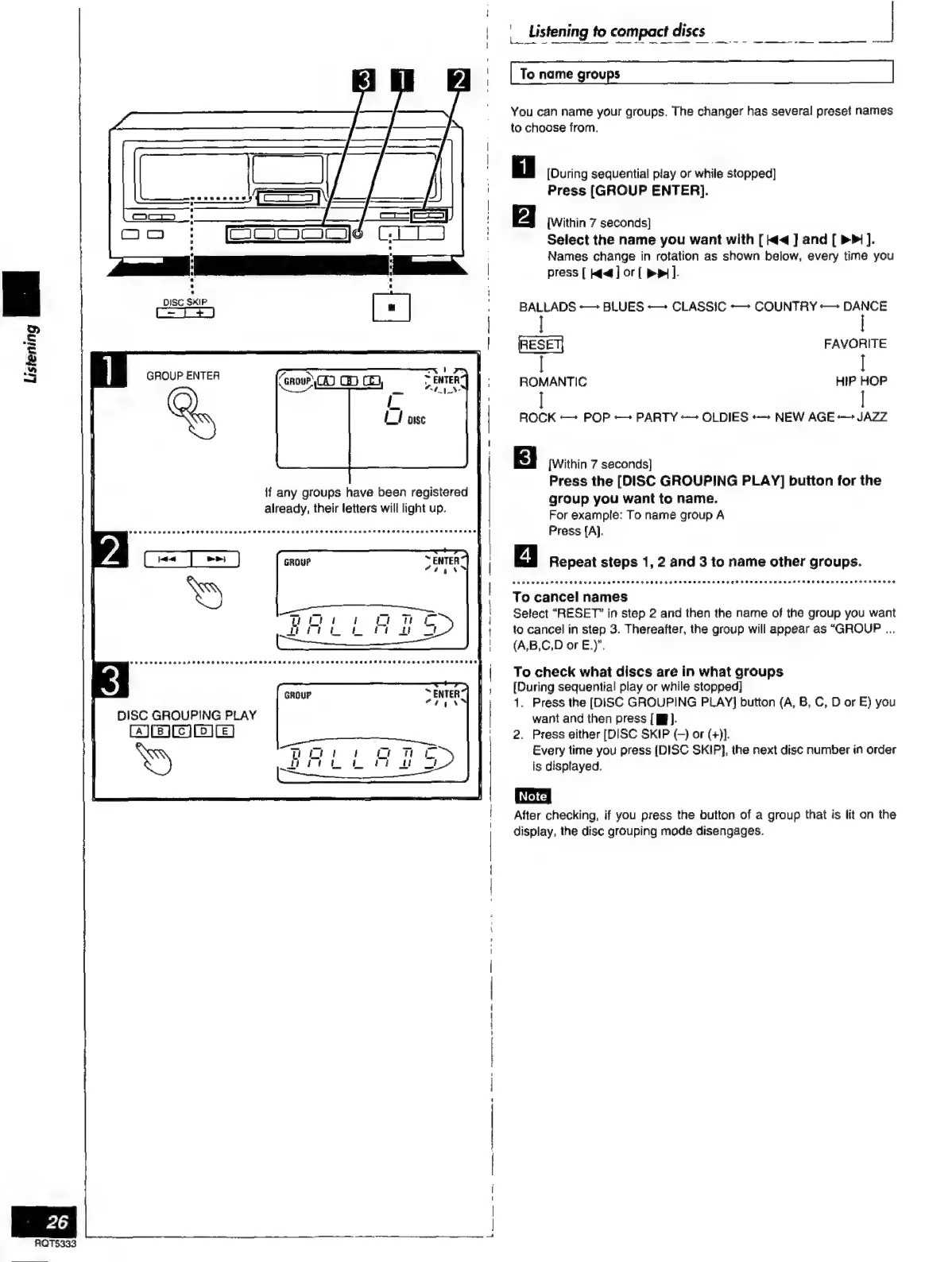
any
groups
have
been
registered
already,
their
letters
will
light
up.
DISC
GROUPING
PLAY
EST
ea
A
A
it
A
A
a
a
aH
tie
En
You
can
name
your
groups.
The
changer
has
several
preset
names
to
choose
from.
Listening
to
compact
dises
2
a
[During
sequential
play
or
while
stopped]
Press
[GROUP
ENTER].
[Within
7
seconds]
Select
the
name
you
want
with
[
4
]
and
[
>>
J.
Names
change
in
rotation
as
shown
below,
every
time
you
press
[
4]
or
[
pp].
BALLADS
BLUES
CLASSIC
COUNTRY
DANCE
FAVORITE
|
|
ROMANTIC
HIP
HOP
|
ROCK
POP
PARTY
OLDIES
+>
NEW
AGE
JAZZ
[Within
7
seconds]
Press
the
[DISC
GROUPING
PLAY]
button
for
the
group
you
want
to
name.
For
example:
To
name
group
A
Press
[A].
Repeat
steps
1,
2
and
3
to
name
other
groups.
To
cancel
names
Select
“RESET”
in
step
2
and
then
the
name
of
the
group
you
want
to
cancel
in
step
3.
Thereafter,
the
group
will
appear
as
“GROUP
...
(A,B,C,D
or
E.)”.
To
check
what
discs
are
in
what
groups
[During
sequential
play
or
while
stopped]
1.
Press
the
[DISC
GROUPING
PLAY]
button
(A,
B,
C,
D
or
E)
you
want
and
then
press
[I].
2.
Press
either
[DISC
SKIP
(—)
or
(+).
Every
time
you
press
[DISC
SKIP],
the
next
disc
number
in
order
is
displayed.
After
checking,
if
you
press
the
button
of
a
group
that
is
lit
on
the
display,
the
disc
grouping
mode
disengages.

Related product manuals