EasyManua.ls Logo

Technics SC-S2350 - Page 33

Technics SC-S2350
60 pages
Print Icon
To Next Page IconTo Next Page
To Previous Page IconTo Previous Page
Loading...
|
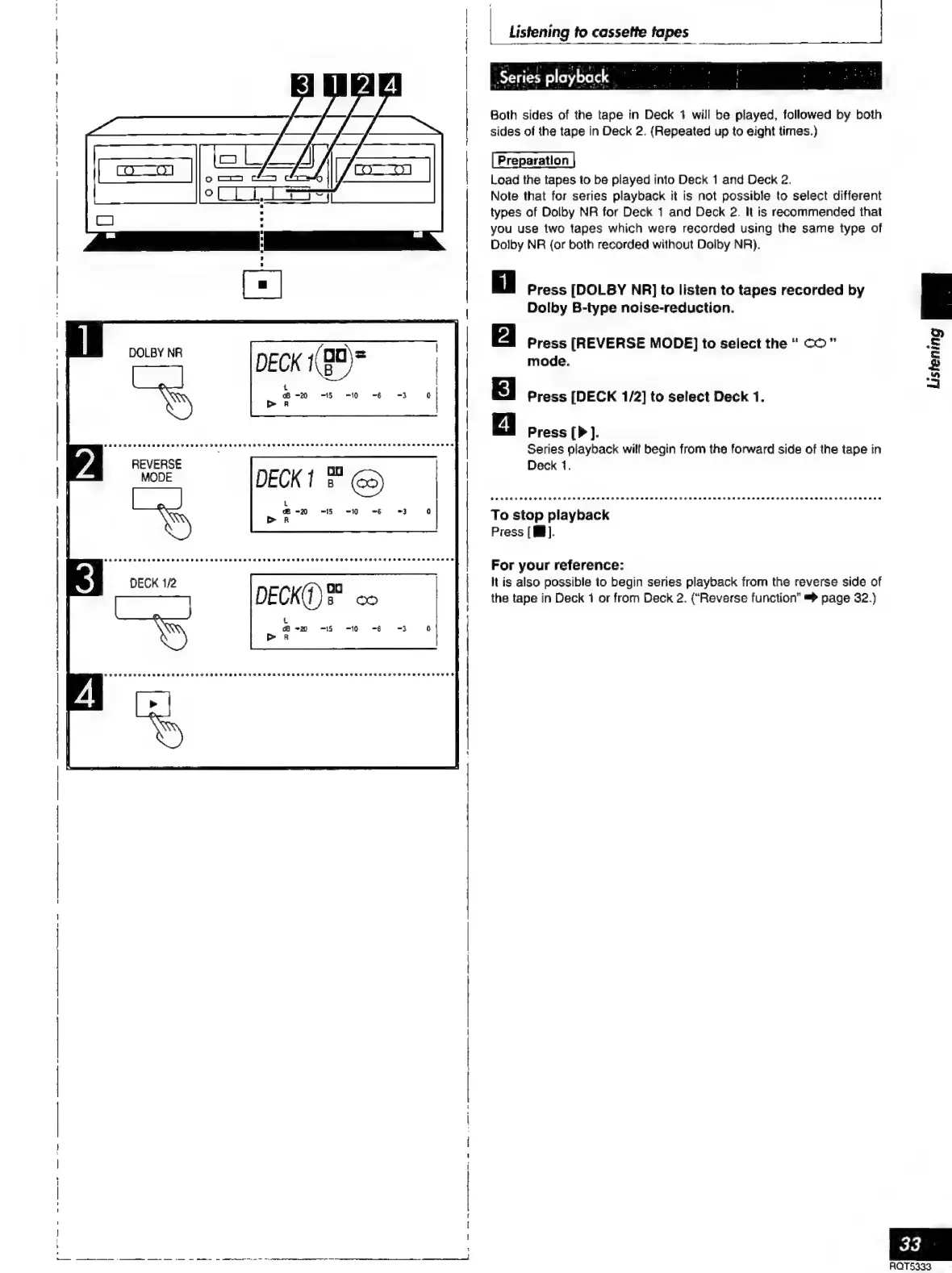
Listening
to
cassette
tapes
|
‘Series
playback
_
Both
sides
of
the
tape
in
Deck
1
will
be
played,
followed
by
both
sides
of
the
tape
in
Deck
2.
(Repeated
up
to
eight
times.)
Load
the
tapes
to
be
played
into
Deck
1
and
Deck
2.
Note
that
for
series
playback
it
is
not
possible
to
select
different
types
of
Dolby
NR
for
Deck
1
and
Deck
2.
It
is
recommended
that
you
use
two
tapes
which
were
recorded
using
the
same
type
of
Dolby
NR
(or
both
recorded
without
Dolby
NR).
Press
[DOLBY
NR]
to
listen
to
tapes
recorded
by
Dolby
B-type
noise-reduction.
Press
[REVERSE
MODE]
to
select
the
co”
mode.
Press
[DECK
1/2]
to
select
Deck
1.
Press
].
Series
playback
wilt
begin
from
the
forward
side
of
the
tape
in
Deck
1.
CO
COOT
MOORE
FAH
AAA
aa
arar
rar AAA
A
AAA
DSRORE
ra
AA
ara
ara
aaa
To
stop
playback
Press
[W].
For
your
reference:
It
is
also
possible
to
begin
series
playback
from
the
reverse
side
of
the
tape
in
Deck
1
or
from
Deck
2.
(“Reverse
function”
=>
page
32.)
33
AQT5333

Related product manuals