RUN EXCITE-2008: Service & Maintenance Manual - rev. 1.3
Page 7.28
7.17. AT UL DRIVER COMPONENTS DISASSEMBLY
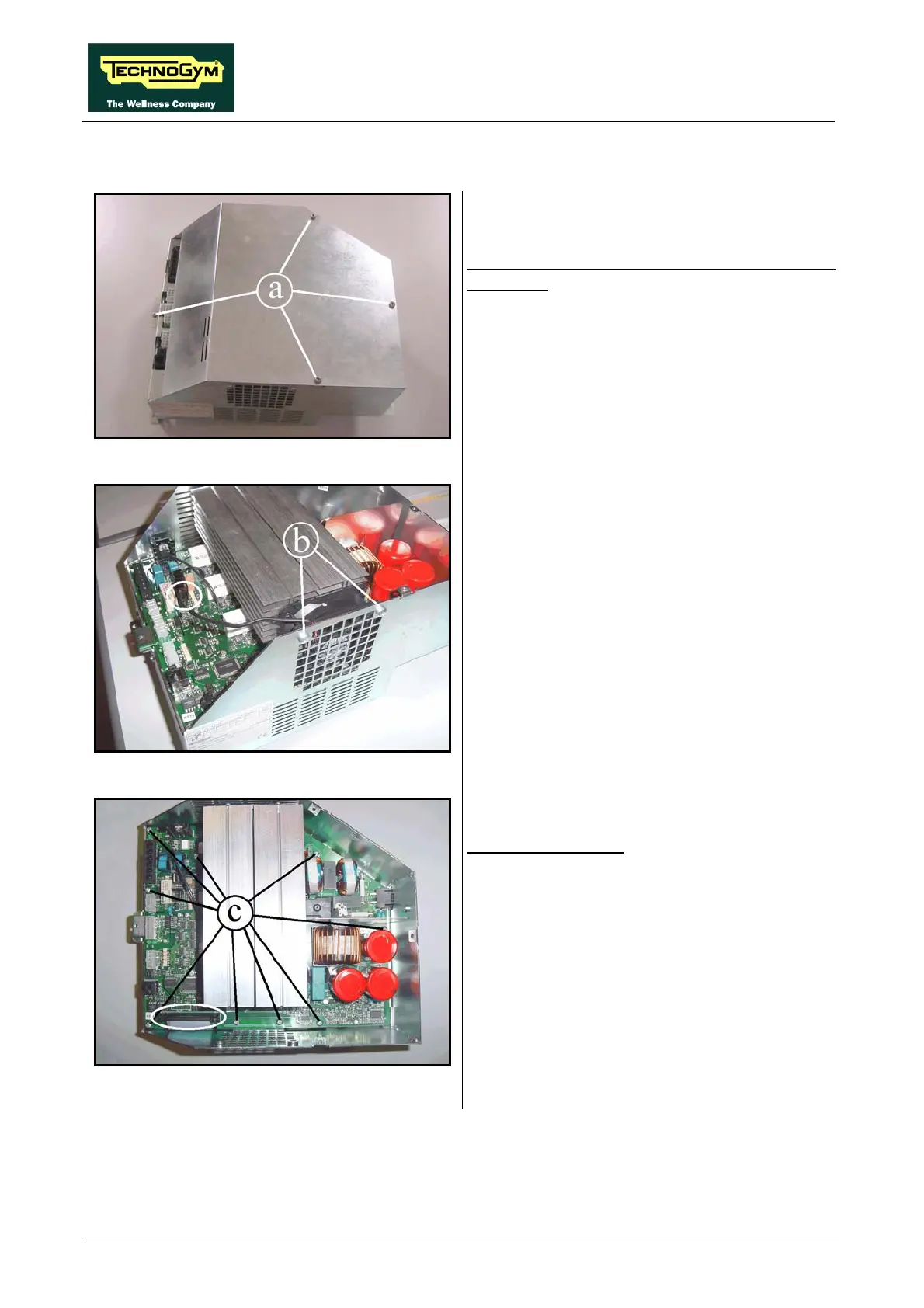
Figure 7.17-1
With the Low Kit driver on a bench it is possible
to remove:
1. Back off the 4 screws (a) using a medium
Phillips screwdriver.
2. Lift up the cover.
Figure 7.17-2
1. Unplug the fan cable from the AT driver
board.
2. Unscrew the two screws (b) using a medium
Phillips screwdriver.
3. Remove the fan.
Figure 7.17-3
AT UL driver board:
1. Unplug the flat cable coming from the AT
UL power supply board, shown in the
picture.
2. Unscrew the screw c using a medium Phillips
screwdriver.
3. Lift up the board paying attention to the
cables connected on the lower side.
Continued on following page
→









 To Next Page