RUN EXCITE-2008: Service & Maintenance Manual - rev. 1.3
Page 6.2
6.1. TROUBLESHOOTING SERVICE MENU: ACTIVE
WELLNESS TV MODELS
This section can be used to test the operation of certain machine components (AC/DC Motors, LED
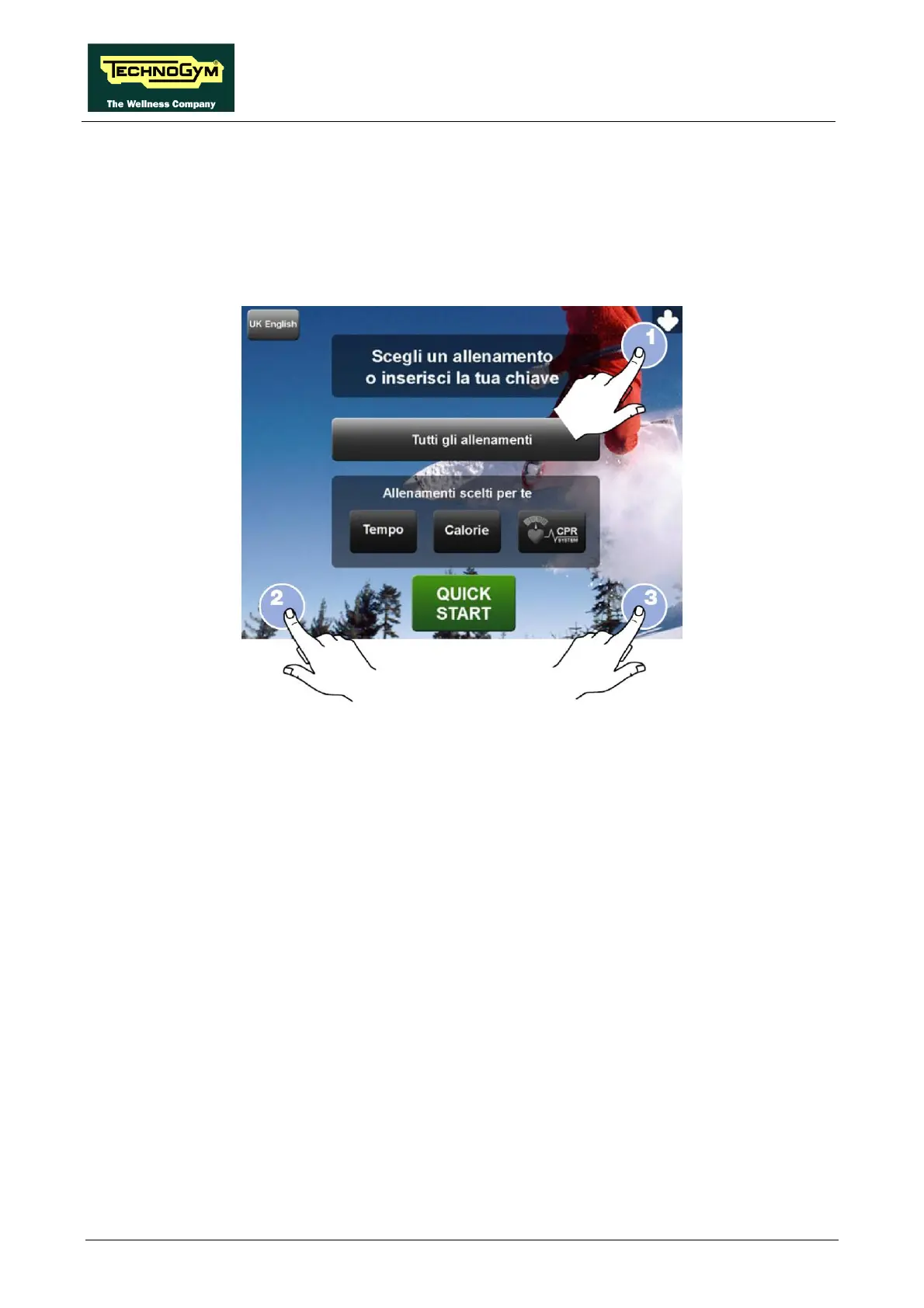
display, keyboard, serial ports, Low Kit). It is invoked, pressing the top right hand, the bottom left
hand and the bottom right hand corner in sequence, as shown in the picture below.
The machine display will shows a window from where you can access the different configuration
menus, using the proper password.
To access the menu, type in the password 2411 and press ENTER key to confirm or BACK key to
back forward.
At this point the machine display will shows the different parameters of the menu.
To exit the TROUBLESHOOTING menu press HOME key.



 To Next Page