16
Controls and Indicators
Controls and Indicators
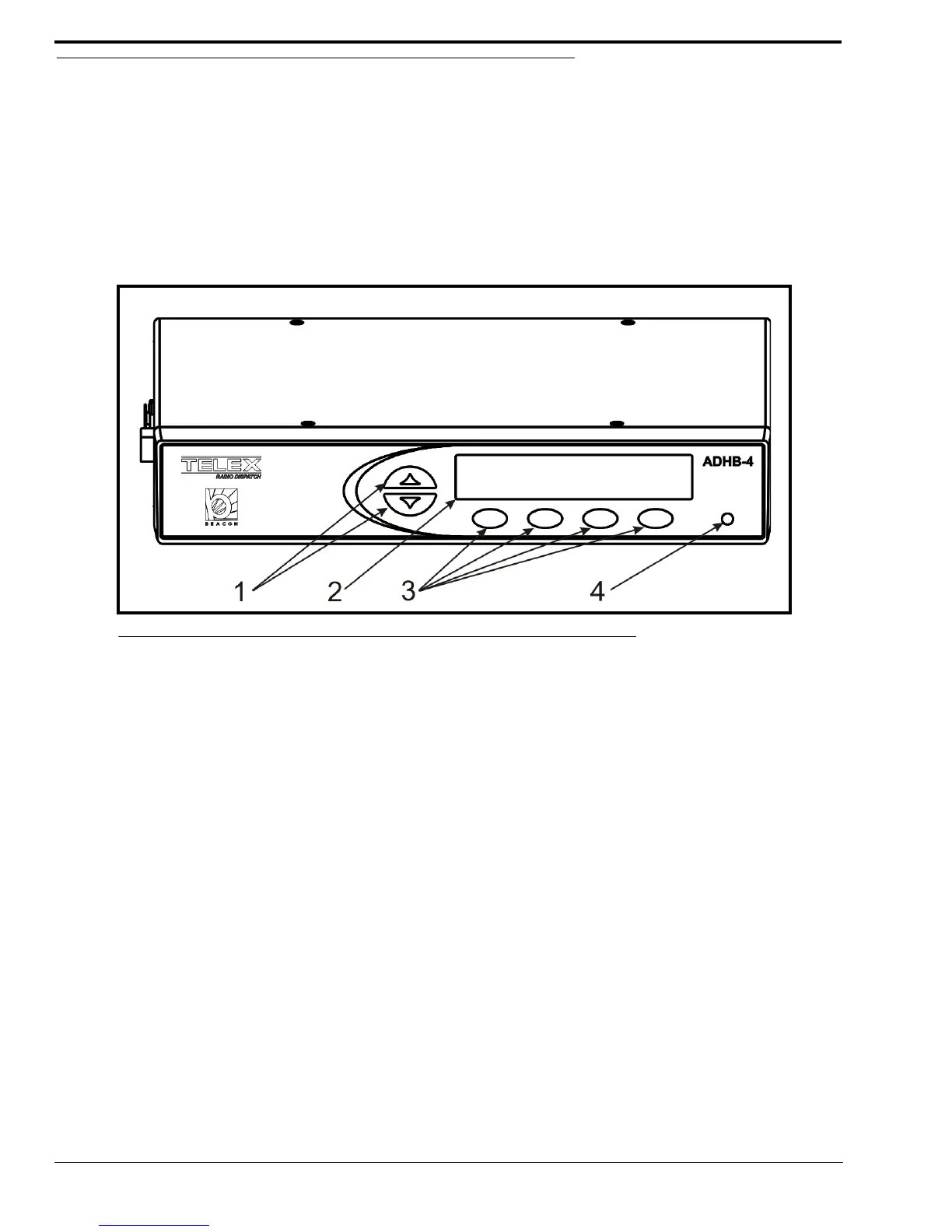
Front Panel Controls and Indicators
1. Volume Buttons - The Volume buttons are used to adjust the volume to the controller (internal) headset connection
and selecting options while in the front panel’s soft menu.
2. Color Display - The color display gives the user graphical indications of events as they occur in either normal
operation mode or in programming mode.
3. Softkeys (4) - The Softkeys are used to enter programming mode and interact with the soft menus.
4. Front LED Indicator - The Front LED indicates power to the unit is on if green; a PTT event is occurring if red.
FIGURE 1. ADHB-4 Front Panel Controls and Indicators



 To Next Page