44
System Setup Window
Submit Button
The Submit button is used to submit changes made to the Gain Setup window. Once clicked, the new configuration is
temporarily saved.
NOTE: The Save Parameters button must be clicked to permanently save the new configuration to the unit.
To permanently save parameters, do the following:
1. From the left navigation pane, click Save Parameters.
The Save Parameters window opens.
2. Click Save Parameters.
The configuration is saved to the ADHB-4.
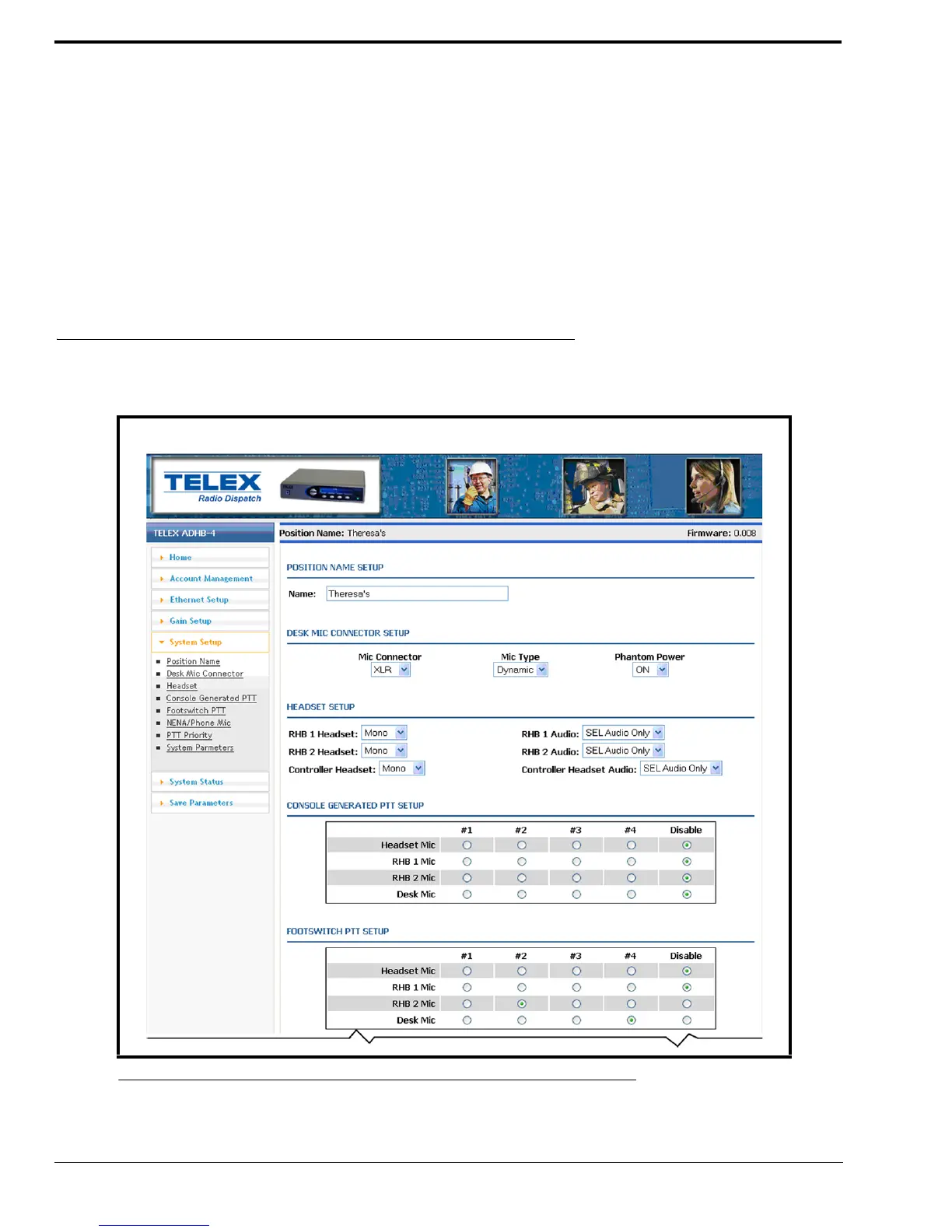
System Setup Window
The System Setup window, shown in Figure 26, is used to enable and configure audio resources.
FIGURE 26. System Setup Window—View 1



 To Next Page