42
Gain Setup Window
Gain Setup Window
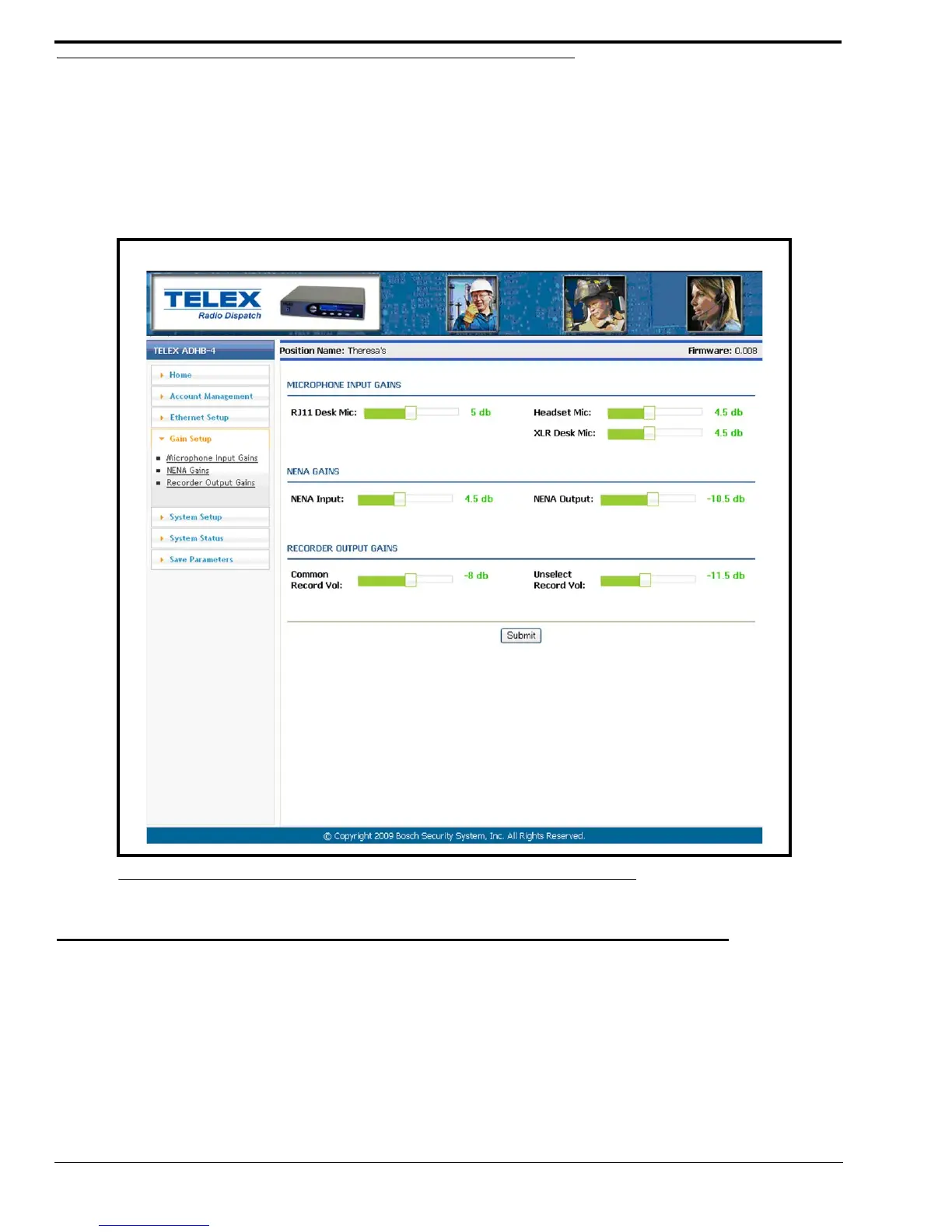
The Gain Setup window, shown in Figure 25, is used to configure audio inputs and outputs.
NOTE: Each option on this page is adjusted with a slider.
To adjust the gain sliders, do the following:
> Use either a mouse or keyboard arrow keys to move the slider in 0.5dB increments to the desired level.
MICROPHONE INPUT GAINS
When a microphone input gain slider is moved, it increments by 0.5db. However, once the settings are saved, negative settings
increment by 1.5dB.
EXAMPLE: If the RJ11 slider is set to -1dB and submit is clicked, a success message appears and the RJ-11 is set to
-1.5dB.
RJ11 Desk Mic Slider
The RJ11 Desk Mic slider is used to configure the input level for an RJ-11 desk mic.
The range for this field is -12dB to 10dB.
FIGURE 25. Gain Setup Window



 To Next Page