74
Controls and Indicators
Controls and Indicators
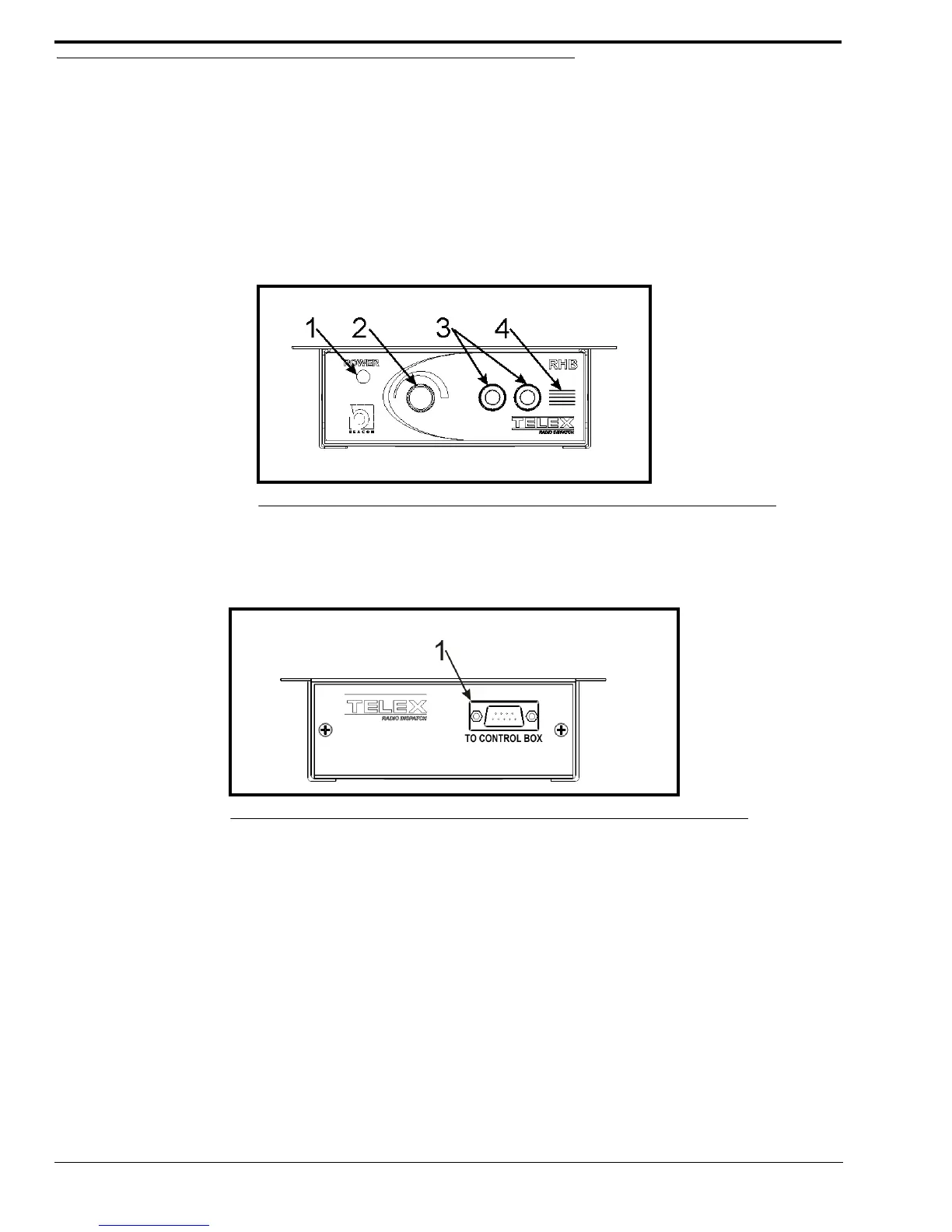
Front Panel Connections, Controls and Indications
1. Power Indicator LED - The Power indicator LED is green when power is supplied to the unit. It is red when a PTT
is generated with the connected headset. Power is derived from the ADHB-4.
2. Volume Knob - The Volume knob is used to adjust the total volume suppled to the headset’s earpiece.
3. Dual Channel 1/4” Headset Jack - The Dual Channel 1/4” Headset Jack is used to connect a headset to the RHB.
4. Polarity Hash Marks.- Polarity Hash Marks are provided on the front of the unit to indicate headset connector
orientation.
Back Panel Connection
1. DB-9 Connector - The DB-9 connector is used to plug the DB-9F end of the supplied cable to the RHB.
FIGURE 35. RHB Front Panel
FIGURE 36. RHB Back Panel



 To Next Page