71
Operation
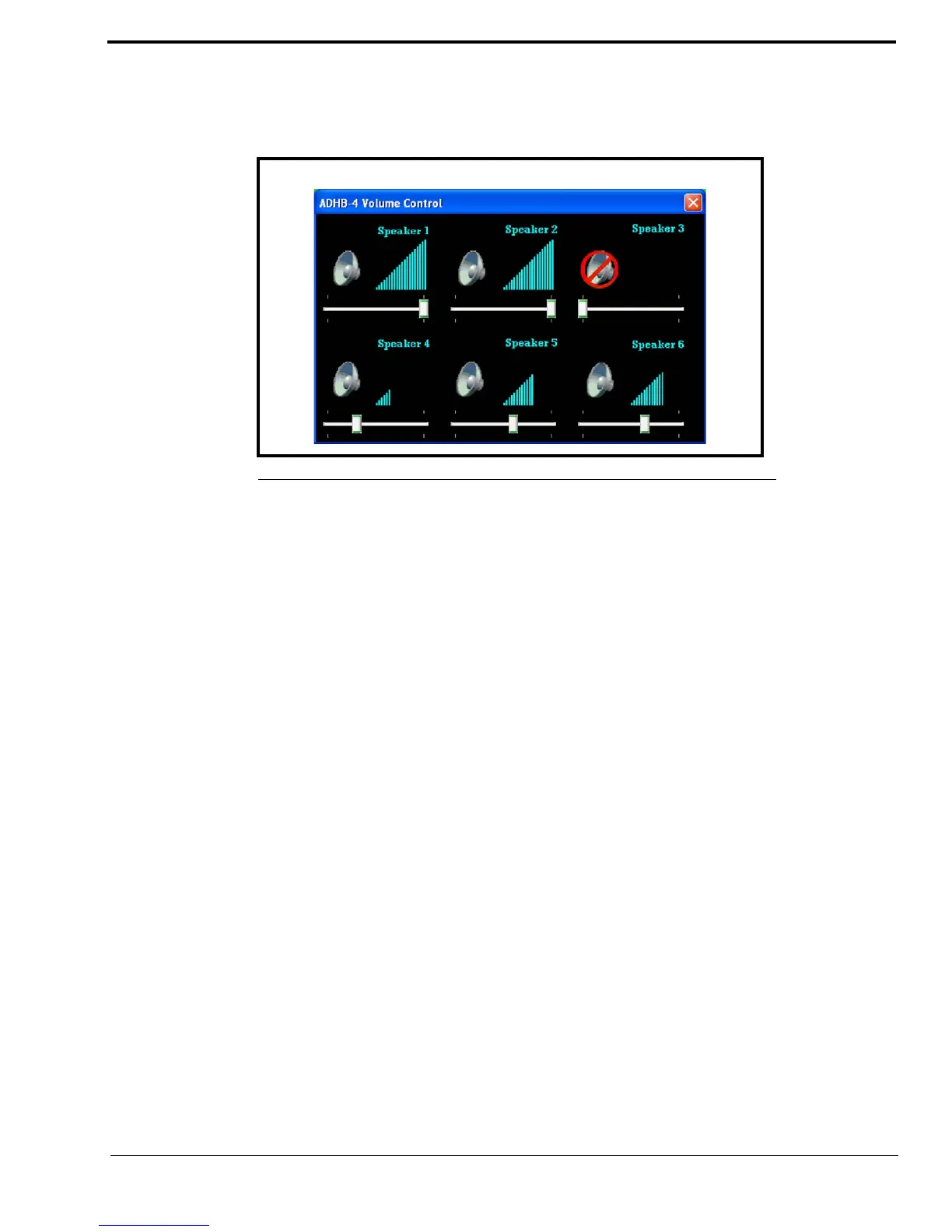
ADHB-4 Volume Control Window
The ADHB-4 Volume Control window is used to adjust the volume or to mute speakers connected to the ADHB-4.
Speaker 3 is muted in the example shown in Figure 34, as indicated by the red circle-backslash symbol.
To adjust a speaker’s volume, do the following:
1. Click the Status bar.
The ADHB-4 Volume Control window appears.
2. Move the speaker’s volume slider to the right to increase.volume or left to decrease volume.
The volume meter changes accordingly and the change in volume takes effect immediately.
3. Click the red X in the upper right corner of the window to close the window.
The window closes.
To mute a speaker, do the following:
> Click the speaker icon for the speaker you want to mute.
A red circle-backslash symbol appears on the speaker icon and the speaker no longer plays audio.
FIGURE 34. ADHB-4 Speaker Volume Control Window



 To Next Page