22
ADHB-4 Connections
ADHB-4 Connections
USB Port
The USB port is used to connect the ADHB-4 directly to a PC. The USB connection is required to send the audio and control
data between C-Soft and the ADHB-4.
IMPORTANT: If it is necessary to disconnect the USB from the computer or ADHB-4, the USB device should be
safely removed.
To safely disconnect the USB from the computer, do the following:
1. Close the C-Soft console.
2. Safely remove hardware.
REFERENCE:For more information, see your operating system user manual.
3. Disconnect the USB from the computer and ADHB-4.
10/100 NETWORK Port
The NETWORK port is used to connect an Ethernet cable to the ADHB-4.
PHONE Jack
The PHONE jack is used to connect a POTS (Plain Old telephone Service) handset, fitted with a mini RJ 4-pin-connector, to
the ADHB-4. This jack can also be used to connect to a phone system.
To connect to a phone system, do the following:
1. Remove the handset from the phone (at the handset side of the wire) leaving the wire connected to the main phone.
2. Connect the line directly to the phone jack.
NENA Jack
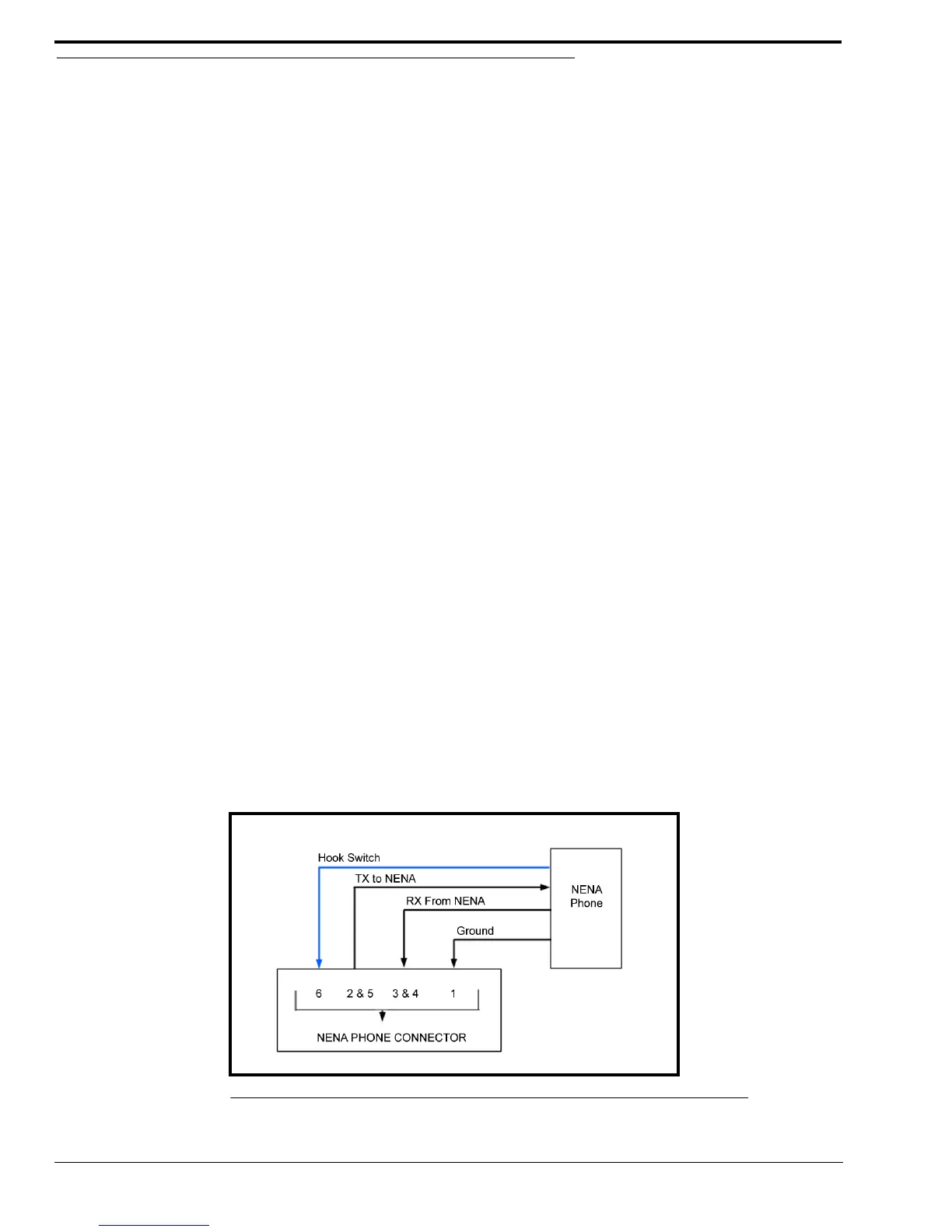
The NENA jack is used to connect a NENA phone with an RJ-12 connector, to the ADHB-4 allowing full duplex
conversation. NENA operation is only permitted when headset(s) are selected and detected for use at the dispatch position.The
offhook condition is triggered by a contact closure that is part of the NENA jack wiring.
The NENA connector wiring diagram is shown in Figure 6. Pin outs for the RJ-12 connector are shown in Figure 7.
FIGURE 6. NENA Phone Connector



 To Next Page