21
Installation
Topside Mounting
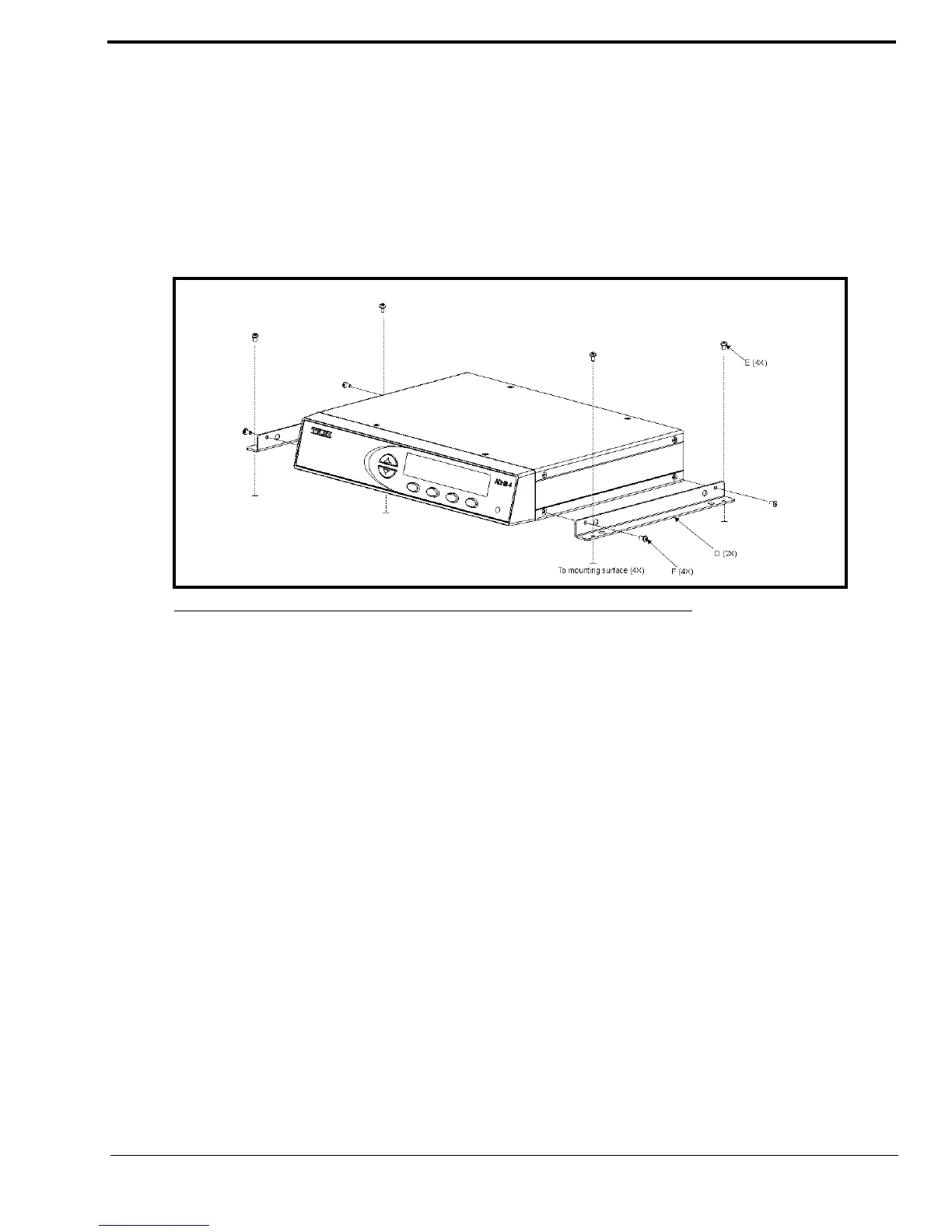
To install the ADHB-4 on the desk topside, do the following:
1. Remove the top screws (F) from the sides of the ADHB-4.
2. Using the screws removed in step 1, attach the brackets (D) to the sides of the ADHB-4, as shown in Figure 5.
3. Place the ADHB-4 in the desired mounting position.
4. Using a pencil, mark hole positions on the mounting surface.
5. Drill holes to accept a #4-40 x 1/4” screw (E).
6. Using the screws (E) supplied with the bracket, attach the ADHB-4 to the mounting surface.
FIGURE 5. ADHB-4 Topside Mounting



 To Next Page