32
ADHB-4 Driver Installation
5.
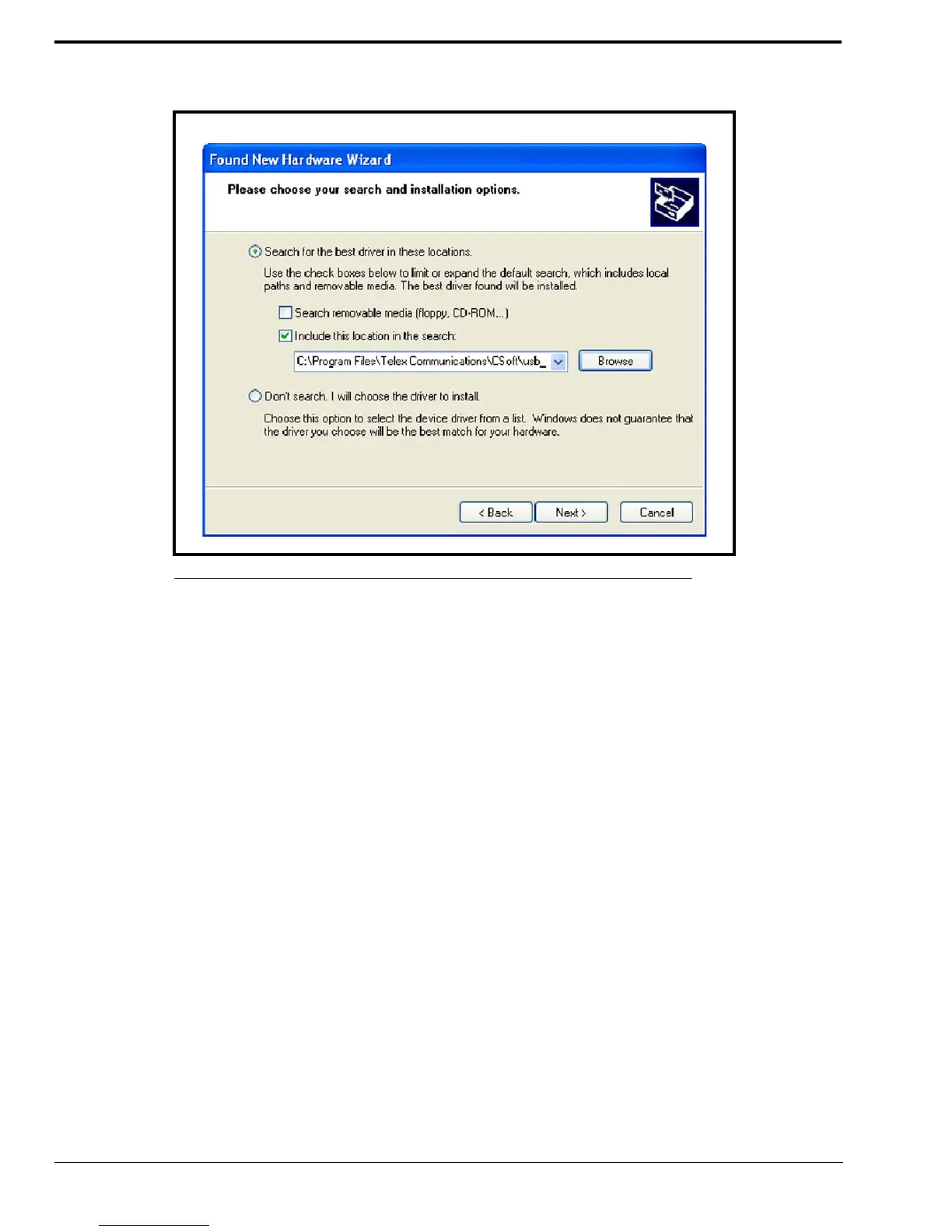
From the Please choose your search and installation options window, select the Include this location in the search
check box.
6. Click Browse.
7. From the Browse For Folder window, select C:\Program Files|Telex
Communications|CSoft|usb_drivers|Winusb_XP.
NOTE: If this folder is not available you need to install the current version of C-Soft.
FIGURE 15. Please choose your search and installation options Window



 To Next Page