V1.1-OCTOBER 2019
| 5
OMNIA MPX NODE MANUAL
The factory default user name is user, the default password is also user.
♦ Once you enter this default, you will see the User Profile page. You must enter and save
a new, unique password in order to access other control pages.
♦ For security, a password must meet the following requirements:
¸ Length must be 8 characters or more
¸ It must contain one or more uppercase letters
¸ It must contain one or more lowercase letters
¸ It must contain one or more numbers
¸ It must contain one or more special characters, eg: ! @ # $ % ^ & * ? _ ~ £
♦ User and password names are case sensitive. Beware that some browsers and devices will
attempt to capitalize the first letter in a field, possibly entering in a wrong character.
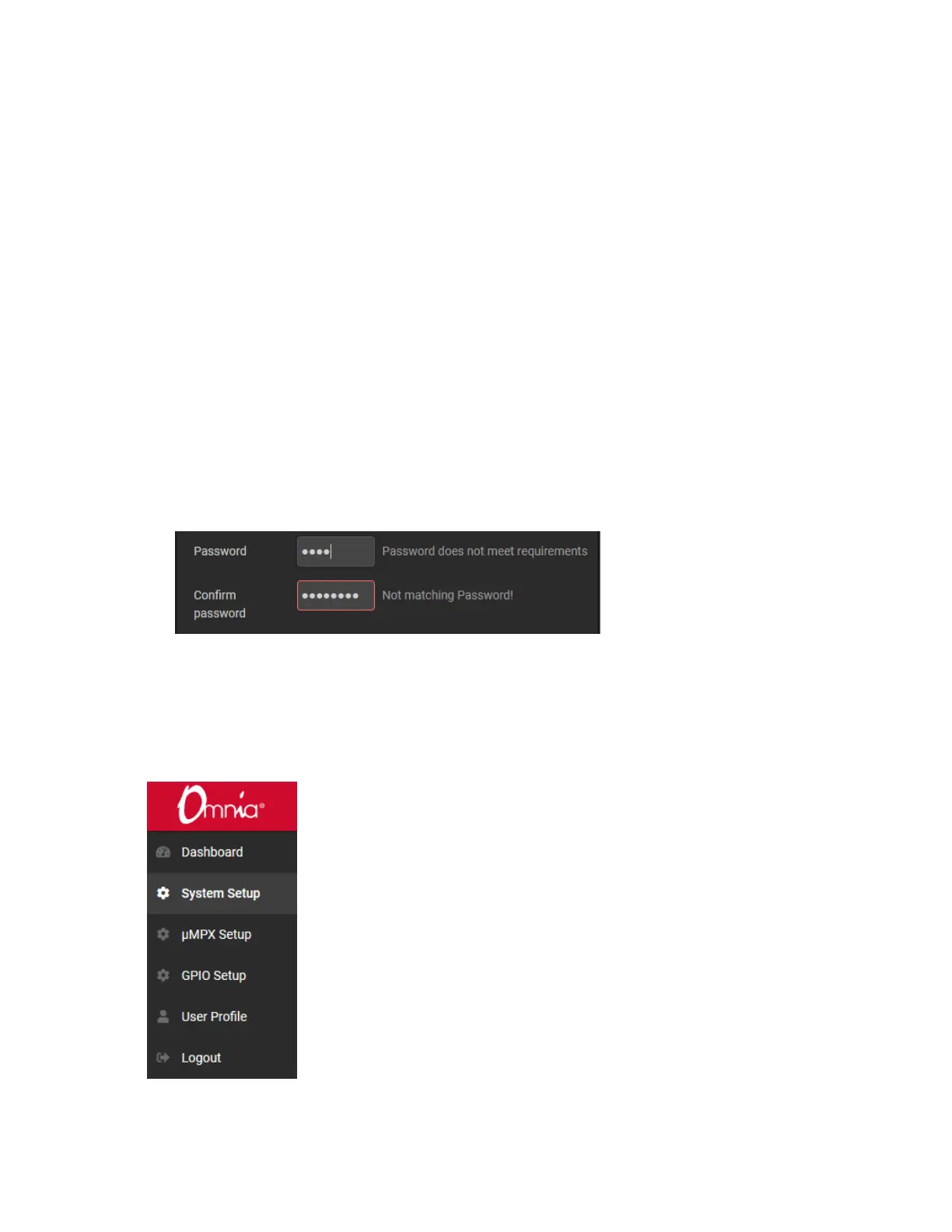
♦ The password entry dialog will indicate if your password meets requirements:
♦ Be sure to write your new user/password combination down. We suggest you text or
email it to yourself.
♦ If you forget or misplace your user/password, you can reset it to the user / user default
from the front panel. For more information check Password Reset in the User Profile
section of this manual.
Once you log into your MPX Node, click through the selections on the upper left side of
the user interface and have a look at the various setup pages of the unit. We’re sure you’ll
find the displays and controls easy to understand and use.


 To Next Page