V1.1-OCTOBER 2019
| 13
OMNIA MPX NODE MANUAL
Encoder and Decoder page descriptions
Pages for the Encoder and Decoder are very similar, with slight differences between
certain displays.
1. Page 1 (Encoder) displays the bitrate and codec mode in use, as well as MPX Level
(M) with Clip indicator. Page 1 (Decoder) displays the codec in use, MPX Level
(M)and data buffering (B).
2. Page 2 shows general status information including Host name, Temperature (Cel-
sius), CPU utilization, Net status, Uptime, and Firmware version.
3. Page 3 displays μMPX codec, bitrate (Encoder) port status (Decoder).
4. Page 4 lists NET1 IP settings, where A is the unit IP Address, G is Gateway, and M is
the subnet Mask.
5. Page 5 lists the NET2 IP settings (as above). Note that a single Gateway is shared
between ports 1 and 2.
6. Page 6 displays the pins on your GPIO, where “i” = input and “o” = output. Pins 1-5
are counted left to right. This display is useful for performing GPIO wiring, valida-
tion and testing for connection to remote interfaces. As you assert pins, this display
will show them go from inactive to active, similar to the GUI.
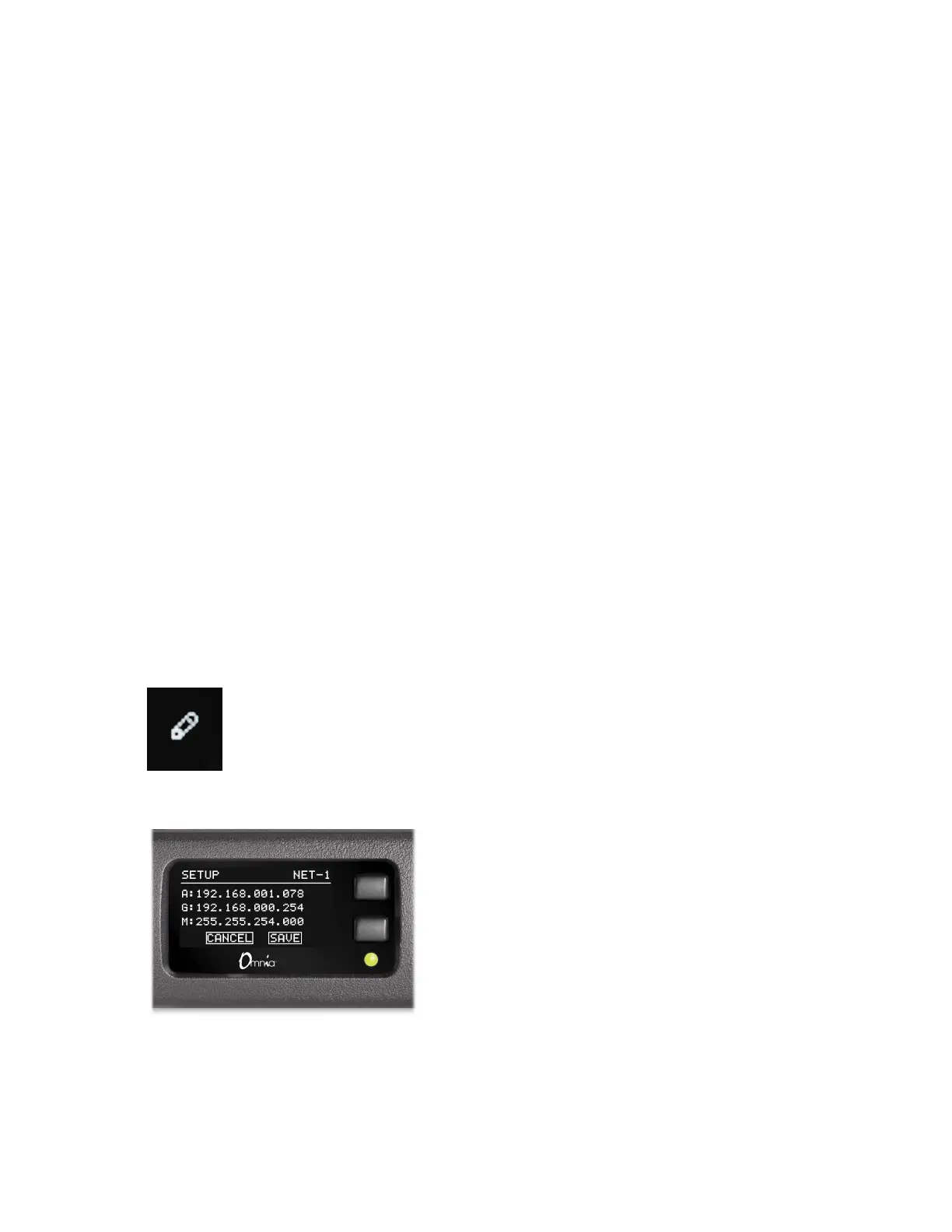
Pages 4 and 5 display this “Pencil” icon, indicating you can edit the IP address
settings from the front panel. For access, press and hold the bottom button
for 10 seconds until the IP Setup screen appears.
Use the top button to change values, and the bottom button to advance to the next field.
To save changes, advance to the SAVE field and press the top button.


 To Next Page