V1.1-OCTOBER 2019
| 16
OMNIA MPX NODE MANUAL
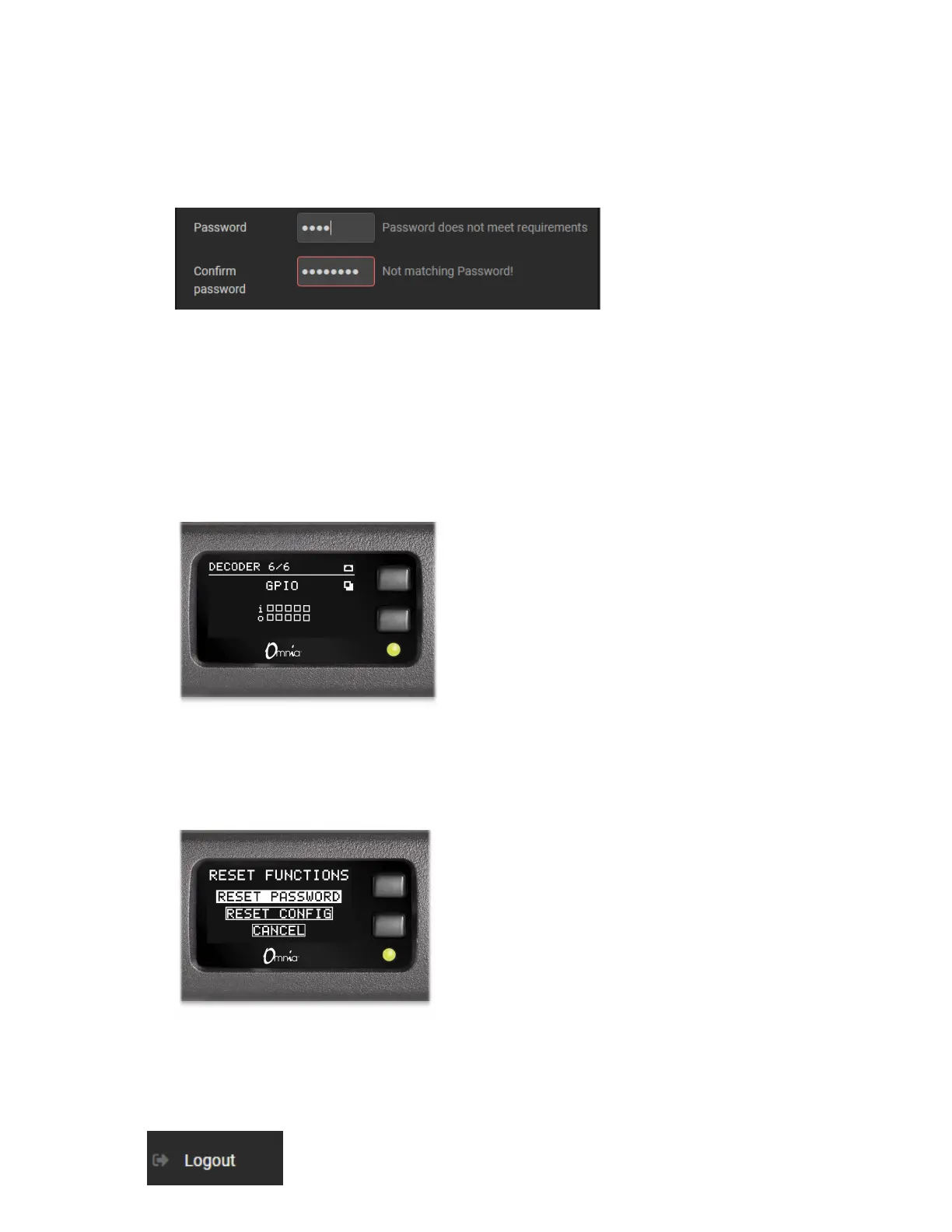
♦ The password entry dialog will indicate if your password meets requirements:
♦ Be sure to write your new user/password combination down. We suggest you text or
email it to yourself.
Password & Cong Reset
If you forget or misplace your user/password, you can reset it to the user / user default
from the front panel. You can also reset configuration to the factory default.
♦ Go to the GPIO status page on the front panel
♦ Hold down the lower button for 10 seconds.
♦ Once the “Reset Functions” page is displayed, use the bottom button to select between
Reset Password, Reset Config or Cancel.
♦ Use the top button to confirm the highlighted choice.
Logout
This control on the left side of the screen instantly logs you out the GUI. Additionally, the
system will log you out after 30 minutes of inactivity.


 To Next Page