V1.1-OCTOBER 2019
| 10
OMNIA MPX NODE MANUAL
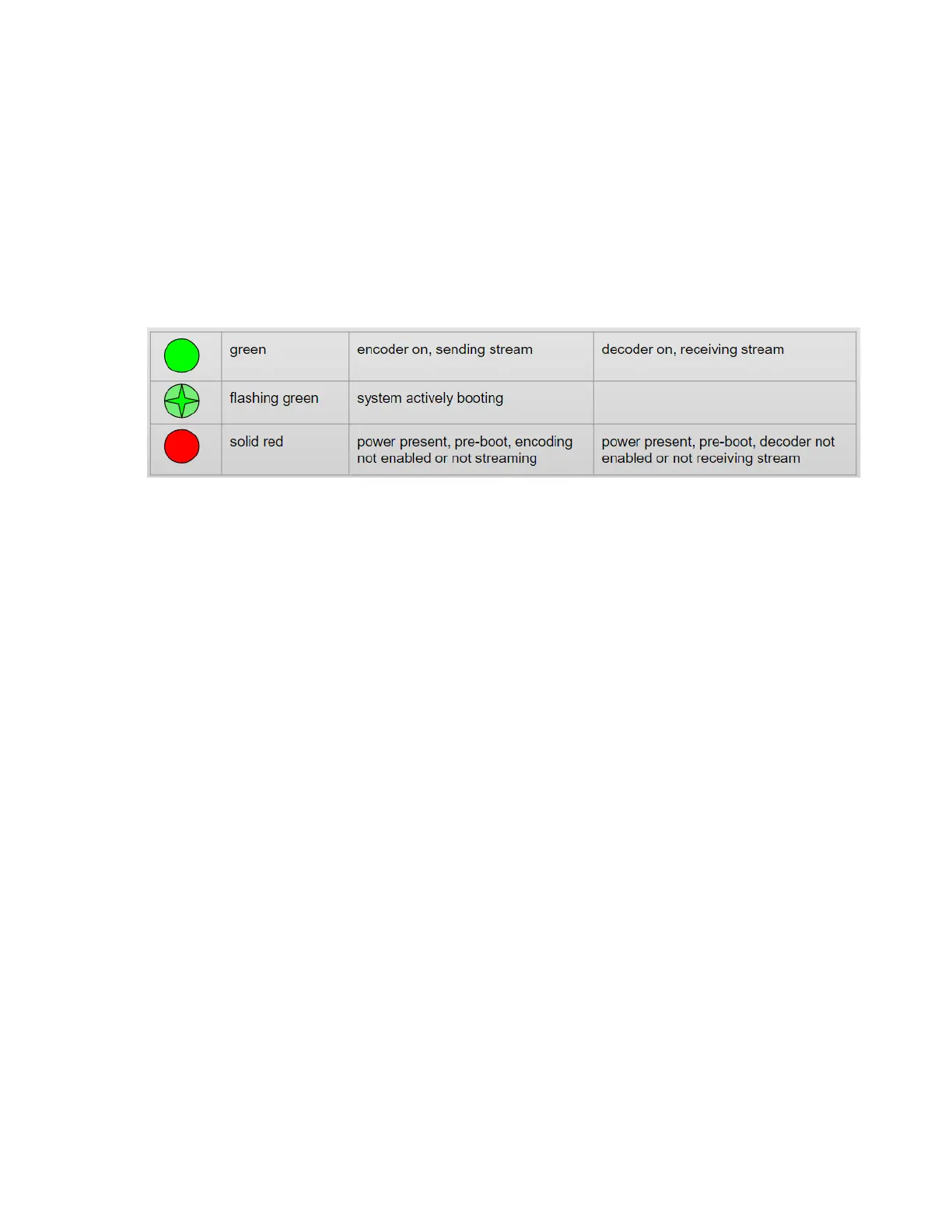
Front Panel indicator LED
The front panel indicator LED provides quick “at-a glance” status information about your
MPX Node. Normally, this LED will be steady green, indicating your unit has properly
started and is encoding or decoding normally. Red indicates the unit has not finished
startup, is not connected to a network, or is not encoding or decoding.
Be aware that if audio programming has stopped somewhere else in the airchain and only
silence is being fed to the encoder, the LED will be lit green since the connection is still
live, and a signal (encoded noise-floor audio) is being passed. The MPX level displays on
the screen will indicate that the MPX level is very low.


 To Next Page