V1.1-OCTOBER 2019
| 15
OMNIA MPX NODE MANUAL
Password
Passwords must be 8 characters long (up to 64). Requirements are below. As you fill out
the Password field, check system will let you know if your password meets requirements.
The Confirm Password field also indicates when your passwords don’t match.
Update Prole
Press this button to update your Username / Password profile. Note that this will log you
out of the system and you’ll need to log back in with your new information.
Logging In for the rst time
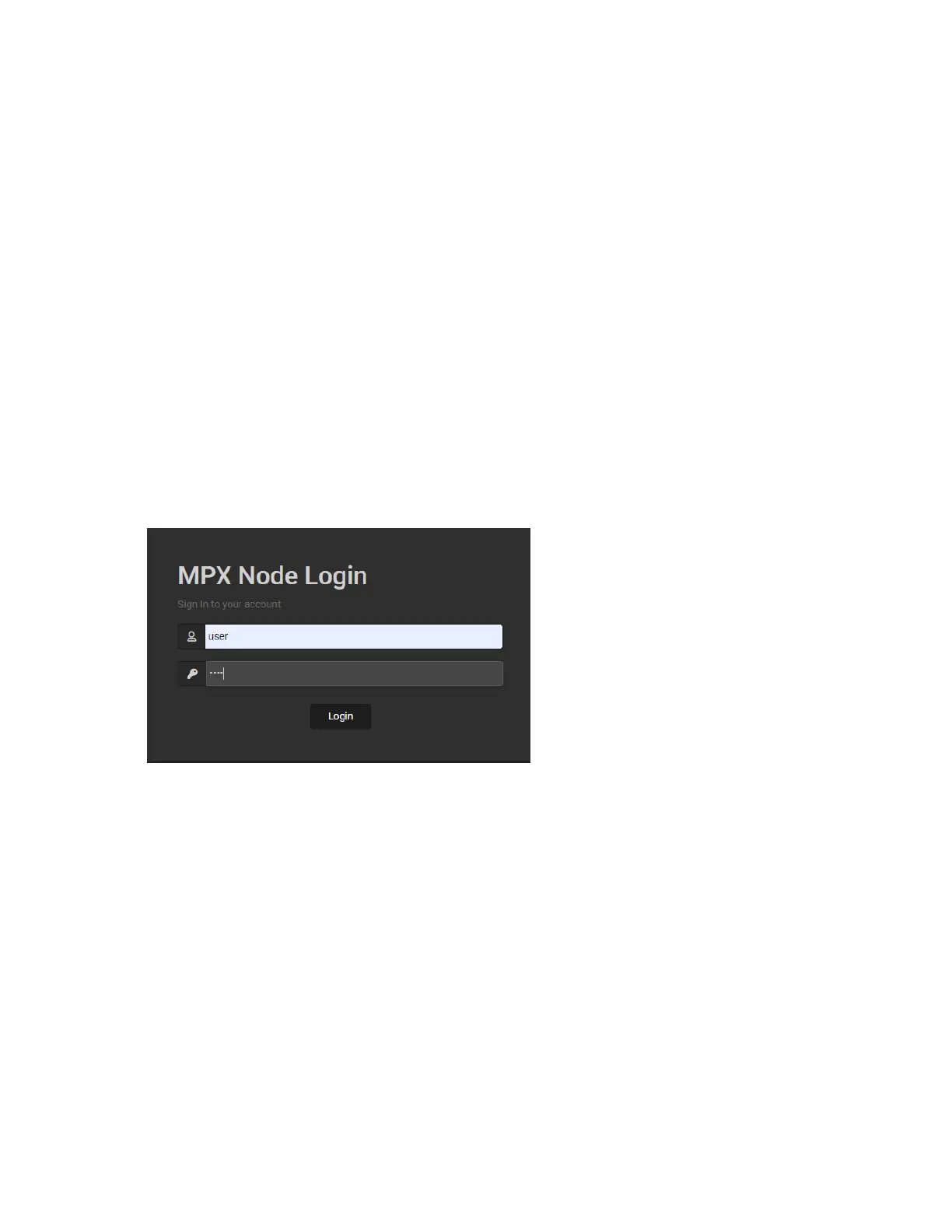
As covered in the Quick Start section of this manual, once you enter the IP address of your
unit in a connected browser, you will see the following login page:
The factory default user name is user, the default password is also user.
♦ Once you enter this default, you will see the User Profile page. You must enter and save
a new, unique password in order to access other control pages.
♦ For security, a password must meet the following requirements:
¸ Length must be 8 characters or more
¸ It must contain one or more uppercase letters
¸ It must contain one or more lowercase letters
¸ It must contain one or more numbers
¸ It must contain one or more special characters, eg: ! @ # $ % ^ & * ? _ ~ £
♦ User and password names are case sensitive. Beware that some browsers and devices will
attempt to capitalize the first letter in a field, possibly entering in a wrong character.


 To Next Page