V1.1-OCTOBER 2019
| 27
OMNIA MPX NODE MANUAL
MPX Node Encoders “push” unicast UDP traffic to destination decoders. Two MPX De-
coders can be driven by a single Encoder, more if an extended Encoder license is installed
(future feature). Two encoders can push streams to the same port on a single decoder to
provide redundancy.
µMPX (MicroMPX) Encoder Settings
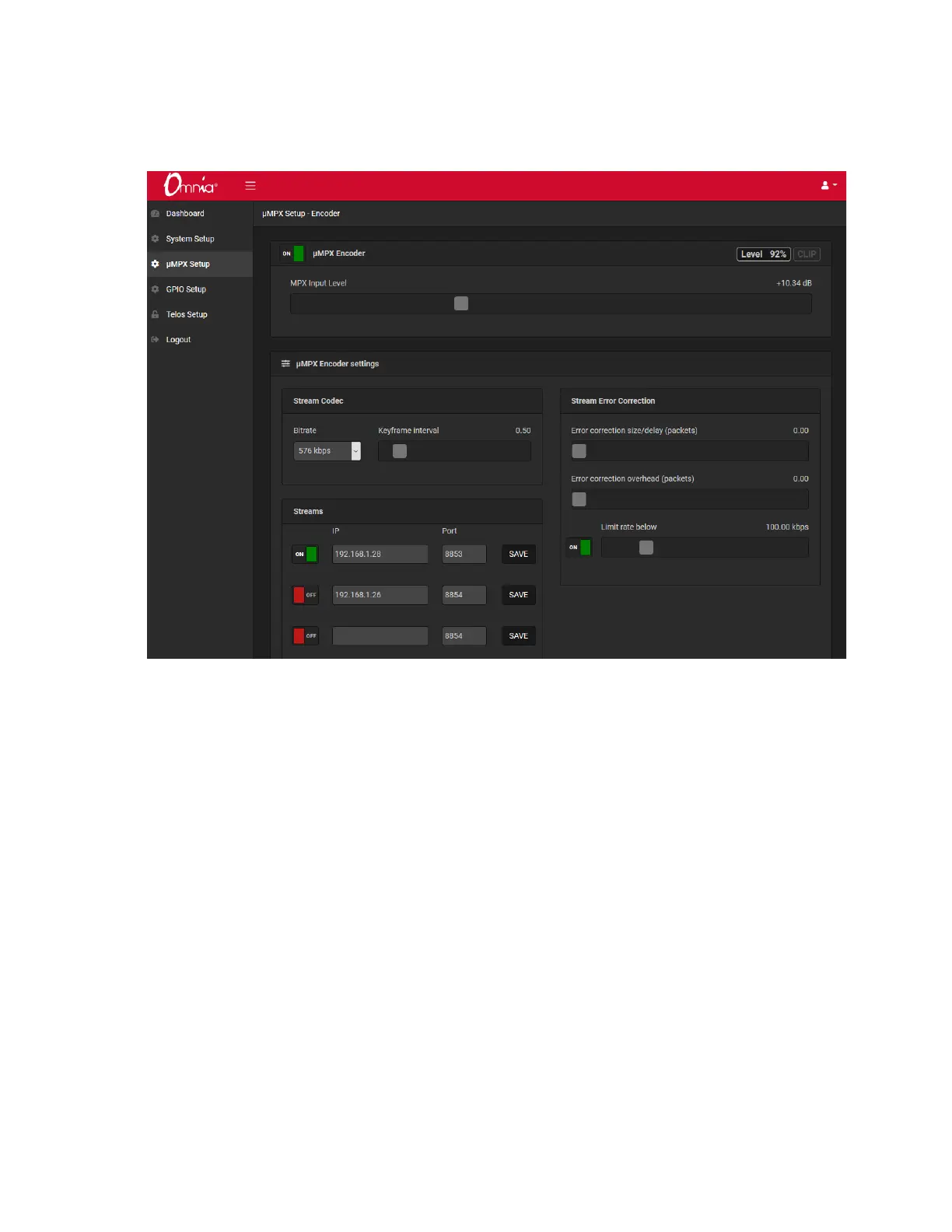
Verify the μMPX Encoder is set to On in the field at the top of the screen. Unless En-
coding is enabled, the MPX meters in Dashboard screen will be inactive, and the Level %
indicator will appear frozen.
MPX Input Level
This gain control allows you to optimize the amount of level feeding the MPX Node’s
converters, and has a direct bearing on the loudness of your signal. To set it, supply a
composite input with typical program material and attempt to adjust it so the level indica-
tor gets as close to 100% as often as possible without the Clip indicator in the upper right
corner going off. The value adjusted by the slider is not set until you release your mouse;
once you release it, the gain number or value will update on screen.


 To Next Page