V1.1-OCTOBER 2019
| 35
OMNIA MPX NODE MANUAL
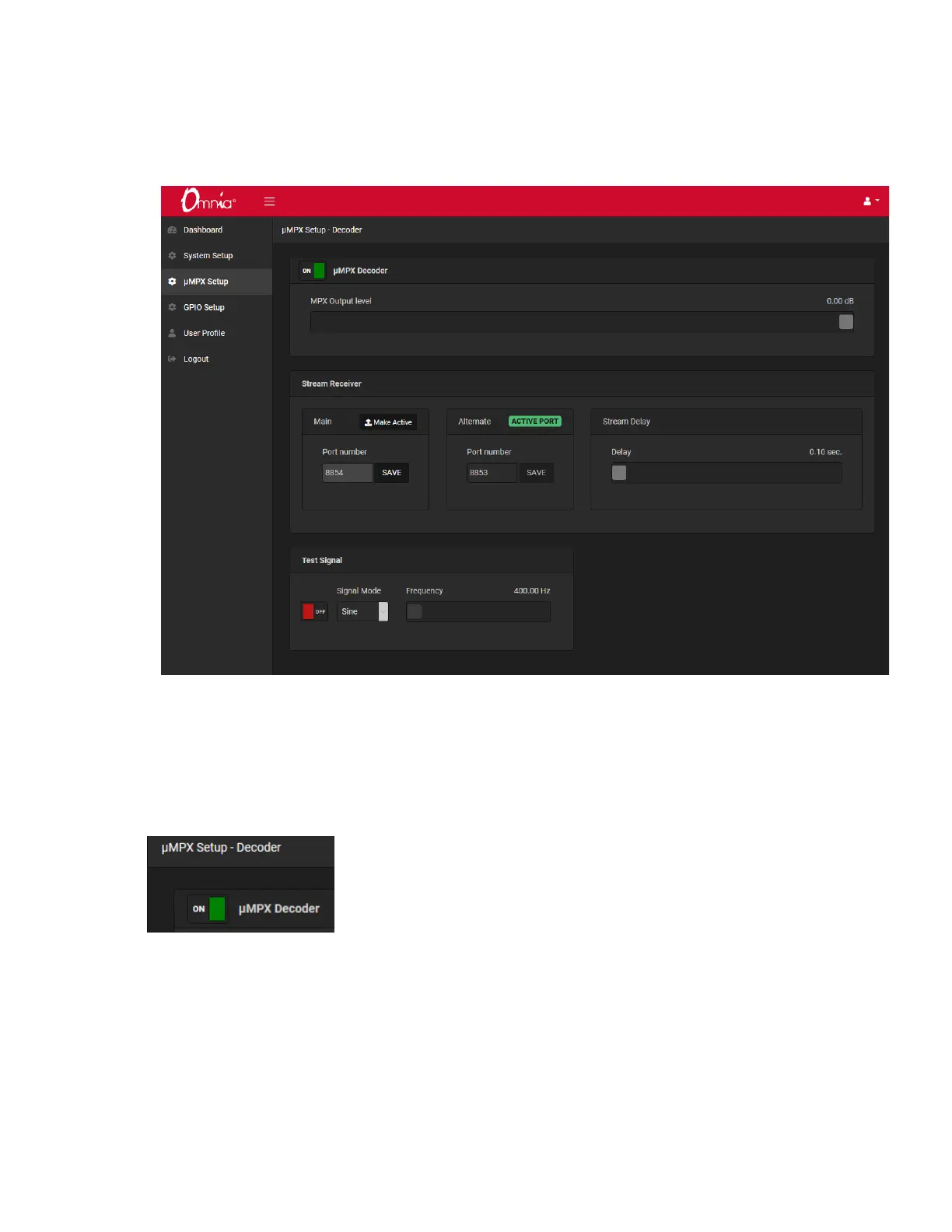
To configure decoding, go to the μMPX Setup page:
Verify the μMPX Decoder is set to On in the field at the top of the screen. Unless Decod-
ing is enabled, the MPX meters at the bottom of this screen and in the Dashboard screen
will be inactive.
The μMPX bitrate is set by the Encoder, and there are no controls or displays on the De-
coder to register rates.


 To Next Page