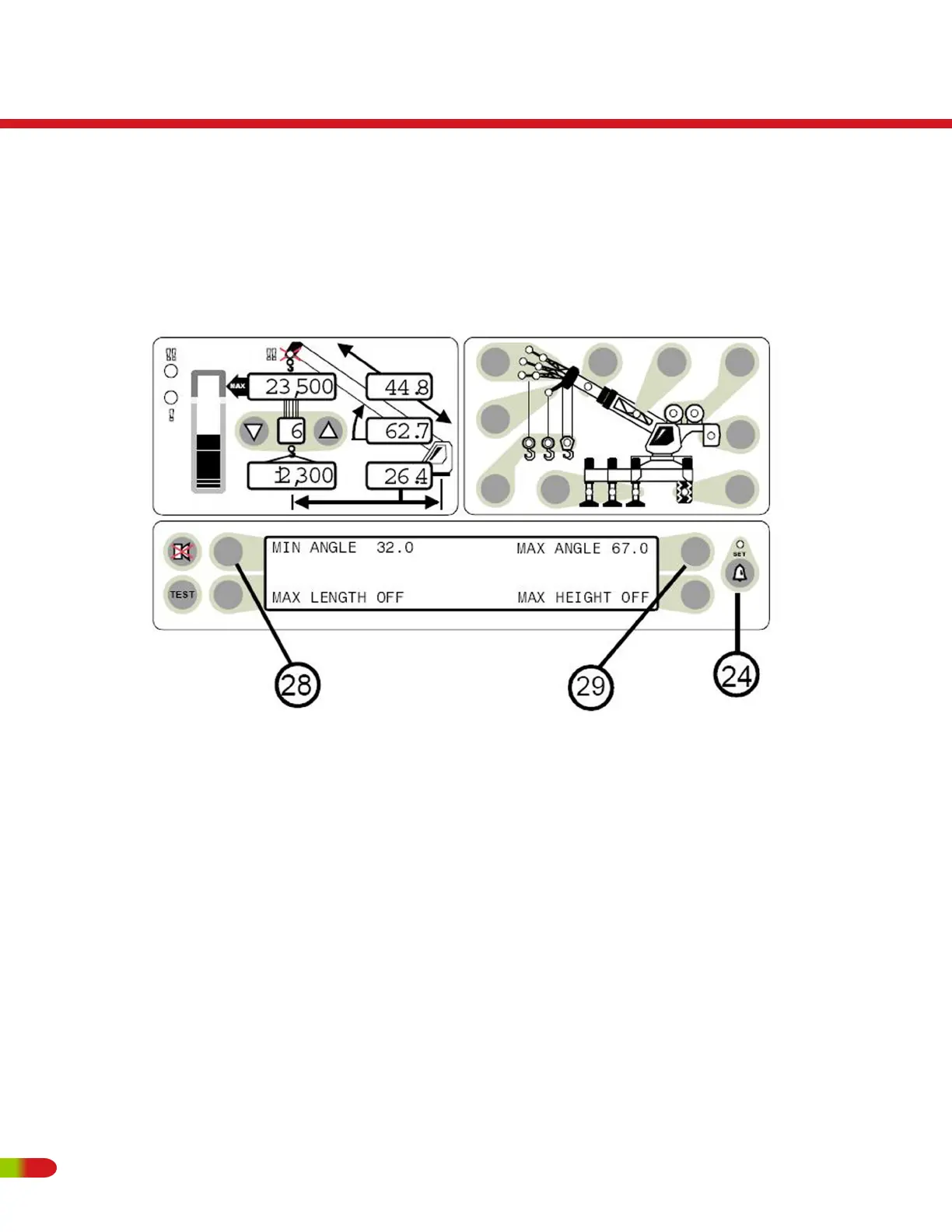
SETTING MINIMUM BOOM ANGLE ALARM
• Move the boom to the desired minimum angle (in this example 32°).
• Press the operator alarm push button (item 24) to access the operator alarm screen.
• Press the push button (item 28) pointing to Min Angle. In this example the display will
read MIN ANGLE 32°.
• The red warning light (item 5) will flash and the audible alarm will sound whenever the
boom angle is below 32°.
Pressing the MIN ANGLE push button again will cancel the alarm and the display will
read MIN ANGLE OFF
RT500
Operating Instructions
94 REVISED:


 To Next Page