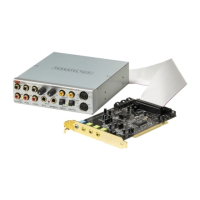
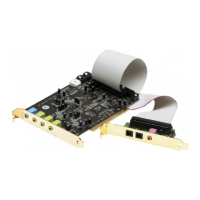
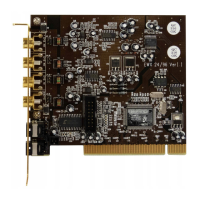
SoundSystem DMX 71
Every since I connected my sound card to my stereo system you can hear a constant hum.
The hum (50Hz) comes from the 220V power supply. It is caused by a so-called ground
loop. This loop is created when two devices are grounded by a ground wire or other wire
(e.g., antenna cable) together with an audio cable. The hum disappears when you
separate the main connection – either with a sheath current filter connected in the
antenna wire (approx. $ 25 retail), or connect an audio transmitter which has a direct
connection to the audio output (PC) and input (HiFi amplifier) (e.g., from Conrad, Best. No.
31 14 05 or in stereo stores). If you remove the antenna cable from the receiver/tuner and
the hum disappears, then the sheath current filter helped. If the hum is still audible
without the antenna cable, the problem is with the double-grounding and is remedied by
the separate transmitter.
A MIDI keyboard connected to the card doesn't work.
· First, ensure that the driver for communication with the keyboard has been installed.
The driver is called 'DMX MPU-401 Device' and should be found in the Control Panel in
System under Device Manager. If it is not there, reinstall it from the current Windows
95/98 driver.
· If the driver is installed, it must be selected as the MIDI input device in the sequencer
software. Please see your sequencer handbook for details on this. Most sequencer
programs have a menu item labeled "Setup/MIDI Devices", where you can select MIDI
input and MIDI output devices.
· If both these conditions are satisfied and the problem persists, in other words the
software does not react when you hit a key or no sound is audible, the MIDI connecting
cable is almost certainly the cause of the trouble. Experience has shown that there's an
enormous number of different MIDI connector cables which unfortunately are all
identical externally. These cables should contain a so-called optocoupler suitable for
the sound card's levels. As it's not possible to check this from the outside, always use
the sound card manufacturer's MIDI cable. You can obtain this cable either from us
directly or you can visit your local computer store (see also page 45).


 To Next Page