• View how busy a Supercharger location typically is during
different times of the day, along with corresponding
charging fees and idle fees (see Supercharger Fees on
page 162).
Predicting Energy Usage
When navigating to a destination, Model Y helps you
anticipate your charging needs by calculating the amount of
energy that remains when you reach your destination. When
navigating, the map displays this calculation next to the
Battery icon on the turn-by-turn direction list (see Navigating
to a Destination on page 145). When the turn-by-turn
direction list is compressed, touch the top of the list to
expand it.
The calculation that predicts how much energy you will use is
an estimate based on driving style (predicted speed, etc.)
and environmental factors (wind speed and direction,
ambient and forecasted temperatures, air density and
humidity, etc.). As you drive,
Model Y continuously learns
how much energy it uses, improving accuracy over time.
Model Y predicts energy usage based on the driving style of
the individual vehicle. For example, if you drive aggressively
for a period of time, future range predictions will assume
higher consumption. Some factors that contribute to
predicted energy (such as forecasted temperatures and wind
speed) are available only when
Model Y has internet
connectivity.
NOTE: If you purchase a used Tesla vehicle, it is
recommended that you perform a factory reset (Controls >
Service > Factory Reset) to ensure the predicted energy is as
accurate as possible.
Throughout your route, Model Y monitors energy usage and
updates the estimate of energy remaining at the end of your
trip. A popup warning displays on the turn-by-turn direction
list in these situations:
•
A yellow warning displays when you have very little
energy remaining to reach your destination, requiring you
to drive slowly to conserve energy. For tips on conserving
energy, see Getting Maximum Range on page 167.
• A red warning displays when you must charge to reach
your destination.
To determine if you have enough energy for a round trip,
touch the Battery icon on the turn-by-turn direction list to
display an estimated calculation of your round trip energy
usage.
Or, when navigating to a destination, use Set Arrival %
(if available) to determine how much energy your vehicle has
upon arrival.
Online Routing
Model Y detects real-time traffic conditions and
automatically adjusts the estimated driving and arrival times.
In situations where traffic conditions may delay your
estimated time of arrival and an alternate route is available,
the navigation system can reroute you to your destination.
To
decline the alternate route, tap the reroute notification on
your touchscreen. You can also specify the minimum number
of minutes that must be saved before you are rerouted. Turn
this feature on or off by touching Controls > Navigation >
Online Routing.
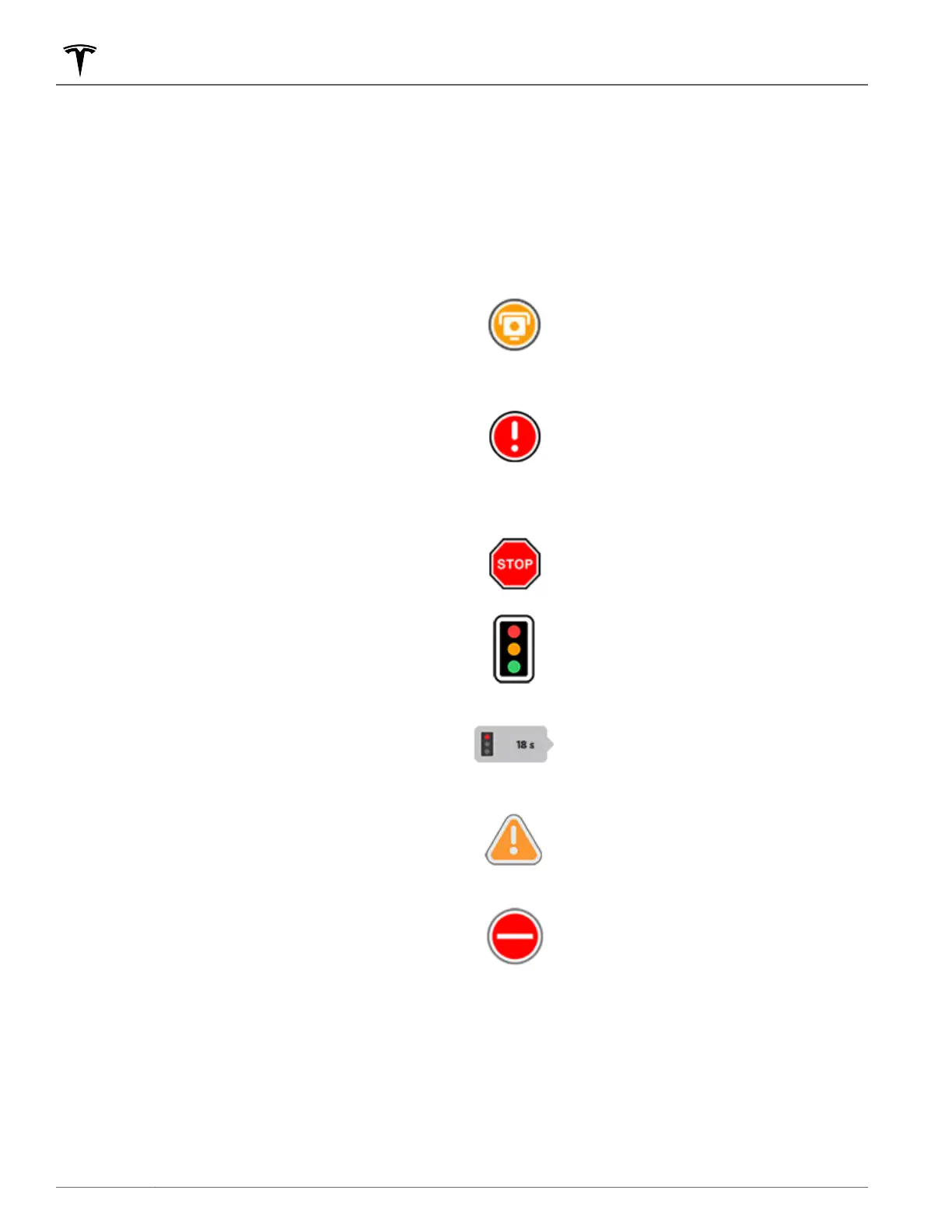
If available in your region and Online Routing is enabled, real-
time traffic condition icons display along navigation routes
when detected (Premium Connectivity required).
NOTE: Supported traffic icons vary by region.
Excluding France
: Appears when a
speed camera is detected. As you are
approaching the speed camera, Model
Y can also sound a chime. To enable
this feature, touch Controls >
Navigation > Speed Camera Chime.
France only:
May or may not contain
one or more speed cameras or a range
of other driving hazards. As you are
approaching the speed camera, Model
Y can also sound a chime. To enable
this feature, touch Controls >
Navigation > Speed Camera Chime.
Displays stop signs and traffic lights.
Alerts you of the expected wait time
until the traffic light changes.
Appears when there is construction
along your route.
Indicates that a road is closed. The
touchscreen notifies you if your route is
altered to avoid closed roads.
Trip Planner
Trip Planner (if available in your region) helps you take longer
road trips with confidence. If reaching your destination
requires charging, Trip Planner routes you through the
appropriate Supercharger locations. Trip Planner selects a
route and provides charging times to minimize the amount of
Maps and Navigation
148 MODEL Y Owner's Manual















 To Next Page